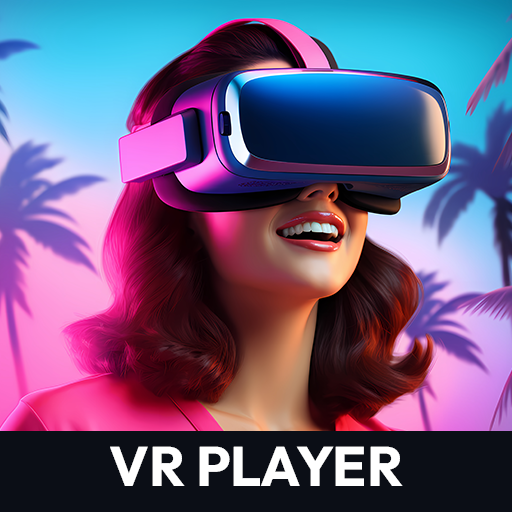
VR Video Player 360 VR Player
Bijgewerkt
Huidige Versie
1.0.7
Aangeboden door

Maak je geen zorgen meer over extra kosten bij het gebruik van VR Video Player 360 VR Player op je mobiele telefoon, bevrijd jezelf van het kleine scherm en geniet van het gebruik van de app op een veel groter display. Vanaf nu, krijg een volledige schermervaring van je app met toetsenbord en muis. MEmu biedt je alle verrassende functies die je verwachtte: snelle installatie en eenvoudige configuratie, intuïtieve besturing, geen beperkingen meer van batterij, mobiele data en storende oproepen. De gloednieuwe MEmu 9 is de beste keuze voor het gebruik van VR Video Player 360 VR Player op je computer. MEmu multi-instance manager maakt het mogelijk om tegelijkertijd 2 of meer accounts te openen. En het belangrijkste, onze exclusieve emulatiemotor kan het volledige potentieel van je PC benutten, waardoor alles soepel en plezierig wordt.
Meer tonen
Geniet van een fantastische ervaring met VR Video Player 360 VR Player op je pc met MEmu Play. Het is een krachtige gratis Android-emulator die je duizenden Android-apps biedt voor de desktopversie. Geniet van contact met vrienden en verbeter je werk met hogere efficiëntie! Immersive VR Player Experience.
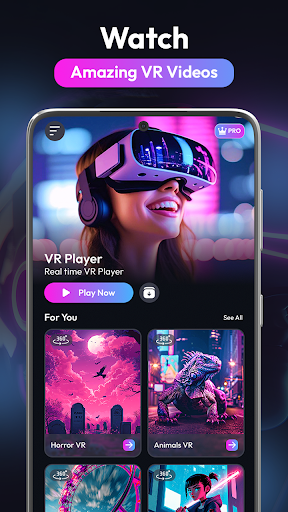
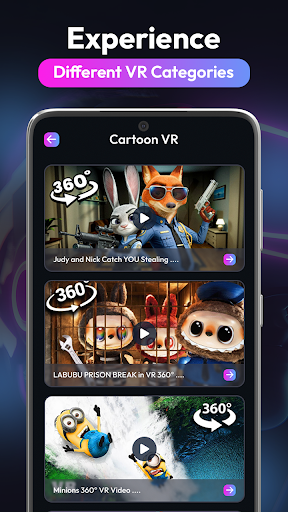
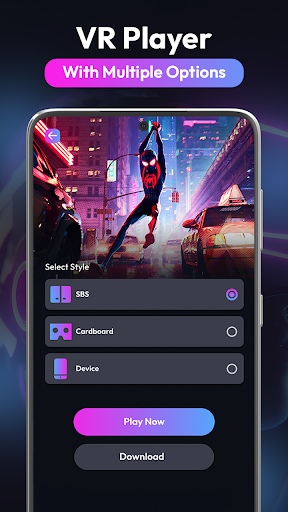
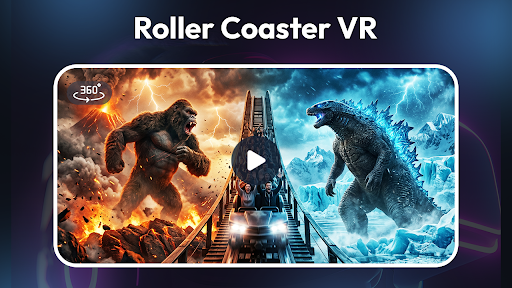
Immersive VR Player Experience
Experience the VR Player technology available for mobile devices today. This Video Player offers unparalleled clarity for all your immersive media files. Whether you are watching a 360 VR adventure or a standard film, our HD Video Player ensures every pixel is perfectly rendered. This 3D VR system supports all major formats for seamless viewing. Our 360 Video player integrates smoothly with your device’s internal sensors for head tracking.
Top Features VR Media Player
The VR Media Player provides a cinema-like atmosphere right in your pocket. As a dedicated VR Player, it handles high-bitrate files without any lag or stuttering. If you need a reliable Video Player, look no further than this optimized application. Explore the world of 360 VR with intuitive touch and gyro controls. This HD Video Player transforms your smartphone into a high-end virtual reality headset.
360 Video Player Utility
Every 3D VR enthusiast needs a tool that can handle complex spatial audio. Our 360 Video player delivers deep immersion through sound processing and visual optimization. This VR Media Player is designed for both beginners and professional virtual reality creators.Choose this Video Player for the most stable performance across all modern operating systems.
How to Use the App
Import Media: Open the 360 VR gallery and select any file to start your immersive journey instantly.
Select Mode: Use the HD Video Player settings to toggle between 2D, 3D, and various panoramic viewing modes.
Calibrate Sensors: Ensure your 3D VR experience is drift-free by centering the view within the main interface.
Control Playback: Navigate the 360 Video player using gaze-based controls or an external Bluetooth controller for convenience.
Adjust Quality: Fine-tune the VR Media Player resolution to match your hardware capabilities for the smoothest playback possible.
Exceptional Features for Every User
Our VR Player is built on a custom engine designed specifically for low-latency playback. When you use this Video Player, you notice the difference in how smoothly the frames transition. For lovers of travel content, the 360 VR support allows you to visit distant lands without leaving your home. The HD Video Player engine supports 4K and 8K resolutions, ensuring that your 3D VR content looks crisp and lifelike.
The 360 Video player includes a "Cinema Mode" that places you in a virtual theater with realistic lighting effects. This VR Media Player also features an easy-to-use file manager that automatically categorizes your local files. If you are looking for a VR Player that supports subtitles and multiple audio tracks, this is the one. Experience true 360 VR depth with our proprietary rendering algorithms that reduce motion sickness. The HD Video Player functionality extends to streaming links, allowing you to watch online content in VR. With our 3D VR optimization, battery consumption is minimized so you can watch longer. The 360 Video player interface is minimalist, staying out of your way while you enjoy your media.
Every VR Media Player needs a "VR Gallery" that organizes your memories into a searchable grid. This VR Player supports gesture controls, making it the most modern Video Player on the market. Dive into 360 VR gaming videos or educational documentaries with a single tap. Our HD Video Player also includes a "Kid Mode" to keep the 3D VR experience safe for younger family members.
Enhance your 3D VR library today and see what you have been missing in traditional apps. Our 360 Video player is updated weekly to support new headsets and file types. The VR Media Player community is growing, and we want you to be a part of it. Download now and turn your device into the ultimate entertainment hub!
Meer tonen

1. Download de MEmu-installatie en voltooi de setup

2. Start MEmu en open vervolgens Google Play op het bureaublad

3. Zoek VR Video Player 360 VR Player in Google Play
Install
4. Download en installeer VR Video Player 360 VR Player
5. Klik op het icoon om te starten na het voltooien van de installatie

6. Ervaar VR Video Player 360 VR Player op pc met MEmu
MEmu Play is de beste Android-emulator, met meer dan 100 miljoen gebruikers die genieten van de superieure Android-app-ervaring. Dankzij de virtualisatietechnologie van MEmu kun je duizenden Android-apps soepel op je computer draaien, zelfs de meest veeleisende.
Groter scherm met betere graphics; Lange duur, zonder beperking van batterij of mobiele data.
Volledige Keymapping-ondersteuning voor nauwkeurige besturing van toetsenbord en muis of gamepad.
Meerdere game-accounts of taken op één PC tegelijk met Multi-Instance manager.
Gebruik VR Video Player 360 VR Player op PC door de volgende stappen te volgen: