ZEEKR
Bijgewerkt
Huidige Versie
1.6.6
Aangeboden door

Maak je geen zorgen meer over extra kosten bij het gebruik van ZEEKR op je mobiele telefoon, bevrijd jezelf van het kleine scherm en geniet van het gebruik van de app op een veel groter display. Vanaf nu, krijg een volledige schermervaring van je app met toetsenbord en muis. MEmu biedt je alle verrassende functies die je verwachtte: snelle installatie en eenvoudige configuratie, intuïtieve besturing, geen beperkingen meer van batterij, mobiele data en storende oproepen. De gloednieuwe MEmu 9 is de beste keuze voor het gebruik van ZEEKR op je computer. MEmu multi-instance manager maakt het mogelijk om tegelijkertijd 2 of meer accounts te openen. En het belangrijkste, onze exclusieve emulatiemotor kan het volledige potentieel van je PC benutten, waardoor alles soepel en plezierig wordt.
Meer tonen
Geniet van een fantastische ervaring met ZEEKR op je pc met MEmu Play. Het is een krachtige gratis Android-emulator die je duizenden Android-apps biedt voor de desktopversie. Geniet van contact met vrienden en verbeter je werk met hogere efficiëntie! About ZEEKR.
About ZEEKR
ZEEKR is the global luxury electric mobility technology brand from Geely Holding Group. ZEEKR aims to create a fully integrated user ecosystem with innovation as standard. The brand utilizes the Sustainable Experience Architecture (SEA) and includes its own battery technologies, battery management systems, electric motor technologies and electric vehicle supply chain.
ZEEKR APP features
ZEEKR App includes multiple features as described below (each a “Service” and collectively the “Services”):
News
These functionalities allow you to browse the latest news of ZEEKR, give your likes to the articles and share the article link to your friends.
Tips
These functionalities allow you to browse the car using instruction articles, give your like to the articles and share the article link to your friends
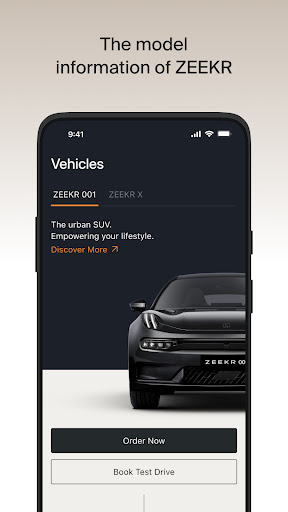
Model
These functionalities allow you to browse the model information of ZEEKR.
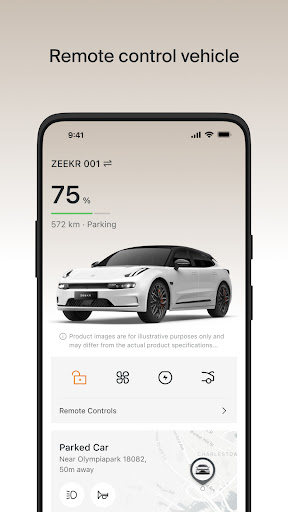
Car Control
These functionalities allow you to lock/unlock the vehicle remotely through the App, check the car status, tire pressure, open/close the trunk of the vehicle, start engine and air conditioner, etc.
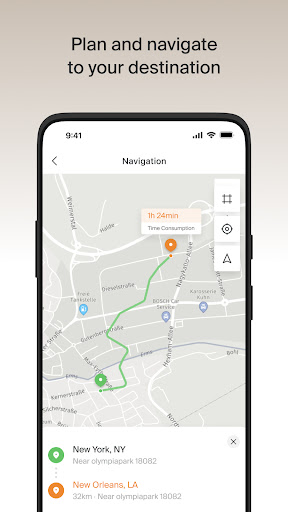
Map
These functionalities allow you to check the map, check car location, plan and navigate to your destination, receive last mile navigation notification from car, set and turn on/off Geo-fencing, check journey log, find the nearby charging stations in charging map.
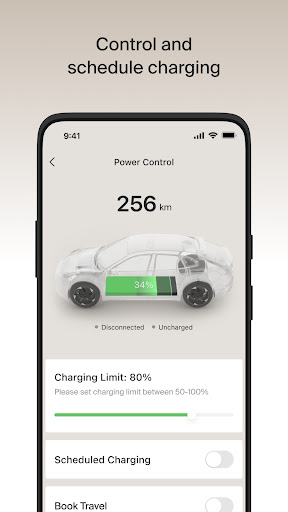
Remote Charge
These functionalities allow you to check the status of charging, start/stop charging and discharging, set scheduled charging.
User Center
These functionalities allow you to edit and update your profile name, profile photo, introduction.
Setting
These functionalities allow you register account, log in/out, check account info, payment info and address info, switch country/language, make settings of APP notification and permission.
Meer tonen

1. Download de MEmu-installatie en voltooi de setup

2. Start MEmu en open vervolgens Google Play op het bureaublad

3. Zoek ZEEKR in Google Play
Install
4. Download en installeer ZEEKR
5. Klik op het icoon om te starten na het voltooien van de installatie

6. Ervaar ZEEKR op pc met MEmu
MEmu Play is de beste Android-emulator, met meer dan 100 miljoen gebruikers die genieten van de superieure Android-app-ervaring. Dankzij de virtualisatietechnologie van MEmu kun je duizenden Android-apps soepel op je computer draaien, zelfs de meest veeleisende.
Groter scherm met betere graphics; Lange duur, zonder beperking van batterij of mobiele data.
Volledige Keymapping-ondersteuning voor nauwkeurige besturing van toetsenbord en muis of gamepad.
Meerdere game-accounts of taken op één PC tegelijk met Multi-Instance manager.
Gebruik ZEEKR op PC door de volgende stappen te volgen: