Zsurf Browser
Bijgewerkt
Huidige Versie
1.6.8
Aangeboden door

Maak je geen zorgen meer over extra kosten bij het gebruik van Zsurf Browser op je mobiele telefoon, bevrijd jezelf van het kleine scherm en geniet van het gebruik van de app op een veel groter display. Vanaf nu, krijg een volledige schermervaring van je app met toetsenbord en muis. MEmu biedt je alle verrassende functies die je verwachtte: snelle installatie en eenvoudige configuratie, intuïtieve besturing, geen beperkingen meer van batterij, mobiele data en storende oproepen. De gloednieuwe MEmu 9 is de beste keuze voor het gebruik van Zsurf Browser op je computer. MEmu multi-instance manager maakt het mogelijk om tegelijkertijd 2 of meer accounts te openen. En het belangrijkste, onze exclusieve emulatiemotor kan het volledige potentieel van je PC benutten, waardoor alles soepel en plezierig wordt.
Meer tonen
Geniet van een fantastische ervaring met Zsurf Browser op je pc met MEmu Play. Het is een krachtige gratis Android-emulator die je duizenden Android-apps biedt voor de desktopversie. Geniet van contact met vrienden en verbeter je werk met hogere efficiëntie! Zsurf Browser loads your webpages 2x faster, saves 90% of your data, and enables smooth browsing in a slow network.
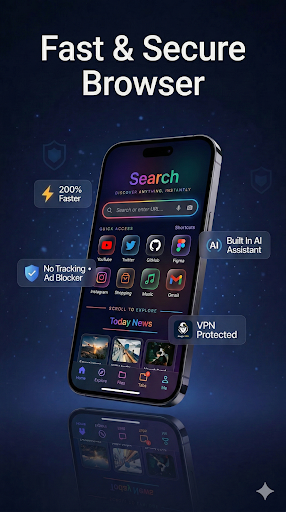
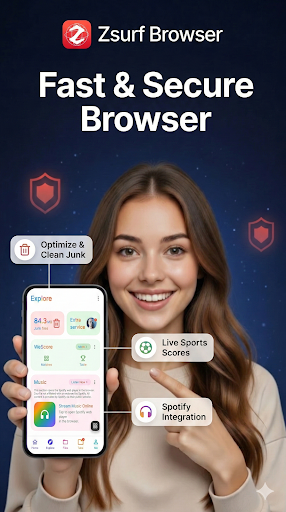
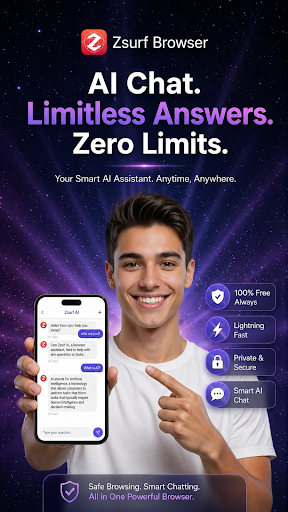
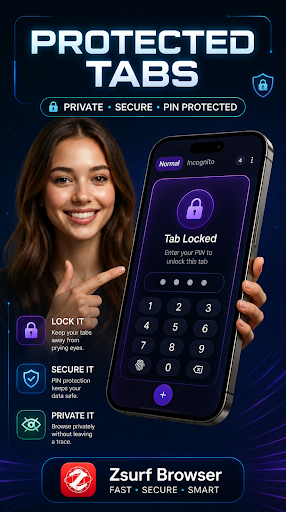
Zsurf Browser loads your webpages 2x faster, saves 90% of your data, and enables smooth browsing in a slow network. You can download all format videos and social media content at a lightning speed.
The best web browsing experience for you with Video Assistant, Dark Mode, Customize menu, Extensions such as Translator, and by protecting your privacy with Secret mode, Smart Anti Tracking and Smart Protection.
Browse faster with Zsurf even on slow networks. Save data without losing speed, and stay connected wherever you go.
With Zsurf Browser, you can:
Save data and browse faster with compression algorithms
AI Chat Assistant, information comes to you instantly
Use voice commands to scroll and navigate websites effortlessly
Browse privately with incognito mode
Block ads with built in free ad blocker
Control your screen using only your index finger
Download private files to a PIN protected folder
Lock your private tabs behind a PIN
Download files to access anytime
Advanced Industry First Gesture Based Control System Experience the magic of hands free interaction! Zsurf uses advanced on device AI to track your hand movements via the front camera.
Virtual Navigator: Control your screen using only your index finger.
Safe & Private: All gesture processing happens locally. We never record, store, or transmit your camera feed.
Inclusive Navigation: An innovative interaction method for all users, including those with motor impairments who require an alternative to touch interaction.
Ask, don’t search.
With Zsurf Integrated AI Chat Assistant, information comes to you instantly.
Summarize Pages: Get the gist of long articles instantly.
Instant Answers: Direct AI integration means no more switching between apps.
SMART MEDIA & DOWNLOAD MANAGER Organize Media: Effortlessly manage your downloaded photos, videos, and music with our integrated file utility. Direct APK Installer: Seamlessly install downloaded Android packages (APKs) directly from your browser. All File Access: Unlike standard browsers, Zsurf lets you manage and organize ALL downloaded file types (Documents, PDFs, APKs, Archives) directly within the app, providing a complete desktop-like management experience. Storage Optimizer: Identify and clear redundant download cache across your entire device storage to keep your phone running smoothly.
Smart Voice AI Navigation Browse the web using just your voice. Our intelligent voice agent understands natural language for seamless control.
Voice Search: Just say what you’re looking for.
Hands Free Control: Use voice commands to scroll and navigate websites effortlessly.
PRIVACY & SECURITY BY DESIGN
Incognito Mode: Browse without leaving a trace.
No Tracking: We do not track your searches or build profiles.
Local Security: Your history and downloads stay only on your device.
CORE FEATURES AT A GLANCE:
Fast Tab Management: Manage multiple tabs with ease.
Advanced Video Player: High performance streaming built in.
Safe & Lightweight: Optimized for performance without draining battery.
MISSION: INCLUSIVE BROWSING Zsurf is built with a mission of inclusion. By combining Hand Gestures, Voice AI, and ultra fast browsing, we are making the internet easier to use for everyone, everywhere.
Accessibility Service API Disclosure: Zsurf Browser uses the Accessibility Service API to provide the "Hand Gesture Control" feature. This feature allows users to navigate websites using hand movements detected via the camera.
Purpose: The API is used exclusively to perform clicks, scrolls, and screen navigation on behalf of the user to enable a hands free browsing experience.
User Consent: This feature is disabled by default and requires explicit user activation and consent.
Privacy: We do NOT collect, store, or share any personal or sensitive data via the Accessibility Service. No screen content is recorded or transmitted to any servers. All gesture detection is processed entirely on device.
Meer tonen

1. Download de MEmu-installatie en voltooi de setup

2. Start MEmu en open vervolgens Google Play op het bureaublad

3. Zoek Zsurf Browser in Google Play
Install
4. Download en installeer Zsurf Browser
5. Klik op het icoon om te starten na het voltooien van de installatie

6. Ervaar Zsurf Browser op pc met MEmu
MEmu Play is de beste Android-emulator, met meer dan 100 miljoen gebruikers die genieten van de superieure Android-app-ervaring. Dankzij de virtualisatietechnologie van MEmu kun je duizenden Android-apps soepel op je computer draaien, zelfs de meest veeleisende.
Groter scherm met betere graphics; Lange duur, zonder beperking van batterij of mobiele data.
Volledige Keymapping-ondersteuning voor nauwkeurige besturing van toetsenbord en muis of gamepad.
Meerdere game-accounts of taken op één PC tegelijk met Multi-Instance manager.
Gebruik Zsurf Browser op PC door de volgende stappen te volgen: