Color by Number
Zaktualizowano
Aktualna wersja
4.32.0
Sprzedawca

Przy całej swojej pasji do grania w Color by Number, twoje ręce nie powinny być ograniczone na małym ekranie telefonu. Graj jak zawodowiec i uzyskaj pełną kontrolę nad grą za pomocą klawiatury i myszy. MEmu oferuje ci wszystko, czego oczekujesz. Pobierz i graj Color by Number na PC. Graj tak długo, jak chcesz, bez ograniczeń baterii, danych komórkowych i niepokojących połączeń. Zupełnie nowy MEmu 9 to najlepszy wybór do grania w Color by Number na PC. Przygotowany dzięki naszej wiedzy, znakomity, wstępnie ustawiony system mapowania klawiszy sprawia, że Color by Number jest prawdziwą grą na PC. Zakodowany naszą absorpcją, menedżer wielu instancji umożliwia granie na 2 lub więcej kontach na tym samym urządzeniu. A co najważniejsze, nasz emulator może uwolnić pełny potencjał twojego komputera, sprawić, że wszystko będzie płynne. Dbamy nie tylko o to, jak grasz, ale także o cały proces czerpania radości z grania.
Pokaż więcej
Ciesz się wspaniałym doświadczeniem podczas grania w Color by Number na komputerze z aplikacją MEMU App Player. Jest to potężny darmowy emulator Androida pozwalający grać w tysiące gier na Androida. Odkryj świat relaksu, kreatywności i różnorodności z Kolorem według Numeru: Gra Kolorowanka – najlepszą grą pikselową, która odpręża!
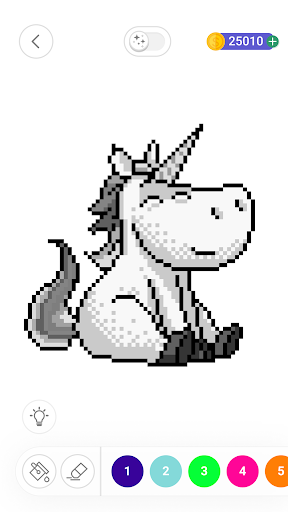
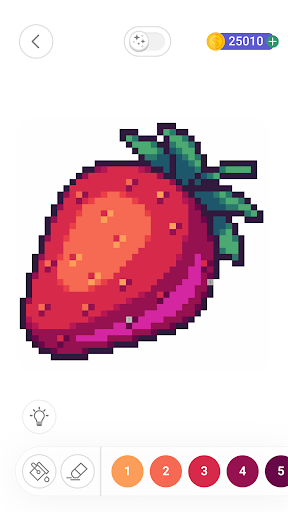
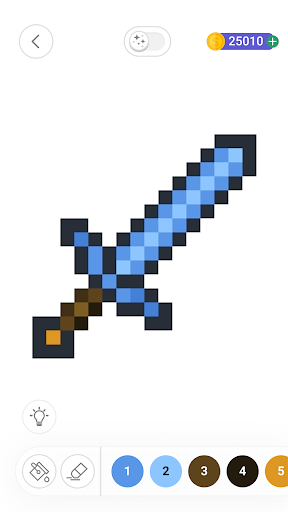
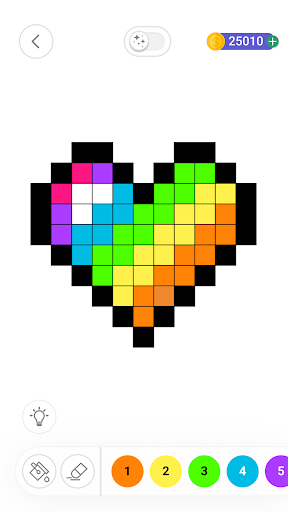
Odkryj świat relaksu, kreatywności i różnorodności z Kolorem według Numeru: Gra Kolorowanka – najlepszą grą pikselową, która odpręża! Odkryj naszą bogatą kolekcję obrazków do kolorowania według numerów, pochodzących z różnych kultur i od różnych artystów z całego świata, lub zaimportuj własne, aby stworzyć spersonalizowaną grę kolorowania według numerów. Dołącz do milionów użytkowników i podziel się swoimi dziełami z naszą aktywną społecznością.
Najważniejsze funkcje:
• Łatwe kolorowanie według numerów: Zanurz się w szerokiej gamie obrazków pikselowych, zaprojektowanych zarówno dla początkujących, jak i doświadczonych kolorystów, z popularnymi motywami i unikalną treścią.
• Twórz unikalne obrazy: Importuj zdjęcia z galerii lub zrób zdjęcie, aby zamienić swoje wspomnienia w arcydzieła kolorowania według numerów.
• Udostępnianie społecznościowe: Podziel się swoimi dziełami kolorowania według numerów i odkryj pikselowe dzieła innych użytkowników w naszej prężnie rozwijającej się społeczności entuzjastów kolorowania.
• Różnorodne narzędzia do malowania: Eksperymentuj z różnymi narzędziami, aby kolorowanie i rysowanie było przyjemniejsze i efektywniejsze.
• Sztuka inkluzywna i różnorodna: Zanurz się w bogatej gamie sztuki kolorowanej według numerów, tworzonej przez różnych artystów z różnych kultur, promując kreatywność, atmosferę i inkluzywność.
• Antystres i relaks: Ciesz się kojącym działaniem arteterapii, relaksując się z naszą wciągającą i satysfakcjonującą grą kolorowania według numerów.
Przygotuj się na relaks i wyrażenie swojej kreatywności dzięki tej darmowej grze kolorowania, która łączy radość sztuki z korzyściami płynącymi z redukcji stresu. Niezależnie od tego, czy jesteś doświadczonym artystą, czy po prostu szukasz spokojnej rozrywki, gra „Kolorowanie według numerów” oferuje angażujące i satysfakcjonujące doświadczenie dla każdego. Pobierz teraz i rozpocznij swoją kolorową przygodę już dziś!
Pokaż więcej

1. Pobierz instalator MEmu i zakończ instalację

2. Uruchom MEmu, a następnie otwórz Google Play na pulpicie

3. Wyszukaj Color by Number w Google Play
Install
4. Pobierz i zainstaluj Color by Number
5. Po zakończeniu instalacji kliknij ikonę, aby rozpocząć

6. Ciesz się grą Color by Number na PC z MEmu
MEmu Play to najlepszy emulator Androida, a 100 milionów ludzi już korzysta z jego i dosta doskonałe wrażenia z gier na Androida. Technologia wirtualizacji MEmu umożliwia płynne granie w tysiące gier Androida na komputerze, nawet tych najbardziej wymagających grafiki.
Większy ekran z lepszą grafiką; Długi czas, bez ograniczeń baterii lub danych mobilnych.
Pełna obsługa mapowania klawiszy dla precyzyjnego sterowania klawiaturą i myszą lub gamepadem.
Wiele kont gier lub zadań na jednym komputerze jednocześnie z menedżerem wielu instancji.
Play Color by Number on PC by following steps: