Desibeats
Zaktualizowano
Aktualna wersja
1.0.7.002
Sprzedawca

Przy całej swojej pasji do grania w Desibeats, twoje ręce nie powinny być ograniczone na małym ekranie telefonu. Graj jak zawodowiec i uzyskaj pełną kontrolę nad grą za pomocą klawiatury i myszy. MEmu oferuje ci wszystko, czego oczekujesz. Pobierz i graj Desibeats na PC. Graj tak długo, jak chcesz, bez ograniczeń baterii, danych komórkowych i niepokojących połączeń. Zupełnie nowy MEmu 9 to najlepszy wybór do grania w Desibeats na PC. Przygotowany dzięki naszej wiedzy, znakomity, wstępnie ustawiony system mapowania klawiszy sprawia, że Desibeats jest prawdziwą grą na PC. Zakodowany naszą absorpcją, menedżer wielu instancji umożliwia granie na 2 lub więcej kontach na tym samym urządzeniu. A co najważniejsze, nasz emulator może uwolnić pełny potencjał twojego komputera, sprawić, że wszystko będzie płynne. Dbamy nie tylko o to, jak grasz, ale także o cały proces czerpania radości z grania.
Pokaż więcej
Ciesz się wspaniałym doświadczeniem podczas grania w Desibeats na komputerze z aplikacją MEMU App Player. Jest to potężny darmowy emulator Androida pozwalający grać w tysiące gier na Androida. Welcome to Desi Beats!
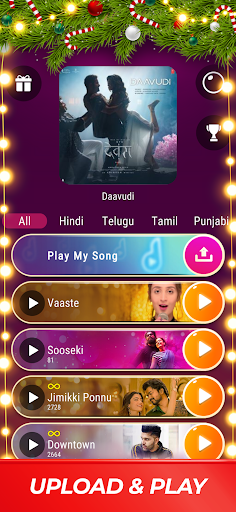
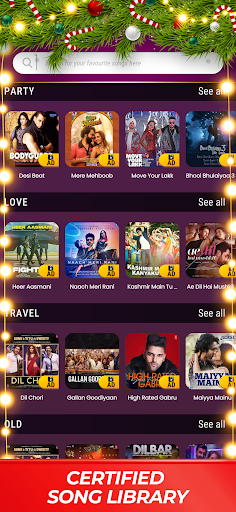
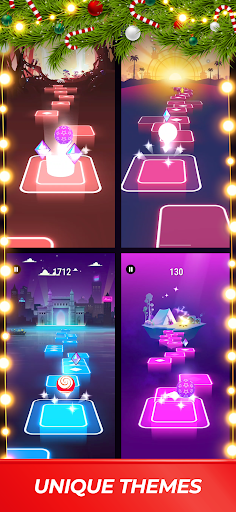
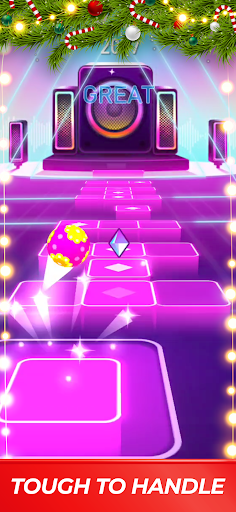
Welcome to Desi Beats!
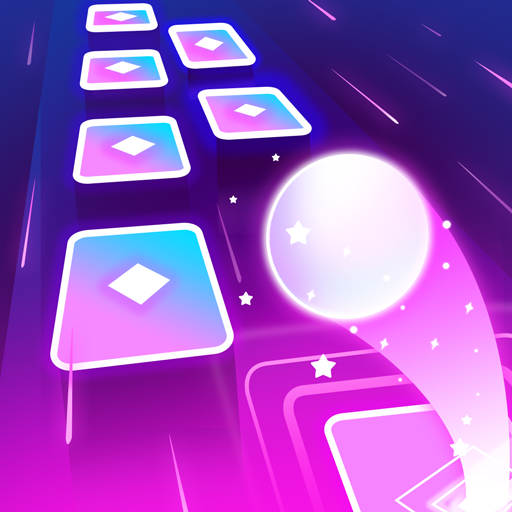
Get ready for a rhythm-based music game that brings excitement to your fingertips. Whether you’re a seasoned pro or just starting out, Desi Beats offers a thrilling experience for Indian music fans of all ages, from 8 to 50 and beyond. Tap, bounce, and groove to the beat of the latest Indian music hits like never before!
Discover a World of Musical Delights:
Desi Beats isn’t just a game; it’s a musical adventure. Immerse yourself in catchy tunes and vibrant visuals. From our dynamic Splash and Loading screens to the heart-pounding action in the Main Play Field (MPF), every feature is crafted to captivate your senses and keep you engaged.
Unique Features:
Gifts Galore: Enjoy rewards by watching ads, refreshed regularly with new surprises.
Ball Customization: Personalize your rhythm experience with customizable balls.
Revive Mechanism: Stay in the game with multiple revives available through ad-watching.
Revenue Model:
In-App Purchases: Buy gems to access exclusive content.
Ads: Watch ads to unlock songs and receive daily gifts.
Gems: Earn gems through gameplay, achievements, and free gifts to unlock songs and more.
Get Ready to Tap, Bounce, and Groove!
Download DesiBeats now and let the rhythm take control. Tap to the biggest Indian hits, and enjoy an immersive music game experience.
Need Help?
Visit: FAQs
Contact us: support@hungamagamestudio.com
Note: For support, please send our team screenshots of your Profile Page for any issues or reports.
Pokaż więcej

1. Pobierz instalator MEmu i zakończ instalację

2. Uruchom MEmu, a następnie otwórz Google Play na pulpicie

3. Wyszukaj Desibeats w Google Play
Install
4. Pobierz i zainstaluj Desibeats
5. Po zakończeniu instalacji kliknij ikonę, aby rozpocząć

6. Ciesz się grą Desibeats na PC z MEmu
MEmu Play to najlepszy emulator Androida, a 100 milionów ludzi już korzysta z jego i dosta doskonałe wrażenia z gier na Androida. Technologia wirtualizacji MEmu umożliwia płynne granie w tysiące gier Androida na komputerze, nawet tych najbardziej wymagających grafiki.
Większy ekran z lepszą grafiką; Długi czas, bez ograniczeń baterii lub danych mobilnych.
Pełna obsługa mapowania klawiszy dla precyzyjnego sterowania klawiaturą i myszą lub gamepadem.
Wiele kont gier lub zadań na jednym komputerze jednocześnie z menedżerem wielu instancji.
Play Desibeats on PC by following steps: