Gacha Studio (Anime Dress Up)
Zaktualizowano
Aktualna wersja
1603586240
Sprzedawca

Przy całej swojej pasji do grania w Gacha Studio (Anime Dress Up), twoje ręce nie powinny być ograniczone na małym ekranie telefonu. Graj jak zawodowiec i uzyskaj pełną kontrolę nad grą za pomocą klawiatury i myszy. MEmu oferuje ci wszystko, czego oczekujesz. Pobierz i graj Gacha Studio (Anime Dress Up) na PC. Graj tak długo, jak chcesz, bez ograniczeń baterii, danych komórkowych i niepokojących połączeń. Zupełnie nowy MEmu 9 to najlepszy wybór do grania w Gacha Studio (Anime Dress Up) na PC. Przygotowany dzięki naszej wiedzy, znakomity, wstępnie ustawiony system mapowania klawiszy sprawia, że Gacha Studio (Anime Dress Up) jest prawdziwą grą na PC. Zakodowany naszą absorpcją, menedżer wielu instancji umożliwia granie na 2 lub więcej kontach na tym samym urządzeniu. A co najważniejsze, nasz emulator może uwolnić pełny potencjał twojego komputera, sprawić, że wszystko będzie płynne. Dbamy nie tylko o to, jak grasz, ale także o cały proces czerpania radości z grania.
Pokaż więcej
Ciesz się wspaniałym doświadczeniem podczas grania w Gacha Studio (Anime Dress Up) na komputerze z aplikacją MEMU App Player. Jest to potężny darmowy emulator Androida pozwalający grać w tysiące gier na Androida. ★ Welcome to Gacha Studio ★.
★ Welcome to Gacha Studio ★
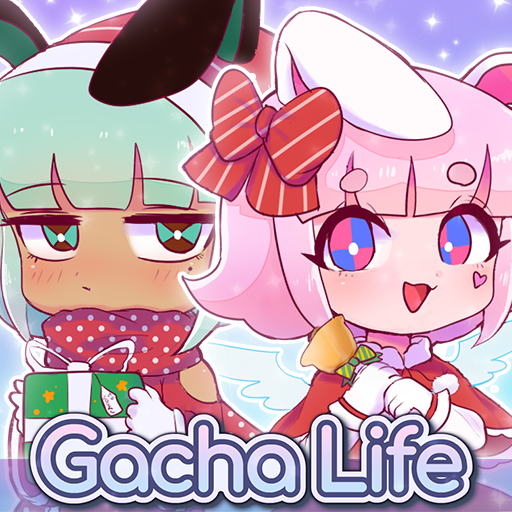
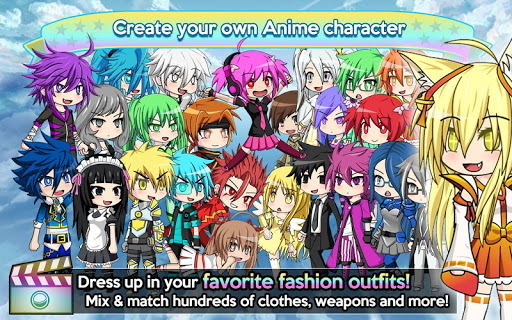
The ultimate Anime Dress-Up app! Create your own anime styled characters and dress them up in your favorite fashion outfits! Boys and girls can choose from hundreds of dresses, shirts, hairstyles, hats, and much more! After designing your characters, enter the Studio and create any scene you can imagine!
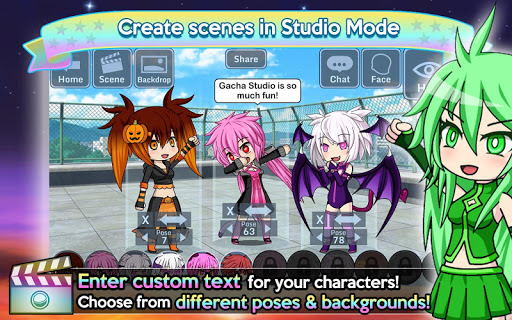
Strike up your favorite pose and add text bubbles with your own messages! Choose from over a hundred backgrounds to create the perfect scene! For even more fun, collect and gacha rare pets and train them in the Arena! Enter the Gacha Studio today! Lights, camera, action!
«Game Features»
★ Dress up your characters with the latest anime fashion! Mix and match hundreds of clothes, weapons, hats, and more!
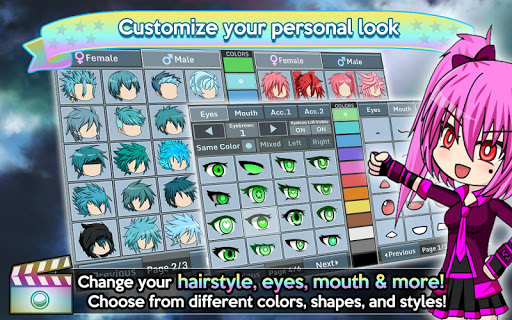
★ Customize your personal look! Change your hairstyle, eyes, mouth, and more!
★ Create your own scenes in Studio Mode! Enter custom text for your characters and choose from many different poses!
★ Collect and Gacha over 100 Pets to train in the Arena!
★ Three different Arena modes: Auto, Element, and Skill!
★ Cosplay as your favorite units from Gacha World and Anime Gacha!
★ Free 2 Play, you can farm for Gems easily!
★ Google Play Leaderboards & Achievements!
★ Play offline! No Wi-Fi is needed to play!
«Notes»
- The game may lag on old devices & devices with 4k screens
- Please restart the game if you experience lag over time
Thank you for playing Gacha Studio!
Like us on Facebook: http://facebook.com/Lunime
Facebook Group: http://www.facebook.com/groups/GachaStudio/
Visit our Website: http://www.Lunime.com
Pokaż więcej

1. Pobierz instalator MEmu i zakończ instalację

2. Uruchom MEmu, a następnie otwórz Google Play na pulpicie

3. Wyszukaj Gacha Studio (Anime Dress Up) w Google Play
Install
4. Pobierz i zainstaluj Gacha Studio (Anime Dress Up)
5. Po zakończeniu instalacji kliknij ikonę, aby rozpocząć

6. Ciesz się grą Gacha Studio (Anime Dress Up) na PC z MEmu
MEmu Play to najlepszy emulator Androida, a 100 milionów ludzi już korzysta z jego i dosta doskonałe wrażenia z gier na Androida. Technologia wirtualizacji MEmu umożliwia płynne granie w tysiące gier Androida na komputerze, nawet tych najbardziej wymagających grafiki.
Większy ekran z lepszą grafiką; Długi czas, bez ograniczeń baterii lub danych mobilnych.
Pełna obsługa mapowania klawiszy dla precyzyjnego sterowania klawiaturą i myszą lub gamepadem.
Wiele kont gier lub zadań na jednym komputerze jednocześnie z menedżerem wielu instancji.
Play Gacha Studio (Anime Dress Up) on PC by following steps: