Highrise: Avatar, Chat & Games
Zaktualizowano
Aktualna wersja
4.17.8
Sprzedawca

Przy całej swojej pasji do grania w Highrise: Avatar, Chat & Games, twoje ręce nie powinny być ograniczone na małym ekranie telefonu. Graj jak zawodowiec i uzyskaj pełną kontrolę nad grą za pomocą klawiatury i myszy. MEmu oferuje ci wszystko, czego oczekujesz. Pobierz i graj Highrise: Avatar, Chat & Games na PC. Graj tak długo, jak chcesz, bez ograniczeń baterii, danych komórkowych i niepokojących połączeń. Zupełnie nowy MEmu 9 to najlepszy wybór do grania w Highrise: Avatar, Chat & Games na PC. Przygotowany dzięki naszej wiedzy, znakomity, wstępnie ustawiony system mapowania klawiszy sprawia, że Highrise: Avatar, Chat & Games jest prawdziwą grą na PC. Zakodowany naszą absorpcją, menedżer wielu instancji umożliwia granie na 2 lub więcej kontach na tym samym urządzeniu. A co najważniejsze, nasz emulator może uwolnić pełny potencjał twojego komputera, sprawić, że wszystko będzie płynne. Dbamy nie tylko o to, jak grasz, ale także o cały proces czerpania radości z grania.
Pokaż więcej
Ciesz się wspaniałym doświadczeniem podczas grania w Highrise: Avatar, Chat & Games na komputerze z aplikacją MEMU App Player. Jest to potężny darmowy emulator Androida pozwalający grać w tysiące gier na Androida. Welcome to Highrise, your virtual home online where you can connect, play, and express your digital self with existing and soon-to-be friends in amazing shared experiences.
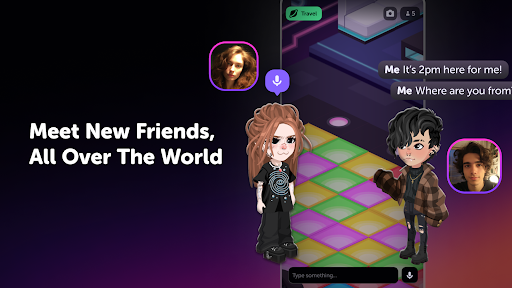
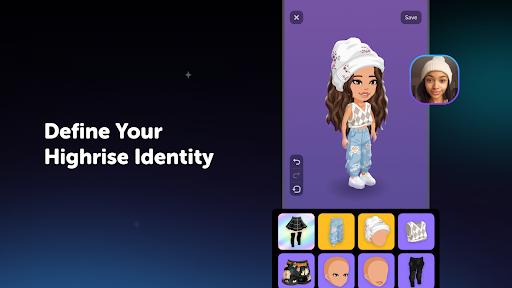
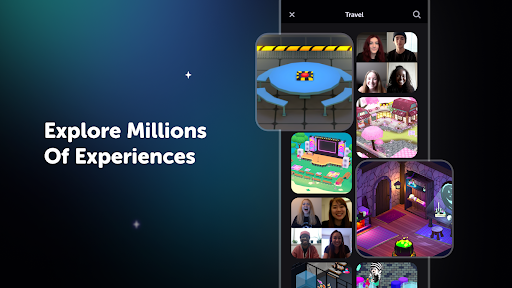
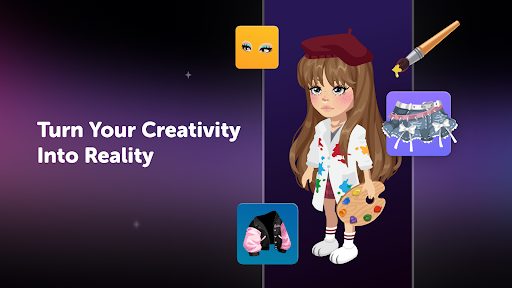
Welcome to Highrise, your virtual home online where you can connect, play, and express your digital self with existing and soon-to-be friends in amazing shared experiences. Join a community of over 50 million people in a new world full of endless possibilities. Create your avatar, explore fashion, connect with friends, play together and build a world that is uniquely ""you""!
CONNECT THROUGH PLAY
- Dive into a new online space with millions of users.
- Play, create and design together with friends from around the world.
- Join thousands of virtual rooms for games, fashion runways, talent shows, chats or casual hangouts.
- Participate in weekly Events to play and earn new outfits for your avatar.
- Relax in a safe and friendly environment, supported by our world-class team.
EXPRESS YOURSELF
- Create a unique virtual avatar that suits your true self.
- Customize your profile with a background, bio, and showcase your favorite items.
- Explore millions of fashion styles and get inspired by new dress up items.
- Get creative and design items in community contests, brought to life by our talented artists.
- Design virtual rooms for yourself and your friends to enjoy.
SOCIALIZE BEYOND LIMITS
- Use messages or voice chat to connect with friends in virtual worlds.
- Share your experiences through text or media posts on the Feed.
- Follow your friends, grow your community and become a trendsetter.
- Express yourself via avatar emotes: wave, dance, sing, pose.
DESIGN & COLLECT
- Explore a collection of 50,000+ fashion and avatar customization items, with new collections added weekly.
- Track the community-run marketplace to buy and sell your way to a better outfit and profit.
- Every player is an opportunity, inspect their avatar's outfit and offer a trade via the Inbox.
- Keep track of your favorite items by saving them to your personal Wishlist.
- Use filters and categories to easily find exactly what you need.
Start your Highrise journey, where you’ll find genuine moments meet boundless creativity. Play, chat and create!
Pokaż więcej

1. Pobierz instalator MEmu i zakończ instalację

2. Uruchom MEmu, a następnie otwórz Google Play na pulpicie

3. Wyszukaj Highrise: Avatar, Chat & Games w Google Play
Install
4. Pobierz i zainstaluj Highrise: Avatar, Chat & Games
5. Po zakończeniu instalacji kliknij ikonę, aby rozpocząć

6. Ciesz się grą Highrise: Avatar, Chat & Games na PC z MEmu
MEmu Play to najlepszy emulator Androida, a 100 milionów ludzi już korzysta z jego i dosta doskonałe wrażenia z gier na Androida. Technologia wirtualizacji MEmu umożliwia płynne granie w tysiące gier Androida na komputerze, nawet tych najbardziej wymagających grafiki.
Większy ekran z lepszą grafiką; Długi czas, bez ograniczeń baterii lub danych mobilnych.
Pełna obsługa mapowania klawiszy dla precyzyjnego sterowania klawiaturą i myszą lub gamepadem.
Wiele kont gier lub zadań na jednym komputerze jednocześnie z menedżerem wielu instancji.
Play Highrise: Avatar, Chat & Games on PC by following steps: