Yulgang Global
Zaktualizowano
Aktualna wersja
25
Sprzedawca

Przy całej swojej pasji do grania w Yulgang Global, twoje ręce nie powinny być ograniczone na małym ekranie telefonu. Graj jak zawodowiec i uzyskaj pełną kontrolę nad grą za pomocą klawiatury i myszy. MEmu oferuje ci wszystko, czego oczekujesz. Pobierz i graj Yulgang Global na PC. Graj tak długo, jak chcesz, bez ograniczeń baterii, danych komórkowych i niepokojących połączeń. Zupełnie nowy MEmu 9 to najlepszy wybór do grania w Yulgang Global na PC. Przygotowany dzięki naszej wiedzy, znakomity, wstępnie ustawiony system mapowania klawiszy sprawia, że Yulgang Global jest prawdziwą grą na PC. Zakodowany naszą absorpcją, menedżer wielu instancji umożliwia granie na 2 lub więcej kontach na tym samym urządzeniu. A co najważniejsze, nasz emulator może uwolnić pełny potencjał twojego komputera, sprawić, że wszystko będzie płynne. Dbamy nie tylko o to, jak grasz, ale także o cały proces czerpania radości z grania.
Pokaż więcej
Ciesz się wspaniałym doświadczeniem podczas grania w Yulgang Global na komputerze z aplikacją MEMU App Player. Jest to potężny darmowy emulator Androida pozwalający grać w tysiące gier na Androida. ●●●●●Yulgang is Back●●●●●Bright backdrops, cute characters, and side-splitting stories!
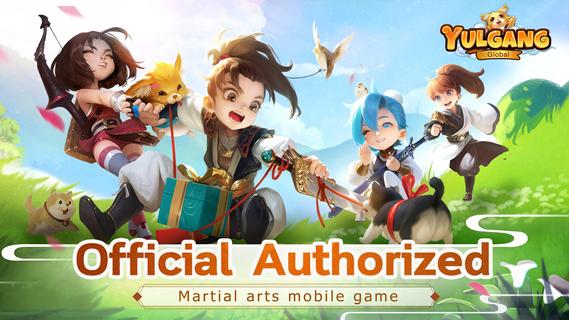
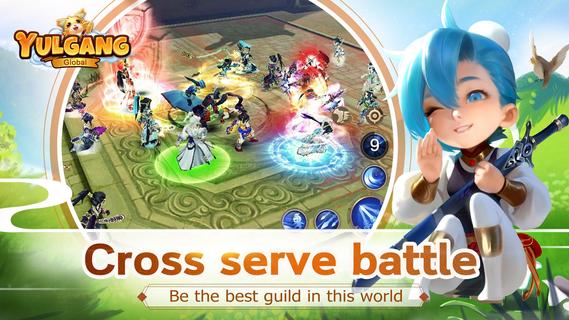
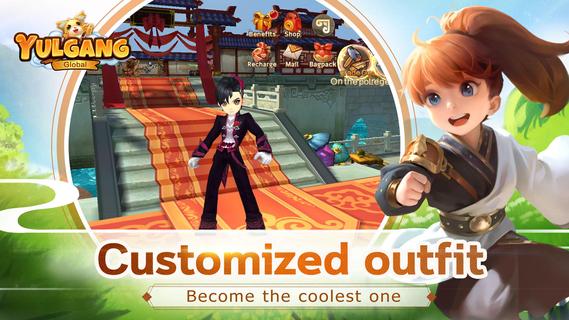
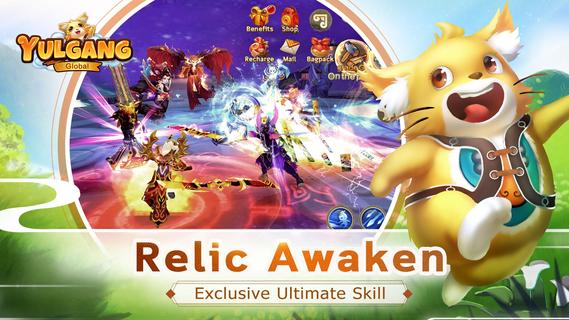
●●●●●Yulgang is Back●●●●●Bright backdrops, cute characters, and side-splitting stories!A perfect remake of Yulgang, with classic classes, maps, pets, weapons, gems, and more!Over a hundred costumes to show off your style!Rich social elements! Find romance and hold a dream wedding to remember!Choose between Justice and Evil, upgrade multiple classes simultaneously, and wage war in epic cross-server battles!【Game Features】◆Fun and Freedom – Your Adventure Begins◆Yulgang is officially back, with a super-cute mobile game packed full of fun!Relive memories from the happy world of martial arts in beautifully-crafted environments. Experience unforgettable stories and write your own legend!◆Five Classic Classes◆Upgrade multiple classes at the same time and invent your own martial arts moves!Five classic classes including Bladesman, Swordsman, Physician, Archer, and Spearman! Choose between Justice and Evil! Your destiny is in your hands!Create your own fighting moves and become a martial arts master!◆Collect and Customize Colorful Costumes◆New costumes await! Get ready to travel in style!Nearly a hundred costume sets with various styles for you to choose from, including classic costumes and heaps of original ones, too!◆A Clash Between Justice and Evil◆Cross-server Force Battles! Help your faction to capture the flag!The conflict between Justice and Evil has lasted over a thousand years, and it’s never been fiercer than now! Engage in exciting cross-server battles and other PvP modes, including Faction World Flag Battles!◆Romantic Weddings and Epic Adventures◆Spectacular weddings and exclusive couples bonuses!Rich social elements including romantic weddings and exclusive adventures for couples only! There’s even a map specially made for weddings… And couples get bonus attributes once they get married!
Pokaż więcej

1. Pobierz instalator MEmu i zakończ instalację

2. Uruchom MEmu, a następnie otwórz Google Play na pulpicie

3. Wyszukaj Yulgang Global w Google Play
Install
4. Pobierz i zainstaluj Yulgang Global
5. Po zakończeniu instalacji kliknij ikonę, aby rozpocząć

6. Ciesz się grą Yulgang Global na PC z MEmu
MEmu Play to najlepszy emulator Androida, a 100 milionów ludzi już korzysta z jego i dosta doskonałe wrażenia z gier na Androida. Technologia wirtualizacji MEmu umożliwia płynne granie w tysiące gier Androida na komputerze, nawet tych najbardziej wymagających grafiki.
Większy ekran z lepszą grafiką; Długi czas, bez ograniczeń baterii lub danych mobilnych.
Pełna obsługa mapowania klawiszy dla precyzyjnego sterowania klawiaturą i myszą lub gamepadem.
Wiele kont gier lub zadań na jednym komputerze jednocześnie z menedżerem wielu instancji.
Play Yulgang Global on PC by following steps: