AntiVirus Clean Master-Cleaner
Zaktualizowano
Aktualna wersja
1.1.0.0
Sprzedawca

Przestań martwić się nadmiernymi opłatami podczas korzystania z AntiVirus Clean Master-Cleaner na telefonie komórkowym, uwolnij się od małego ekranu i ciesz się korzystaniem z aplikacji na znacznie większym wyświetlaczu. Od teraz korzystaj z aplikacji na pełnym ekranie za pomocą klawiatury i myszy. MEmu oferuje wszystkie zaskakujące funkcje, których się spodziewałeś: szybką instalację i łatwą konfigurację, intuicyjne sterowanie, koniec z ograniczeniami baterii, danych mobilnych i niepokojących połączeń. Zupełnie nowy MEmu 9 to najlepszy wybór do używania AntiVirus Clean Master-Cleaner na twoim komputerze. Zakodowany przez naszą absorpcję, menedżer wielu instancji umożliwia otwarcie 2 lub więcej kont w tym samym czasie. A co najważniejsze, nasz ekskluzywny emulator może uwolnić pełny potencjał twojego komputera, sprawić, że wszystko będzie płynne i przyjemne.
Pokaż więcej
Ciesz się wspaniałym doświadczeniem podczas grania w AntiVirus Clean Master-Cleaner na komputerze z aplikacją MEMU App Player. Jest to potężny darmowy emulator Androida Umożliwia korzystanie z tysięcy aplikacji Androida. Welcome to AntiVirus Clean Master, the convenient tool designed to help you clean junk, manage various files, and protect your phone from viruses.
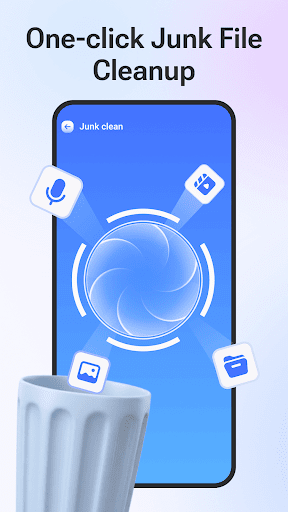
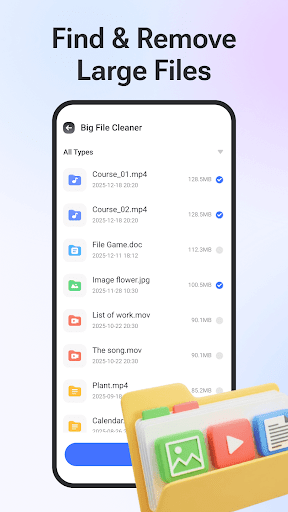
Welcome to AntiVirus Clean Master, the convenient tool designed to help you clean junk, manage various files, and protect your phone from viruses.
Core Features:
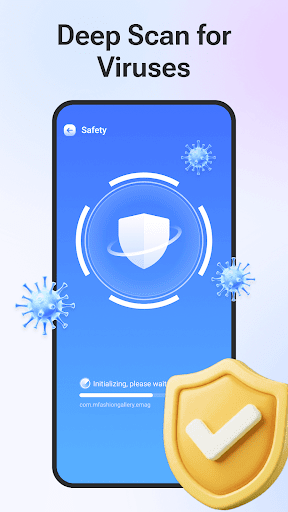
Virus Scan: Scan your device for potential threats.
Junk Clean: Easily scans and removes junk files.
Large File Clean: Identify and remove large files easily. Filter by type to decide what to keep or delete.
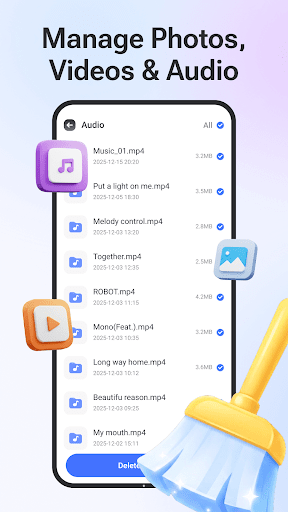
Media File Manage: Find and delete unwanted photos, videos, and audio files in bulk to organize your collection.
Duplicate Photo Finder: Detect and remove similar photos.
Image Compressor: Reduce the file size of your pictures.
App Manage: View all installed applications in one place. Easily uninstall unwanted or unused apps.
Download AntiVirus Clean Master now!
We are constantly working to improve your experience. Your feedback is invaluable to us.
Support Email: fahimahmedomaryt@gmail.com
Pokaż więcej

1. Pobierz instalator MEmu i zakończ instalację

2. Uruchom MEmu, a następnie otwórz Google Play na pulpicie

3. Wyszukaj AntiVirus Clean Master-Cleaner w Google Play
Install
4. Pobierz i zainstaluj AntiVirus Clean Master-Cleaner
5. Po zakończeniu instalacji kliknij ikonę, aby rozpocząć

6. Użyj MEmu, aby doświadczyć AntiVirus Clean Master-Cleaner na swoim komputerze
MEmu Play to najlepszy emulator Androida, z którego korzysta ponad 100 milionów użytkowników, ciesząc się wyjątkowym doświadczeniem aplikacji na Androida. Technologia wirtualizacji MEmu pozwala na płynne uruchamianie tysięcy aplikacji Androida na komputerze, nawet tych najbardziej wymagających.
Większy ekran z lepszą grafiką; Długi czas, bez ograniczeń baterii lub danych mobilnych.
Pełna obsługa mapowania klawiszy dla precyzyjnego sterowania klawiaturą i myszą lub gamepadem.
Wiele kont gier lub zadań na jednym komputerze jednocześnie z menedżerem wielu instancji.
Use AntiVirus Clean Master-Cleaner on PC by following steps: