Autism Speech and Language
Zaktualizowano
Aktualna wersja
1.0.2
Sprzedawca

Przestań martwić się nadmiernymi opłatami podczas korzystania z Autism Speech and Language na telefonie komórkowym, uwolnij się od małego ekranu i ciesz się korzystaniem z aplikacji na znacznie większym wyświetlaczu. Od teraz korzystaj z aplikacji na pełnym ekranie za pomocą klawiatury i myszy. MEmu oferuje wszystkie zaskakujące funkcje, których się spodziewałeś: szybką instalację i łatwą konfigurację, intuicyjne sterowanie, koniec z ograniczeniami baterii, danych mobilnych i niepokojących połączeń. Zupełnie nowy MEmu 9 to najlepszy wybór do używania Autism Speech and Language na twoim komputerze. Zakodowany przez naszą absorpcję, menedżer wielu instancji umożliwia otwarcie 2 lub więcej kont w tym samym czasie. A co najważniejsze, nasz ekskluzywny emulator może uwolnić pełny potencjał twojego komputera, sprawić, że wszystko będzie płynne i przyjemne.
Pokaż więcej
Ciesz się wspaniałym doświadczeniem podczas grania w Autism Speech and Language na komputerze z aplikacją MEMU App Player. Jest to potężny darmowy emulator Androida pozwalający grać w tysiące gier na Androida. Autism Speech and Language brings you the Autism Track of the SpeakEasy: Home Speech Therapy app.
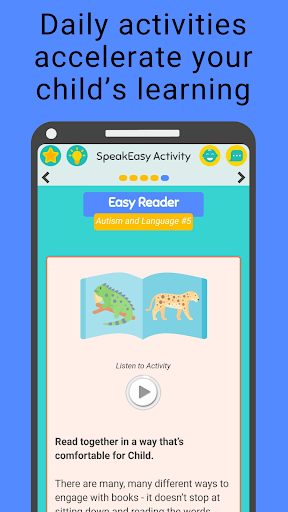
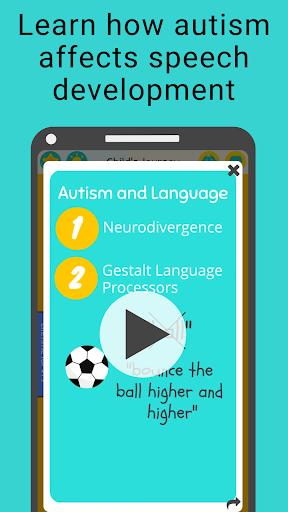
Autism Speech and Language brings you the Autism Track of the SpeakEasy: Home Speech Therapy app.
Autistic and otherwise neurodivergent children often learn language differently than neurotypical children. More than 75% of autistic children are gestalt language processors (GLPs), meaning they learn language in chunks rather than in single words. These gestalt phrases often require understanding the context in which the child learned the phrase in order to understand their meaning. Gestalt language processors may exhibit echolalia, or repetition of words and phrases that they hear where the meaning is not immediately apparent to the listener.
With Autism Speech and Language, you will learn how to help your child better communicate, with special tips for gestalt language processors. You will get:
-Hundreds of at-home activities to do with your child at home to work on communication skills
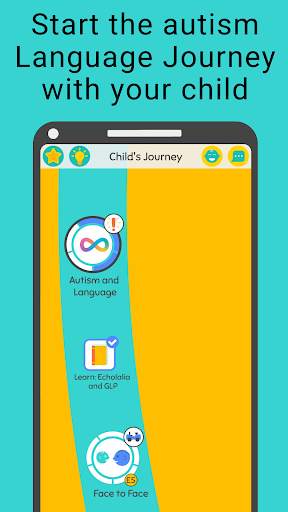
-A customized Language Journey with activities tailored to your child’s language level
-Learning articles that address topics such as neurodivergence, sensory processing, echolalia and gestalt language learning
-Sensory modifications to help autistic children who may have different sensory needs
Autism Speech and Language is meant for parents of children with autism or suspected autism of any age, and who may be anywhere from nonverbal to speaking in full sentences. The app is appropriate whether or not your child is also receiving speech therapy or other support services. We focus on teaching you, the parent or caregiver, what to do with your child at home. As such, the primary user of the app is you rather than your child. Please note, we are not an augmentative and alternative communication (AAC) app.
Autism Speech and Language gives you the same research-backed material as in SpeakEasy: Home Speech Therapy, but with the specialized autism track. Over 100,000 families have signed up for SpeakEasy. A 2021 randomized control trial showed parents using SpeakEasy were 3 times more likely to report improved communication with their children after three months.
As part of the SpeakEasy autism track, you will also get:
-In-App Speech Pronunciation Games
-Word and Gestalt Phrase Tracking
-Skill and Goal Tracking
-Seasonal Activities
-And much more!
To unlock all material, you will be asked to start a free trial of an Autism Speech and Language subscription. We look forward to working with your on your child’s speech and language development!
Pokaż więcej

1. Pobierz instalator MEmu i zakończ instalację

2. Uruchom MEmu, a następnie otwórz Google Play na pulpicie

3. Wyszukaj Autism Speech and Language w Google Play
Install
4. Pobierz i zainstaluj Autism Speech and Language
5. Po zakończeniu instalacji kliknij ikonę, aby rozpocząć

6. Użyj MEmu, aby doświadczyć Autism Speech and Language na swoim komputerze
MEmu Play to najlepszy emulator Androida, z którego korzysta ponad 100 milionów użytkowników, ciesząc się wyjątkowym doświadczeniem aplikacji na Androida. Technologia wirtualizacji MEmu pozwala na płynne uruchamianie tysięcy aplikacji Androida na komputerze, nawet tych najbardziej wymagających.
Większy ekran z lepszą grafiką; Długi czas, bez ograniczeń baterii lub danych mobilnych.
Pełna obsługa mapowania klawiszy dla precyzyjnego sterowania klawiaturą i myszą lub gamepadem.
Wiele kont gier lub zadań na jednym komputerze jednocześnie z menedżerem wielu instancji.
Use Autism Speech and Language on PC by following steps: