Call Recorder Automatic
Zaktualizowano
Aktualna wersja
1.11
Sprzedawca

Przestań martwić się nadmiernymi opłatami podczas korzystania z Call Recorder Automatic na telefonie komórkowym, uwolnij się od małego ekranu i ciesz się korzystaniem z aplikacji na znacznie większym wyświetlaczu. Od teraz korzystaj z aplikacji na pełnym ekranie za pomocą klawiatury i myszy. MEmu oferuje wszystkie zaskakujące funkcje, których się spodziewałeś: szybką instalację i łatwą konfigurację, intuicyjne sterowanie, koniec z ograniczeniami baterii, danych mobilnych i niepokojących połączeń. Zupełnie nowy MEmu 9 to najlepszy wybór do używania Call Recorder Automatic na twoim komputerze. Zakodowany przez naszą absorpcję, menedżer wielu instancji umożliwia otwarcie 2 lub więcej kont w tym samym czasie. A co najważniejsze, nasz ekskluzywny emulator może uwolnić pełny potencjał twojego komputera, sprawić, że wszystko będzie płynne i przyjemne.
Pokaż więcej
Ciesz się wspaniałym doświadczeniem podczas grania w Call Recorder Automatic na komputerze z aplikacją MEMU App Player. Jest to potężny darmowy emulator Androida Umożliwia korzystanie z tysięcy aplikacji Androida. Call Recorder, Call Recorder Automatic, Phone Call Recorder, Automatic Call Recorder for call record is best app to record phone call.
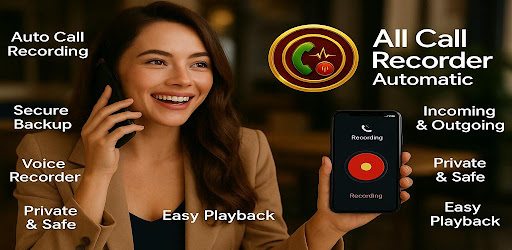
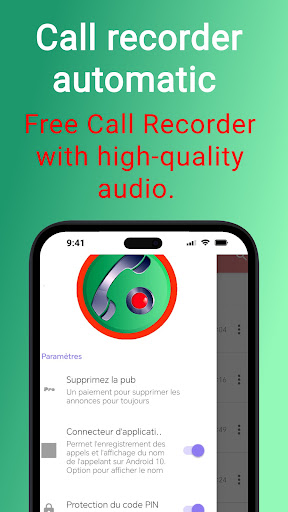
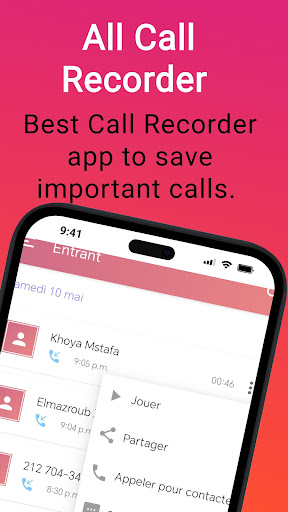
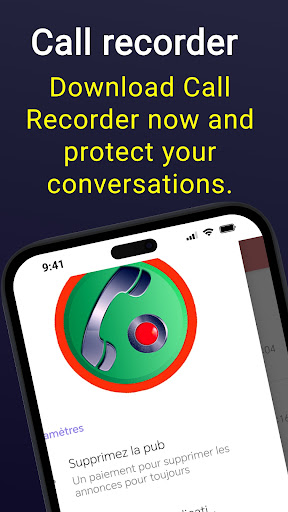
Call Recorder, Call Recorder Automatic, Phone Call Recorder, Automatic Call Recorder for call record is best app to record phone call.
Call Recorder offers call recording automatic and acts as a reliable phone call recorder, recording all incoming and outgoing calls in high quality.
Call Recorder supports automatic call recording – with zero effort. Our advanced system supports:
Call Recorder Automatic – including industry leaders like ACR automatic call recorder and Cube ACR
Call Recorder Automatic App – seamless auto-recording across all devices
Call Recorder Automatic for Android Free – zero cost, zero complications
Call Recorder Best Automatic Call Recorder 2025 – top performance and cutting-edge features
Call Recorder Auto call recording and HD quality built-in
Call Recorder is the phone call recorder that’s truly reliable. Our app makes recording calls easy and secure.
Call Recorder records incoming and outgoing calls automatically
Call Recorder is more than just a call recording app—it’s your smart assistant for every conversation
Call Recorder is not just a Phone Call Recorder—this app also works as a full Audio Recorder and Voice Mobile Recorder.
Call Recorder provides exceptional audio clarity for recording calls
Call Recorder lets you save personal notes or business ideas with voice recorder functionality
Call Recorder records calls automatically in multiple formats, save as favorites, or add notes
Auto Call Recorder ensures your conversations are preserved—with quality and care.
Call Recorder is fully compatible and fully smart.
Enjoy flawless performance across leading devices: Call Recorder Samsung, Xiaomi Call Recorder Automatic, Oppo, Vivo, and more.
Specialized support for: HW Call Recorder Huawei APK, Call Recorder Vivo Y21, Pixel Call Recorder (Pixel 7 & 8), Honor 90 Call Recorder
Engineered for Android 9 and up, including Call Recorder Android 14 and 5G phone support.
Call Recorder with caller ID lets you identify who you spoke with—even after the call
Call Recorder for Android with full compatibility across brands
Call Recorder gives you tools that work for you:
Get instant transcripts with Call Recorder transcript
Record audio from WhatsApp, Messenger, Zoom, and more with Video Call Recorder
Fix sound instantly using built-in sound fix tools
Backup calls securely with cloud backup Call Recorder
Add privacy with Call Recorder app lock
Call Recorder is private, secure, and ad-free.
We prioritize your privacy:
Call Recorder 100%
Robust security via Call Recorder Unlock and Call Recorder Prevent
Transparent, open-source architecture
Your call recordings are safe with optional backup
Call Recorder enhances your productivity with extra tools:
Call Recorder Helper – automates your tasks
Messenger Call Recorder – record calls from your favorite messaging apps
Call Recorder Keyboard – smart tagging and fast organization
Mark recordings as favorites and add notes instantly
Call Recorder offers fast setup and frequent updates for a 5-star experience.
Lightning-fast Call Recorder download and easy setup
Regular updates with new features and bug fixes
Call Recorder HD call recording ensures professional-quality clarity
Call Recorder has full support for popular variants.
Compatible with trusted versions like: Call Recorder by Call recorder, Call free by calling ID, Call Recorder App (Hindi)
Variants: Call Recorder X, Call Recorder U
Call Recorder is ideal for professionals needing a call recorder with notes, or users who want to record calls with favorites or in multiple formats
Call Recorder supports versions you can trust:
From legacy to latest: Call Recorder 3.6.8, 4.5, 6.34.2, 6.40, 2025, 2026
Download Call Recorder today and experience the most complete, secure, and powerful automatic call recording app on Google Play.
Call Recorder is trusted by millions in over 100 countries—you’ll never miss an important call again!
Pokaż więcej

1. Pobierz instalator MEmu i zakończ instalację

2. Uruchom MEmu, a następnie otwórz Google Play na pulpicie

3. Wyszukaj Call Recorder Automatic w Google Play
Install
4. Pobierz i zainstaluj Call Recorder Automatic
5. Po zakończeniu instalacji kliknij ikonę, aby rozpocząć

6. Użyj MEmu, aby doświadczyć Call Recorder Automatic na swoim komputerze
MEmu Play to najlepszy emulator Androida, z którego korzysta ponad 100 milionów użytkowników, ciesząc się wyjątkowym doświadczeniem aplikacji na Androida. Technologia wirtualizacji MEmu pozwala na płynne uruchamianie tysięcy aplikacji Androida na komputerze, nawet tych najbardziej wymagających.
Większy ekran z lepszą grafiką; Długi czas, bez ograniczeń baterii lub danych mobilnych.
Pełna obsługa mapowania klawiszy dla precyzyjnego sterowania klawiaturą i myszą lub gamepadem.
Wiele kont gier lub zadań na jednym komputerze jednocześnie z menedżerem wielu instancji.
Use Call Recorder Automatic on PC by following steps: