DuoCards - Vocabulary Builder
Zaktualizowano
Aktualna wersja
1.19.16
Sprzedawca

Przestań martwić się nadmiernymi opłatami podczas korzystania z DuoCards - Vocabulary Builder na telefonie komórkowym, uwolnij się od małego ekranu i ciesz się korzystaniem z aplikacji na znacznie większym wyświetlaczu. Od teraz korzystaj z aplikacji na pełnym ekranie za pomocą klawiatury i myszy. MEmu oferuje wszystkie zaskakujące funkcje, których się spodziewałeś: szybką instalację i łatwą konfigurację, intuicyjne sterowanie, koniec z ograniczeniami baterii, danych mobilnych i niepokojących połączeń. Zupełnie nowy MEmu 9 to najlepszy wybór do używania DuoCards - Vocabulary Builder na twoim komputerze. Zakodowany przez naszą absorpcję, menedżer wielu instancji umożliwia otwarcie 2 lub więcej kont w tym samym czasie. A co najważniejsze, nasz ekskluzywny emulator może uwolnić pełny potencjał twojego komputera, sprawić, że wszystko będzie płynne i przyjemne.
Pokaż więcej
Ciesz się wspaniałym doświadczeniem podczas grania w DuoCards - Vocabulary Builder na komputerze z aplikacją MEMU App Player. Jest to potężny darmowy emulator Androida pozwalający grać w tysiące gier na Androida. DuoCard is an app that will help you to learn a new language or improve vocabulary for the ones that you already know.
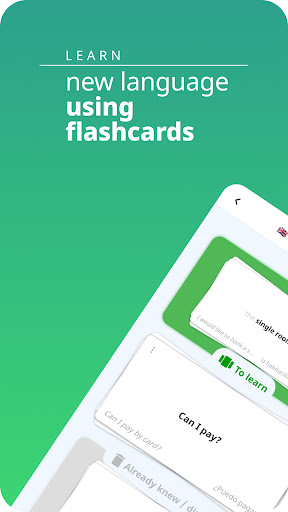
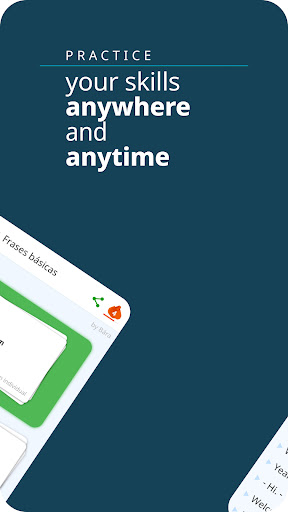
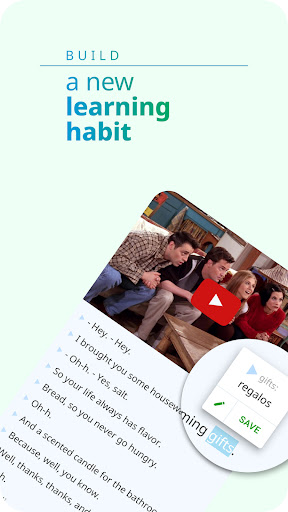

DuoCard is an app that will help you to learn a new language or improve vocabulary for the ones that you already know. Learn languages with flashcards and video language courses. Use our vocabulary builder to find new words!
Learn English, Spanish, French, German, Russian or other languages quickly with our app for learning languages free. These simple language online courses will improve your vocabulary quickly and seamlessly.
In DuoCards you will learn languages with videos and by using flashcards - Learn English, Spanish, French, Italian, Portuguese, German, Korean, Japanese, Russian, Italian, etc.
⭐Language Flashcards Learning Method with Space Repetition⭐
This modern language learning app uses flashcards to view foreign words, phrases or sentences to the learner. Once you have picked a language you want to learn, you will swipe and sort the cards as known or unknown. Space repetition algorithm will then take care of when you should repeat the words to properly memorize the vocabulary.
⭐Guess Words and Phrases to sharpen skills⭐
In learning mode you will tap on the language flashcards to turn it on your native language side and you swipe right the flash cards if you guessed it correctly. Learn English words (or other language) meanings or basic words in your native language and swipe left on the words that you do not know.
⭐Integrated translator⭐
Thanks to Integrated Translator most of the foreign languages are ready to use. You can pick by your desire and learn English, Spanish, French, Portuguese, German, Italian, Russian, Korean, Japanese, or any other from 50+ foreign languages.
⭐Vocabulary Builder and Performance tracker⭐
Save the new words in your English vocabulary decks and see the progress on the dashboard. See which words you know, words you want to learn, and completely learned words with just a glimpse!
⭐Video Language Courses⭐
You can watch any public video from YouTube with subtitles and learn from it. By clicking on unknown words you will pause the video and display the translations.
⭐Read Foreign Language Articles⭐
You can also read articles in a foreign language to learn a new language or learn new English words.
⏩Features of DuoCards – Language Learning with Flashcards & Videos:⏪
✔️ Simple and easy foreign language learning app for free
✔️ Language flashcards learning technique for quick retention of information
✔️ Tap on any flashcard to see the English flashcard and learn the meaning
✔️ Learn languages free from a collection of world languages in your free time
✔️ Clutter-free, minimal and appealing foreign language learner app layout
✔️ Use vocabulary builder to find new words, phrases and sentences in other languages
✔️ Learn English words from your native language or learn a new language easily
✔️ Easy swiping and tapping controls to move the language flashcards
✔️ Save the phrases, words, and sentences you want to learn in other languages
✔️ Enter guess mode to evaluate your language learning free skills
✔️ Use the integrated translator to learn languages free and save new words
✔️ Add words from shared sets or read foreign language articles
✔️ Share words you don’t know with Duo Cards and learn their meaning
Are you ready to learn a new language by using a powerful language learning app? The new learn languages free app is here to help you.
➡️➡️➡️ Download and use DuoCards – Language Learning Flashcards today! Learn a new language fast and easily with our video language courses. Vocabulary builder - Memorize it easily and improve your vocabulary!
Pokaż więcej

1. Pobierz instalator MEmu i zakończ instalację

2. Uruchom MEmu, a następnie otwórz Google Play na pulpicie

3. Wyszukaj DuoCards - Vocabulary Builder w Google Play
Install
4. Pobierz i zainstaluj DuoCards - Vocabulary Builder
5. Po zakończeniu instalacji kliknij ikonę, aby rozpocząć

6. Użyj MEmu, aby doświadczyć DuoCards - Vocabulary Builder na swoim komputerze
MEmu Play to najlepszy emulator Androida, z którego korzysta ponad 100 milionów użytkowników, ciesząc się wyjątkowym doświadczeniem aplikacji na Androida. Technologia wirtualizacji MEmu pozwala na płynne uruchamianie tysięcy aplikacji Androida na komputerze, nawet tych najbardziej wymagających.
Większy ekran z lepszą grafiką; Długi czas, bez ograniczeń baterii lub danych mobilnych.
Pełna obsługa mapowania klawiszy dla precyzyjnego sterowania klawiaturą i myszą lub gamepadem.
Wiele kont gier lub zadań na jednym komputerze jednocześnie z menedżerem wielu instancji.
Use DuoCards - Vocabulary Builder on PC by following steps: