Glassdoor | Jobs & Community
Zaktualizowano
Aktualna wersja
11.18.0
Sprzedawca

Przestań martwić się nadmiernymi opłatami podczas korzystania z Glassdoor | Jobs & Community na telefonie komórkowym, uwolnij się od małego ekranu i ciesz się korzystaniem z aplikacji na znacznie większym wyświetlaczu. Od teraz korzystaj z aplikacji na pełnym ekranie za pomocą klawiatury i myszy. MEmu oferuje wszystkie zaskakujące funkcje, których się spodziewałeś: szybką instalację i łatwą konfigurację, intuicyjne sterowanie, koniec z ograniczeniami baterii, danych mobilnych i niepokojących połączeń. Zupełnie nowy MEmu 9 to najlepszy wybór do używania Glassdoor | Jobs & Community na twoim komputerze. Zakodowany przez naszą absorpcję, menedżer wielu instancji umożliwia otwarcie 2 lub więcej kont w tym samym czasie. A co najważniejsze, nasz ekskluzywny emulator może uwolnić pełny potencjał twojego komputera, sprawić, że wszystko będzie płynne i przyjemne.
Pokaż więcej
Ciesz się wspaniałym doświadczeniem podczas grania w Glassdoor | Jobs & Community na komputerze z aplikacją MEMU App Player. Jest to potężny darmowy emulator Androida pozwalający grać w tysiące gier na Androida. Work meets life on the new Glassdoor app.
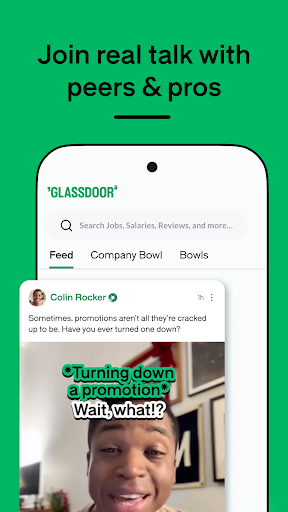
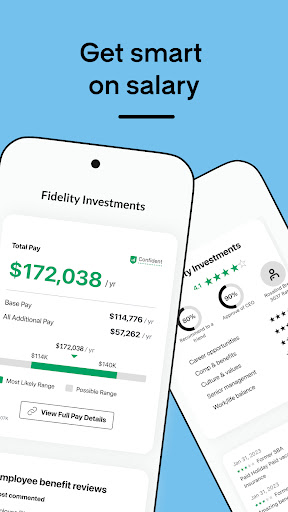
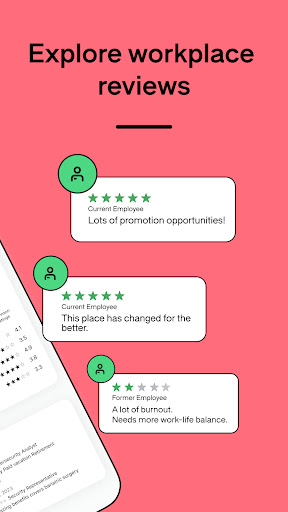
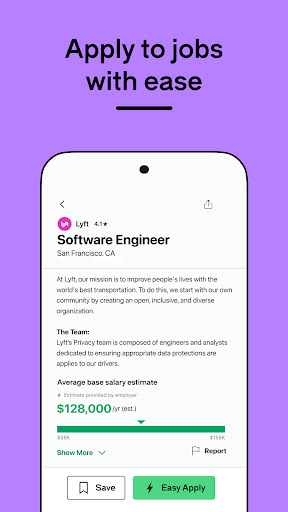
Work meets life on the new Glassdoor app. Search jobs, company reviews, and salaries, and join real, anonymous talk with professionals like you. Ask the tough questions, and get career insights, answers, and more through candid conversations in Bowls — now featuring video, images, and polls. Stay linked in with coworkers and industry insiders, trade resume and interview tips, and engage with new Worklife Pros for expert takes on everyday topics in your work and life.
The new Glassdoor offers:
WORKPLACE CONVERSATIONS
Find your work people in Glassdoor communities. Talk anonymously about employers, industries, and interests, and follow new Worklife Pros for advice and inspiration backed by personal experience.
SALARY TRANSPARENCY
Make sure you’re getting the salary you deserve. Glassdoor can help you discover what others in your position are making—from entry-level to C-suite—so you can negotiate with confidence.
COMPANY REVIEWS & RATINGS
Get insights on everything from culture and compensation to leadership and work-life balance from employees who’ve been there, done that.
SIMPLIFIED JOB SEARCH & EASY APPLY
Automate your search and get job alerts for new postings that could be a good fit for you. Then, apply with a few quick taps.
DIVERSITY & INCLUSION INSIGHTS
Find a workplace that lets you be you. Filter company ratings by gender, race/ethnicity, sexual orientation, and more to find the most diverse and inclusive employers. Then, get a first-person perspective from your new professional community on Glassdoor.
Your work people are here. Download the new Glassdoor app now.
Do not sell my personal information: https://www.glassdoor.com/about/doNotSell.htm
Pokaż więcej

1. Pobierz instalator MEmu i zakończ instalację

2. Uruchom MEmu, a następnie otwórz Google Play na pulpicie

3. Wyszukaj Glassdoor | Jobs & Community w Google Play
Install
4. Pobierz i zainstaluj Glassdoor | Jobs & Community
5. Po zakończeniu instalacji kliknij ikonę, aby rozpocząć

6. Użyj MEmu, aby doświadczyć Glassdoor | Jobs & Community na swoim komputerze
MEmu Play to najlepszy emulator Androida, z którego korzysta ponad 100 milionów użytkowników, ciesząc się wyjątkowym doświadczeniem aplikacji na Androida. Technologia wirtualizacji MEmu pozwala na płynne uruchamianie tysięcy aplikacji Androida na komputerze, nawet tych najbardziej wymagających.
Większy ekran z lepszą grafiką; Długi czas, bez ograniczeń baterii lub danych mobilnych.
Pełna obsługa mapowania klawiszy dla precyzyjnego sterowania klawiaturą i myszą lub gamepadem.
Wiele kont gier lub zadań na jednym komputerze jednocześnie z menedżerem wielu instancji.
Use Glassdoor | Jobs & Community on PC by following steps: