IPTV Player - Smart Live TV
Zaktualizowano
Aktualna wersja
2.1
Sprzedawca

Przestań martwić się nadmiernymi opłatami podczas korzystania z IPTV Player - Smart Live TV na telefonie komórkowym, uwolnij się od małego ekranu i ciesz się korzystaniem z aplikacji na znacznie większym wyświetlaczu. Od teraz korzystaj z aplikacji na pełnym ekranie za pomocą klawiatury i myszy. MEmu oferuje wszystkie zaskakujące funkcje, których się spodziewałeś: szybką instalację i łatwą konfigurację, intuicyjne sterowanie, koniec z ograniczeniami baterii, danych mobilnych i niepokojących połączeń. Zupełnie nowy MEmu 9 to najlepszy wybór do używania IPTV Player - Smart Live TV na twoim komputerze. Zakodowany przez naszą absorpcję, menedżer wielu instancji umożliwia otwarcie 2 lub więcej kont w tym samym czasie. A co najważniejsze, nasz ekskluzywny emulator może uwolnić pełny potencjał twojego komputera, sprawić, że wszystko będzie płynne i przyjemne.
Pokaż więcej
Ciesz się wspaniałym doświadczeniem podczas grania w IPTV Player - Smart Live TV na komputerze z aplikacją MEMU App Player. Jest to potężny darmowy emulator Androida Umożliwia korzystanie z tysięcy aplikacji Androida. IPTV Player – Smart Live TV helps you watch the content you add, including your own M3U and M3U8 playlists, live channels, videos, and series.
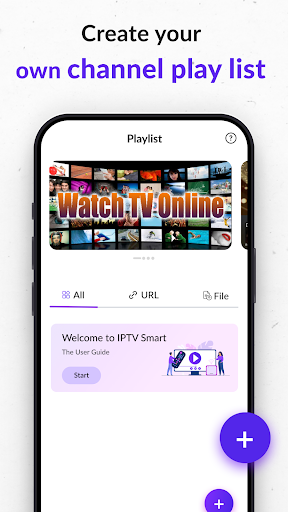
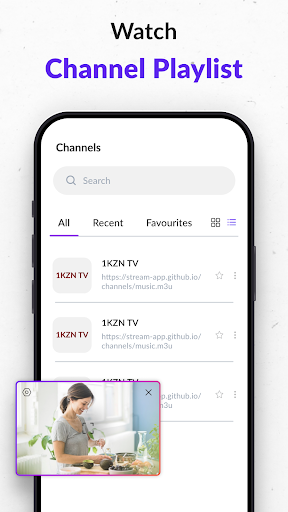
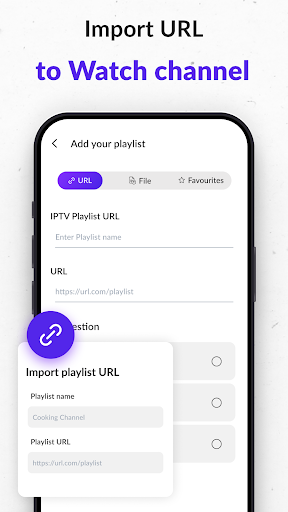
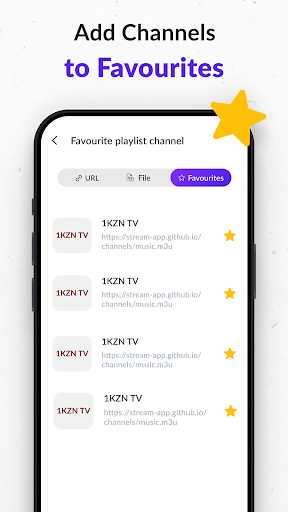
IPTV Player – Smart Live TV helps you watch the content you add, including your own M3U and M3U8 playlists, live channels, videos, and series. Enjoy smooth playback and flexible streaming on your Android device with strong support for many media formats.
High-Quality Streaming
Watch your added live channels, movies, news, sports, and video series with stable and clear playback. The player supports SD, HD, 720p, 1080p, and 4K quality based on your provided streams.
Easy Playlist Management
Stay organized with simple playlist tools:
Add your own IPTV playlists
Create personal libraries
Access your favorite content quickly
Use the built-in M3U/M3U8 playlist creator for fast setup
Wide Format Compatibility
The player supports a large list of video and audio formats, including:
m3u, m3u8, mp4, mov, avi, wav, flac, aac, 3gp, m4a, m4v, amr, pls, ttml, vtt, eac3, ac3, and more.
Your added videos and streams play smoothly without extra configuration.
Live Stream Support
Play your own live media streams in supported formats. The app handles live channels you legally provide with stable performance.
Smart Search & Filters
Find what you added quickly.
Use built-in filtering tools to locate channels, playlists, or videos with ease.
Simple & User-Friendly
Set up your IPTV playback in just a few taps.
Import your M3U or M3U8 playlist and start watching right away. Whether you’re at home or on the go, your added content stays easy to access and enjoy.
Important Notes
IPTV Player – Smart Live TV does not offer any content or playlists.
Only add your own legal content and streams.
The app does not support streaming copyrighted material without the owner’s permission.
Pokaż więcej

1. Pobierz instalator MEmu i zakończ instalację

2. Uruchom MEmu, a następnie otwórz Google Play na pulpicie

3. Wyszukaj IPTV Player - Smart Live TV w Google Play
Install
4. Pobierz i zainstaluj IPTV Player - Smart Live TV
5. Po zakończeniu instalacji kliknij ikonę, aby rozpocząć

6. Użyj MEmu, aby doświadczyć IPTV Player - Smart Live TV na swoim komputerze
MEmu Play to najlepszy emulator Androida, z którego korzysta ponad 100 milionów użytkowników, ciesząc się wyjątkowym doświadczeniem aplikacji na Androida. Technologia wirtualizacji MEmu pozwala na płynne uruchamianie tysięcy aplikacji Androida na komputerze, nawet tych najbardziej wymagających.
Większy ekran z lepszą grafiką; Długi czas, bez ograniczeń baterii lub danych mobilnych.
Pełna obsługa mapowania klawiszy dla precyzyjnego sterowania klawiaturą i myszą lub gamepadem.
Wiele kont gier lub zadań na jednym komputerze jednocześnie z menedżerem wielu instancji.
Use IPTV Player - Smart Live TV on PC by following steps: