Lyca Mobile NL
Zaktualizowano
Aktualna wersja
2.2.60
Sprzedawca

Przestań martwić się nadmiernymi opłatami podczas korzystania z Lyca Mobile NL na telefonie komórkowym, uwolnij się od małego ekranu i ciesz się korzystaniem z aplikacji na znacznie większym wyświetlaczu. Od teraz korzystaj z aplikacji na pełnym ekranie za pomocą klawiatury i myszy. MEmu oferuje wszystkie zaskakujące funkcje, których się spodziewałeś: szybką instalację i łatwą konfigurację, intuicyjne sterowanie, koniec z ograniczeniami baterii, danych mobilnych i niepokojących połączeń. Zupełnie nowy MEmu 9 to najlepszy wybór do używania Lyca Mobile NL na twoim komputerze. Zakodowany przez naszą absorpcję, menedżer wielu instancji umożliwia otwarcie 2 lub więcej kont w tym samym czasie. A co najważniejsze, nasz ekskluzywny emulator może uwolnić pełny potencjał twojego komputera, sprawić, że wszystko będzie płynne i przyjemne.
Pokaż więcej
Ciesz się wspaniałym doświadczeniem podczas grania w Lyca Mobile NL na komputerze z aplikacją MEMU App Player. Jest to potężny darmowy emulator Androida pozwalający grać w tysiące gier na Androida. Download the free Lyca Mobile app today and take control of your account on the go.
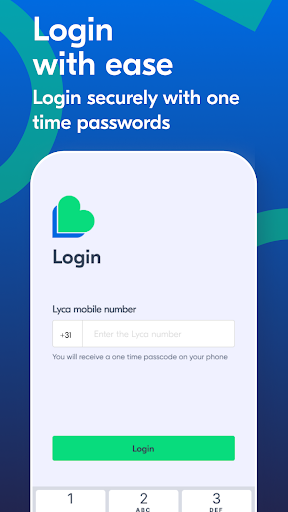
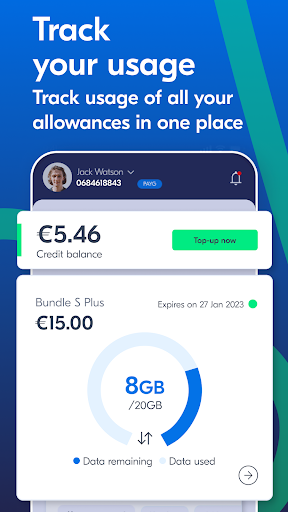
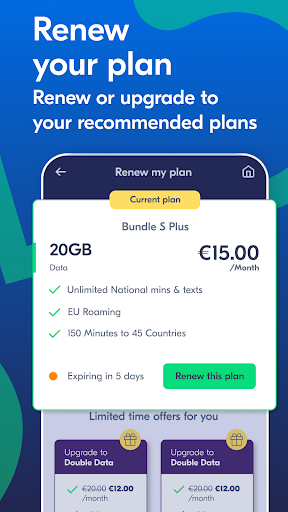
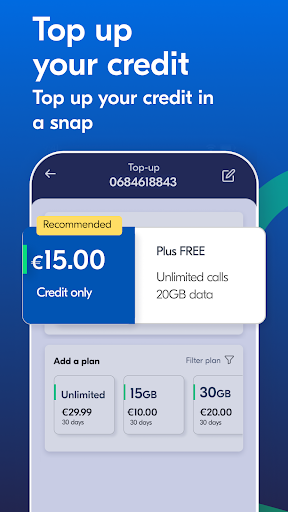
Download the free Lyca Mobile app today and take control of your account on the go. Check your balance, purchase bundles or credit, and view your usage and history all from one secure and easy-to-use app.
The newly launched Lyca Mobile app is the safest and most convenient way to manage your account. You can purchase plans, top-up your balance whenever you wish, check the latest international calling rates, view your transaction history, and make secure payments within the app.
Features include:
• Quick bundle purchase and top-up
• Hassle-free and secure payment
• Detailed history of calls, activated bundles, data usage, and more
• Special bonuses, offers, and discounts
• Easy registration and navigation
• Buy bundles or top-ups for friends and family
Things to remember:
• You must be an existing Lyca Mobile customer in Australia to use the app.
• The Lyca Mobile app is free, but any data used to access features will be taken from your monthly allowance or credit.
• If you use the app abroad, you'll be charged standard international data charges, but the app is still free.
So, don't waste a minute. Get started and download the new Lyca Mobile app today!
Support URL: https://www.lycamobile.com.nl/
Privacy Policy URL:
https://www.lycamobile.nl/en/help/lycamobile-privacy-policy/
Copyright:
© Lyca Mobile 2023
Pokaż więcej

1. Pobierz instalator MEmu i zakończ instalację

2. Uruchom MEmu, a następnie otwórz Google Play na pulpicie

3. Wyszukaj Lyca Mobile NL w Google Play
Install
4. Pobierz i zainstaluj Lyca Mobile NL
5. Po zakończeniu instalacji kliknij ikonę, aby rozpocząć

6. Użyj MEmu, aby doświadczyć Lyca Mobile NL na swoim komputerze
MEmu Play to najlepszy emulator Androida, z którego korzysta ponad 100 milionów użytkowników, ciesząc się wyjątkowym doświadczeniem aplikacji na Androida. Technologia wirtualizacji MEmu pozwala na płynne uruchamianie tysięcy aplikacji Androida na komputerze, nawet tych najbardziej wymagających.
Większy ekran z lepszą grafiką; Długi czas, bez ograniczeń baterii lub danych mobilnych.
Pełna obsługa mapowania klawiszy dla precyzyjnego sterowania klawiaturą i myszą lub gamepadem.
Wiele kont gier lub zadań na jednym komputerze jednocześnie z menedżerem wielu instancji.
Use Lyca Mobile NL on PC by following steps: