
Roam Around - AI Trip planner
Zaktualizowano
Aktualna wersja
2.1.1
Sprzedawca

Przestań martwić się nadmiernymi opłatami podczas korzystania z Roam Around - AI Trip planner na telefonie komórkowym, uwolnij się od małego ekranu i ciesz się korzystaniem z aplikacji na znacznie większym wyświetlaczu. Od teraz korzystaj z aplikacji na pełnym ekranie za pomocą klawiatury i myszy. MEmu oferuje wszystkie zaskakujące funkcje, których się spodziewałeś: szybką instalację i łatwą konfigurację, intuicyjne sterowanie, koniec z ograniczeniami baterii, danych mobilnych i niepokojących połączeń. Zupełnie nowy MEmu 9 to najlepszy wybór do używania Roam Around - AI Trip planner na twoim komputerze. Zakodowany przez naszą absorpcję, menedżer wielu instancji umożliwia otwarcie 2 lub więcej kont w tym samym czasie. A co najważniejsze, nasz ekskluzywny emulator może uwolnić pełny potencjał twojego komputera, sprawić, że wszystko będzie płynne i przyjemne.
Pokaż więcej
Ciesz się wspaniałym doświadczeniem podczas grania w Roam Around - AI Trip planner na komputerze z aplikacją MEMU App Player. Jest to potężny darmowy emulator Androida Umożliwia korzystanie z tysięcy aplikacji Androida. Introducing the ultimate travel app that will change the way you plan your trips forever!
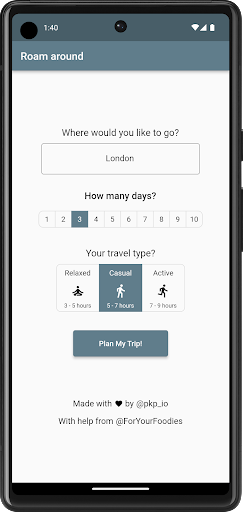
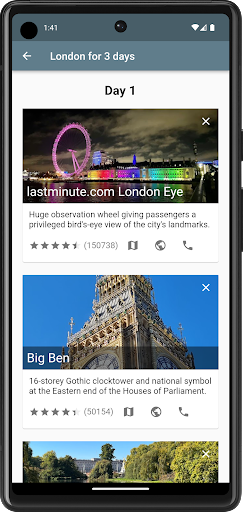

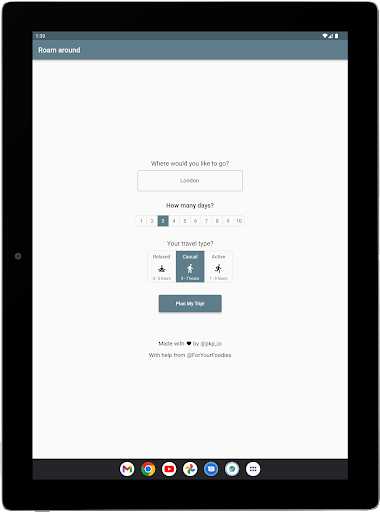
Introducing the ultimate travel app that will change the way you plan your trips forever! Our app uses the latest technology to create personalized travel plans that are tailored to your preferences and interests. With our app, you'll never have to spend hours researching and planning your next vacation again.
Our app uses Chat GPT, a powerful AI technology that can understand natural language and provide human-like responses. You can simply tell the app which city you want to visit, how many days you will be there, and how many hours you want to spend sightseeing each day. The app will then generate a personalized travel plan that includes all the must-see attractions in the city, as well as hidden gems that only locals know about.
Our app also includes daily itineraries that are carefully curated to make the most out of your time in the city. Each itinerary includes a summary of the day's activities, including the time and location of each attraction, as well as suggestions for restaurants and cafes to visit. You can easily follow the itinerary, or customize it to fit your own preferences.
But what if you don't like a particular attraction that's included in the itinerary? No problem! Our app includes the option to remove places from your itinerary, and regenerate a new plan
Pokaż więcej

1. Pobierz instalator MEmu i zakończ instalację

2. Uruchom MEmu, a następnie otwórz Google Play na pulpicie

3. Wyszukaj Roam Around - AI Trip planner w Google Play
Install
4. Pobierz i zainstaluj Roam Around - AI Trip planner
5. Po zakończeniu instalacji kliknij ikonę, aby rozpocząć

6. Użyj MEmu, aby doświadczyć Roam Around - AI Trip planner na swoim komputerze
MEmu Play to najlepszy emulator Androida, z którego korzysta ponad 100 milionów użytkowników, ciesząc się wyjątkowym doświadczeniem aplikacji na Androida. Technologia wirtualizacji MEmu pozwala na płynne uruchamianie tysięcy aplikacji Androida na komputerze, nawet tych najbardziej wymagających.
Większy ekran z lepszą grafiką; Długi czas, bez ograniczeń baterii lub danych mobilnych.
Pełna obsługa mapowania klawiszy dla precyzyjnego sterowania klawiaturą i myszą lub gamepadem.
Wiele kont gier lub zadań na jednym komputerze jednocześnie z menedżerem wielu instancji.
Use Roam Around - AI Trip planner on PC by following steps: