
Sweat Wallet
Zaktualizowano
Aktualna wersja
98.0
Sprzedawca

Przestań martwić się nadmiernymi opłatami podczas korzystania z Sweat Wallet na telefonie komórkowym, uwolnij się od małego ekranu i ciesz się korzystaniem z aplikacji na znacznie większym wyświetlaczu. Od teraz korzystaj z aplikacji na pełnym ekranie za pomocą klawiatury i myszy. MEmu oferuje wszystkie zaskakujące funkcje, których się spodziewałeś: szybką instalację i łatwą konfigurację, intuicyjne sterowanie, koniec z ograniczeniami baterii, danych mobilnych i niepokojących połączeń. Zupełnie nowy MEmu 9 to najlepszy wybór do używania Sweat Wallet na twoim komputerze. Zakodowany przez naszą absorpcję, menedżer wielu instancji umożliwia otwarcie 2 lub więcej kont w tym samym czasie. A co najważniejsze, nasz ekskluzywny emulator może uwolnić pełny potencjał twojego komputera, sprawić, że wszystko będzie płynne i przyjemne.
Pokaż więcej
Ciesz się wspaniałym doświadczeniem podczas grania w Sweat Wallet na komputerze z aplikacją MEMU App Player. Jest to potężny darmowy emulator Androida pozwalający grać w tysiące gier na Androida. Step into the future with Sweat Wallet, where your movement earns you cryptocurrency.
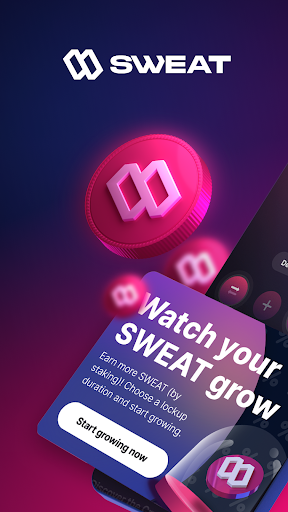
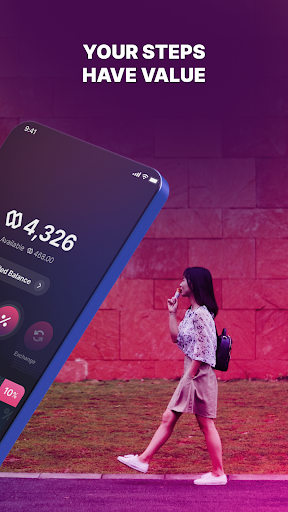
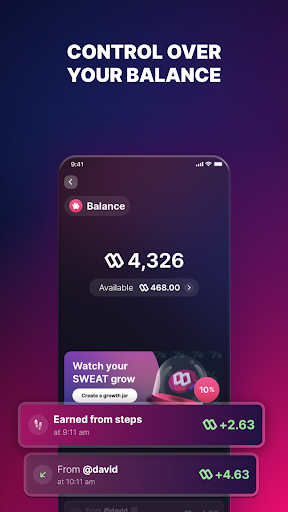
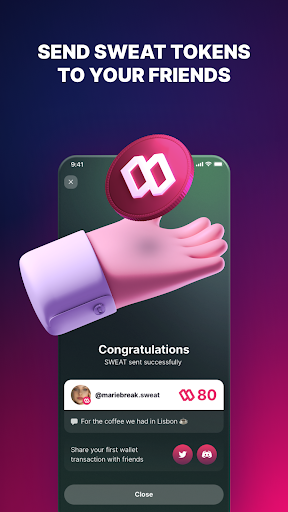
Step into the future with Sweat Wallet, where your movement earns you cryptocurrency. Earn $SWEAT tokens, deposit them for growth, and unlock exciting rewards.
Features You’ll Love:
- Earn $SWEAT Daily: Sync steps from Sweatcoin to turn movement into crypto rewards.
- Deposit & Earn More: Use Growth Jars to maximize your earnings and discover exclusive rewards.
- Trade Effortlessly: Exchange $SWEAT and other tokens seamlessly within the app.
- Spin and Win: Try your luck for extra $SWEAT and prizes every day.
- Buy Crypto Made Easy: Use our trusted partners to add to your balance securely and instantly.
- Gas Fee Savings: Enjoy reduced fees, making every transaction cost-effective.
- Learn & Earn: Gain Web3 knowledge and earn $SWEAT through fun, educational quests.
- Enhanced Security: Protect your wallet with our secure Google & Apple login and signup feature.
- Multichain Support Coming Soon: Store, send, and receive crypto on NEAR and beyond.
Why Sweat Wallet?
With 18+ million movers already earning $SWEAT, Sweat Wallet is your perfect partner for a healthier, wealthier lifestyle.
Privacy & Compatibility:
Secure Transactions: Data encryption and privacy protection.
Multilingual Support: English, Arabic, French, Japanese, and more.
Device Requirements: Compatible with Android 8.0 and up.
Get Started Now:
Download Sweat Wallet and start earning with every step!
Pokaż więcej

1. Pobierz instalator MEmu i zakończ instalację

2. Uruchom MEmu, a następnie otwórz Google Play na pulpicie

3. Wyszukaj Sweat Wallet w Google Play
Install
4. Pobierz i zainstaluj Sweat Wallet
5. Po zakończeniu instalacji kliknij ikonę, aby rozpocząć

6. Użyj MEmu, aby doświadczyć Sweat Wallet na swoim komputerze
MEmu Play to najlepszy emulator Androida, z którego korzysta ponad 100 milionów użytkowników, ciesząc się wyjątkowym doświadczeniem aplikacji na Androida. Technologia wirtualizacji MEmu pozwala na płynne uruchamianie tysięcy aplikacji Androida na komputerze, nawet tych najbardziej wymagających.
Większy ekran z lepszą grafiką; Długi czas, bez ograniczeń baterii lub danych mobilnych.
Pełna obsługa mapowania klawiszy dla precyzyjnego sterowania klawiaturą i myszą lub gamepadem.
Wiele kont gier lub zadań na jednym komputerze jednocześnie z menedżerem wielu instancji.
Use Sweat Wallet on PC by following steps: