VividHub: AI Video Generator
Zaktualizowano
Aktualna wersja
2.2.1
Sprzedawca

Przestań martwić się nadmiernymi opłatami podczas korzystania z VividHub: AI Video Generator na telefonie komórkowym, uwolnij się od małego ekranu i ciesz się korzystaniem z aplikacji na znacznie większym wyświetlaczu. Od teraz korzystaj z aplikacji na pełnym ekranie za pomocą klawiatury i myszy. MEmu oferuje wszystkie zaskakujące funkcje, których się spodziewałeś: szybką instalację i łatwą konfigurację, intuicyjne sterowanie, koniec z ograniczeniami baterii, danych mobilnych i niepokojących połączeń. Zupełnie nowy MEmu 9 to najlepszy wybór do używania VividHub: AI Video Generator na twoim komputerze. Zakodowany przez naszą absorpcję, menedżer wielu instancji umożliwia otwarcie 2 lub więcej kont w tym samym czasie. A co najważniejsze, nasz ekskluzywny emulator może uwolnić pełny potencjał twojego komputera, sprawić, że wszystko będzie płynne i przyjemne.
Pokaż więcej
Ciesz się wspaniałym doświadczeniem podczas grania w VividHub: AI Video Generator na komputerze z aplikacją MEMU App Player. Jest to potężny darmowy emulator Androida Umożliwia korzystanie z tysięcy aplikacji Androida. Create entertaining videos and enhance your photos with an all-in-one AI video generator.
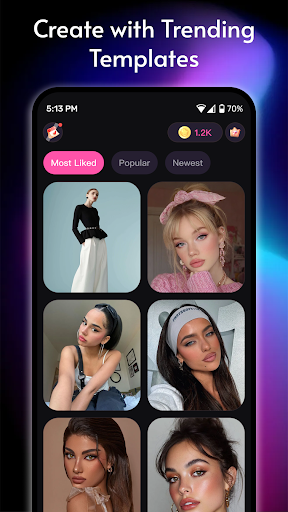
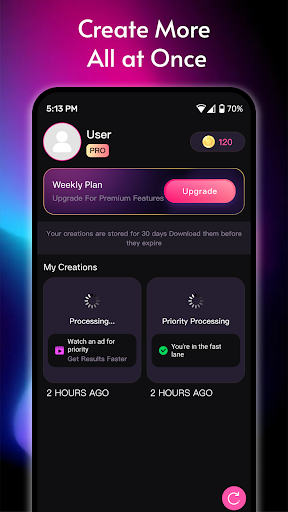
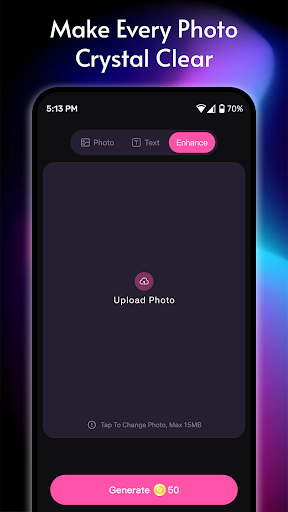
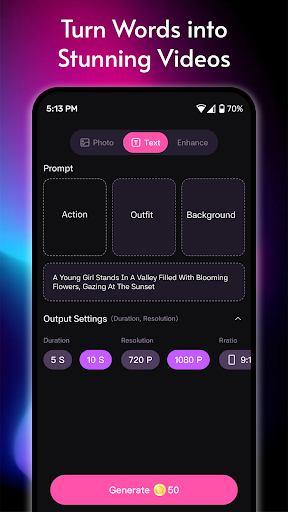
Create entertaining videos and enhance your photos with an all-in-one AI video generator.
Turn everyday ideas and images into fun, shareable visual content in just a few taps. Create short videos from text, animate photos, and improve blurry visuals—all in one easy-to-use app.
Key Features:
• AI Video Generator (Text to Video)
Describe a scene, story, or fun idea, and AI helps create a short visual video based on your prompt.
• Image to Video
Bring still photos to life by adding motion and dynamic effects. Create engaging clips for personal entertainment and social sharing.
• Image Clarity Enhancement
Improve the appearance of low-quality, blurry, or unclear images. AI-powered enhancement can help make visual details look sharper and clearer.
• Video Templates
Start with ready-made templates for quick, entertaining creations. Customize them to make content that fits your style.
• Fast & Easy to Use
No professional editing experience needed. Create visual content through a simple, guided workflow.
• Multiple Creative Styles
Explore different visual looks for entertainment, personal projects, and social media content.
Important Information:
• AI-generated or enhanced results may vary depending on the content and instructions provided.
• The app is intended for creative and entertainment purposes and does not guarantee specific results, accuracy, or suitability for professional use.
• Users must ensure they have the rights to any content they upload or use.
• AI enhancement may not restore all missing details or produce perfect results.
Create, explore, and share entertaining visual content with an easy-to-use AI video maker.
Pokaż więcej

1. Pobierz instalator MEmu i zakończ instalację

2. Uruchom MEmu, a następnie otwórz Google Play na pulpicie

3. Wyszukaj VividHub: AI Video Generator w Google Play
Install
4. Pobierz i zainstaluj VividHub: AI Video Generator
5. Po zakończeniu instalacji kliknij ikonę, aby rozpocząć

6. Użyj MEmu, aby doświadczyć VividHub: AI Video Generator na swoim komputerze
MEmu Play to najlepszy emulator Androida, z którego korzysta ponad 100 milionów użytkowników, ciesząc się wyjątkowym doświadczeniem aplikacji na Androida. Technologia wirtualizacji MEmu pozwala na płynne uruchamianie tysięcy aplikacji Androida na komputerze, nawet tych najbardziej wymagających.
Większy ekran z lepszą grafiką; Długi czas, bez ograniczeń baterii lub danych mobilnych.
Pełna obsługa mapowania klawiszy dla precyzyjnego sterowania klawiaturą i myszą lub gamepadem.
Wiele kont gier lub zadań na jednym komputerze jednocześnie z menedżerem wielu instancji.
Use VividHub: AI Video Generator on PC by following steps: