Oroka - AI Art Generator
Обновлено
Текущая версия
1.0091
Продавец

Перестаньте беспокоиться о быстром разряде батареи при использовании Oroka - AI Art Generator на вашем телефоне. Освободитесь от крошечного экрана и наслаждайтесь приложением на гораздо большем экране. Теперь вы можете работать с приложением в полноэкранном режиме с удобством клавиатуры и мыши. MEmu предлагает вам все ожидаемые удивительные функции: быструю установку и простую настройку, интуитивно понятное управление и больше никаких забот о времени автономной работы, мобильном трафике или неожиданных звонках. Совершенно новый MEmu 9 — идеальный выбор для использования Oroka - AI Art Generator на вашем компьютере. С помощью менеджера нескольких экземпляров MEmu вы можете одновременно использовать два или более аккаунтов. И самое главное, наш эксклюзивный движок эмуляции раскрывает весь потенциал вашего ПК, обеспечивая плавную и приятную работу.
Показать больше
Скачайте Oroka - AI Art Generator на ПК с помощью Андроид эмулятора MEmu. Наслаждайтесь на большом экране. Unleash your creative potential with Loopsie: AI Art Generator - the ultimate AI art generator app built to empower artists to effortlessly turn their imagination into visually stunning digital visual AI picture generator artworks and AI generated art designs.
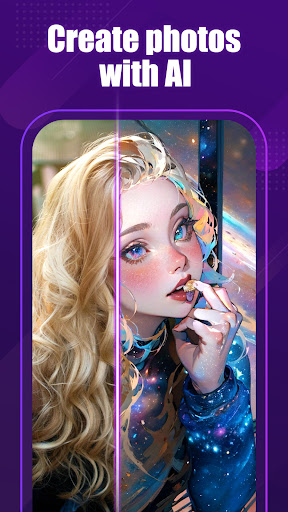
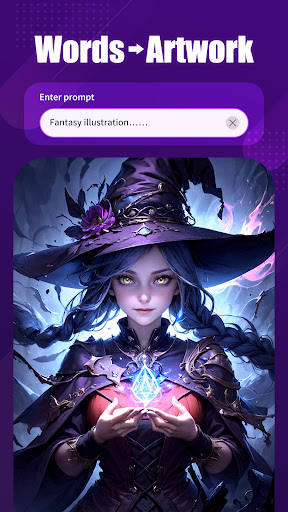
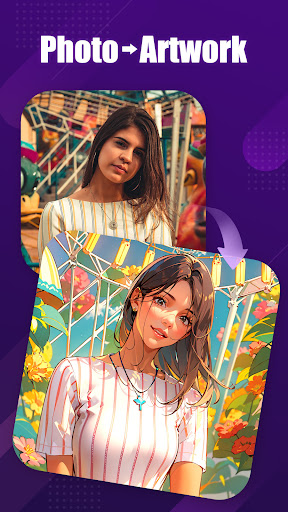
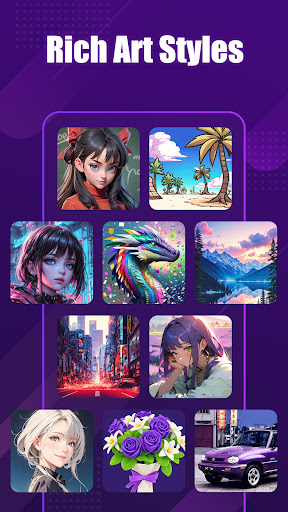
Unleash your creative potential with Loopsie: AI Art Generator - the ultimate AI art generator app built to empower artists to effortlessly turn their imagination into visually stunning digital visual AI picture generator artworks and AI generated art designs. With our advanced art-focused AI art generator algorithms of Loopsie , you can instantly generate captivating paintings, portraits, AI anime artworks, landscapes and more in any AI generated images style.
✨ Key Features for Unlocking Your Artistic Vision
► Generate One-of-a-Kind Digital Masterpieces
Our specialized art AI image generator transforms your creative preferences into jaw-dropping digital visual art across any medium or technique - from impressionist portraits to AI generated images and abstract AI anime works with AI logo generator.
► Refine Your AI Art Creations
Fine-tune every brushstroke and detail of your AI generated art to achieve your perfect artistic vision. Easily adjust artistic anime AI art parameters to infuse each digital creation with your unique perspective of the AI photo generator.
► Compose Striking Digital AI Drawing Art Layouts
Utilize AI design pose features to precisely arrange figures, text and elements within your anime AI art artworks for optimal visual composition and impact.
► Thrive in Our Vibrant Creative Community
Connect with fellow AI painter artists in our inclusive AI picture generator community for inspiration, exhibiting artworks, feedback and more. Share your creations in the AI photo generator and watch your AI painter artistic talents flourish.
► Explore Diverse Artistic Themes
Ignite your wildest AI design creative ideas-from vivid anime scenes to sweeping landscape vistas, and everything in between by AI logo generator. Our versatile AI painting art generates stunning visualizations for any interest like an AI creator.
► Simple Yet Powerful Interface
With handy presets and an intuitive interface, artists of all levels can generate striking digital AI drawing artworks in minutes. Unlock your AI creator potential now!
Loopsie: AI Art Generator is an AI-powered art generator that turns words into photos and digital artworks. You can enter a prompt and choose from various artworks styles to bring your idea to life. The platform offers different artworks styles to suit your preferences. You can also customize images by adding text instructions. Upload photos to transform them into AI-generated artworks and masterpieces. Share your art on social media and explore the work of other AI artists. Loopsie is an AI company focused on enabling creativity and transforming entertainment.
Loopsie: AI Art Generator is the ultimate artistic playground for experimenting with AI painting to unlock your fullest creative potential. Download our AI image generator now to start creating your visual masterpieces!
Показать больше

1. Скачать инсталлятор MEmu и завершайте установку

2. Запускайте MEmu, затем откройте Google Play на главной странице

3. Ищите Oroka - AI Art Generator в Google Play
Install
4. Скачайте и установите Oroka - AI Art Generator
5. При завершении установки, нажмите на значок для старта

6. Наслаждайтесь Oroka - AI Art Generator на своем компьютере с помощью MEmu.
MEmu Play — лучший бесплатный эмулятор Android, превосходный опыт работы с которым оценили 50 миллионов пользователей. Технология виртуализации MEmu позволяет без проблем запускать тысячи Android-приложений на вашем компьютере, даже самые требовательные.
Большой экран с лучшей графикой; Большая продолжительность, без ограничения батареи или мобильных данных.
Полная поддержка установки клавиш для точного управления клавиатурой и мышью или геймпадом.
Несколько игровых учетных записей или задач на одном компьютере одновременно с менеджером нескольких экземпляров.
Use Oroka - AI Art Generator on PC by following steps: