AirPlay For Android & TV
Обновлено
Текущая версия
7.2
Продавец

Перестаньте беспокоиться о быстром разряде батареи при использовании AirPlay For Android & TV на вашем телефоне. Освободитесь от крошечного экрана и наслаждайтесь приложением на гораздо большем экране. Теперь вы можете работать с приложением в полноэкранном режиме с удобством клавиатуры и мыши. MEmu предлагает вам все ожидаемые удивительные функции: быструю установку и простую настройку, интуитивно понятное управление и больше никаких забот о времени автономной работы, мобильном трафике или неожиданных звонках. Совершенно новый MEmu 9 — идеальный выбор для использования AirPlay For Android & TV на вашем компьютере. С помощью менеджера нескольких экземпляров MEmu вы можете одновременно использовать два или более аккаунтов. И самое главное, наш эксклюзивный движок эмуляции раскрывает весь потенциал вашего ПК, обеспечивая плавную и приятную работу.
Показать больше
Скачайте AirPlay For Android & TV на ПК с помощью Андроид эмулятора MEmu. Наслаждайтесь на большом экране. AirPlay Mirroring Receiver is the most advanced multiple wireless transmission protocol (Airplay, Chromecast and Miracast) receiver for Android, DLNA Receiver.
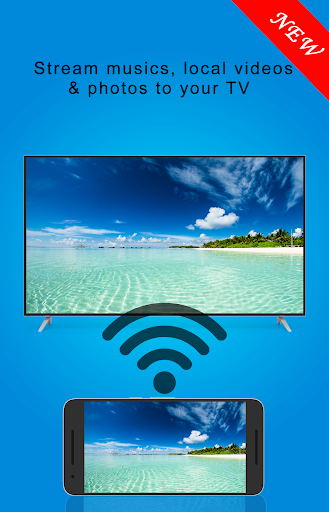
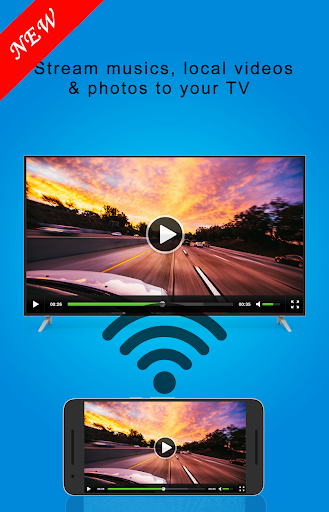
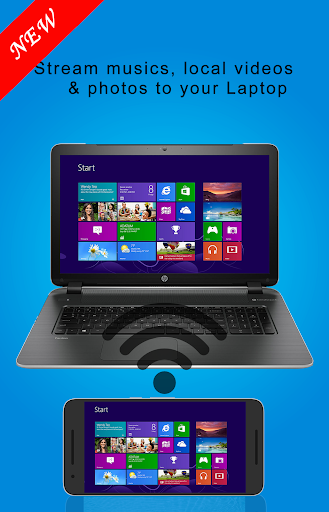
AirPlay Mirroring Receiver is the most advanced multiple wireless transmission protocol (Airplay, Chromecast and Miracast) receiver for Android, DLNA Receiver. It allows you to use the local network connection (Wi-Fi/Ethernet) with your family and friends to experience the new fun of sharing screen from android to Ios .Airplay Mirroring application . Airplay Receiver.
- Samsung screen mirroring Send music, videos or pictures from your iPhone/iPad and Mac via Apple's AirPlay
- Or use your Android Phone/Tablet and PC with a compatible DLNA/UPnP app/program to send media directly to or stream from a home media server to "AirPlay For Android" installed on your Android device or phone.
- Multiple wireless transmission protocol: AirPlay Receiver MiraCast supports a variety of wireless transmission protocol Airplay / Chromecast and Miracast or DLNA , so you do not need any cables wireless display to your screen.
- Samsung screen mirroring Support for multiple applications: Safari / Chrome and More, Mean AirPlay Receiver can support more excellent client application, which gets more media resources
- More advantages: Video hardware acceleration (improve the efficiency of 40% shows), high resolution images (4K), background background service mode, set personalization features such as device names.
- Screen mirroring work your TV should support Wireless Display and TV must be connected to wifi network same as your phone. use Screen Mirroring App to mirror your mobile screen to smart TV.
- Screen Stream Mirroring is the most powerful app for mirroring and broadcasting your Android screen and audio in real time.
- Screen Mirroring with TV App will assist you to scan and mirror your android phone or tab's screen on smart TV/Display (miracast enabled) or Wireless dongles or adapters. Screen mirroring for Samsung Tv Able to play videos, music, photos, etc in my Smartphone with any devices (smartphone, laptop and tablet, etc) at anywhere.
- Mobile Screen to TV Screen airplay with TV App will assist you to scan and mirror your android phone or tab's screen on smart TV/Display or Wireless dongles or adapters.
- Screen mirroring assistant app helps to open window in smart TV screen from your phone. Share second screen throw wireless and wifi and connect phone dongles with Samsung smart TV mirroring assistant.
- With the all-new Mobile Video to TV Connect Mobile with TV, you can enjoy your personalized Smart Hub experience on your smartphone or tablet with all the benefits of touch. Browse across your favorite live TV and streaming apps more. Discover and launch your movies, shows, sports, music or games directly from your phone without interrupting your viewing experience on the TV.
- Screen Mirroring App helps to mirror android mobile phone & scan tab screen to display it on smart TV/Display (miracast enabled ) by wireless, Wifi & Bluetooth dongles or adapters.
- Screen Stream Mirroring Pro is a powerful application for mirroring and broadcasting the screen and audio of your device! You can share your Android screen live to any other device or PC on your local network, via a media player, web browser and Chromecast, or UPnP compatible devices / DLNA (many Smart TVs or other devices).
Показать больше

1. Скачать инсталлятор MEmu и завершайте установку

2. Запускайте MEmu, затем откройте Google Play на главной странице

3. Ищите AirPlay For Android & TV в Google Play
Install
4. Скачайте и установите AirPlay For Android & TV
5. При завершении установки, нажмите на значок для старта

6. Наслаждайтесь AirPlay For Android & TV на своем компьютере с помощью MEmu.
MEmu Play — лучший бесплатный эмулятор Android, превосходный опыт работы с которым оценили 50 миллионов пользователей. Технология виртуализации MEmu позволяет без проблем запускать тысячи Android-приложений на вашем компьютере, даже самые требовательные.
Большой экран с лучшей графикой; Большая продолжительность, без ограничения батареи или мобильных данных.
Полная поддержка установки клавиш для точного управления клавиатурой и мышью или геймпадом.
Несколько игровых учетных записей или задач на одном компьютере одновременно с менеджером нескольких экземпляров.
Use AirPlay For Android & TV on PC by following steps: