Blackview Security
Обновлено
Текущая версия
1.02.06
Продавец

Перестаньте беспокоиться о быстром разряде батареи при использовании Blackview Security на вашем телефоне. Освободитесь от крошечного экрана и наслаждайтесь приложением на гораздо большем экране. Теперь вы можете работать с приложением в полноэкранном режиме с удобством клавиатуры и мыши. MEmu предлагает вам все ожидаемые удивительные функции: быструю установку и простую настройку, интуитивно понятное управление и больше никаких забот о времени автономной работы, мобильном трафике или неожиданных звонках. Совершенно новый MEmu 9 — идеальный выбор для использования Blackview Security на вашем компьютере. С помощью менеджера нескольких экземпляров MEmu вы можете одновременно использовать два или более аккаунтов. И самое главное, наш эксклюзивный движок эмуляции раскрывает весь потенциал вашего ПК, обеспечивая плавную и приятную работу.
Показать больше
Наслаждайтесь превосходным опытом использования Blackview Security на ПК с MEmu Play. Это мощный бесплатный эмулятор Android, который предлагает тысячи приложений для настольных компьютеров. Наслаждайтесь общением с друзьями и совершенствуйте свою работу ещё эффективнее! In modern society, the development of smart technology has permeated every aspect of our daily lives.
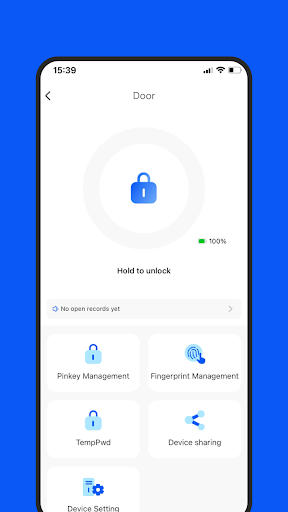
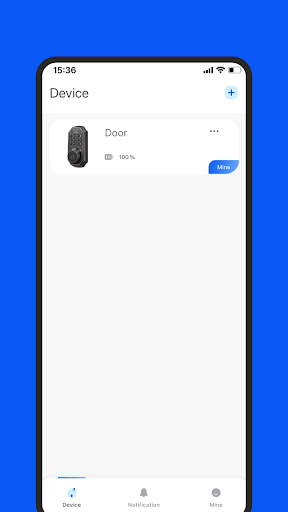
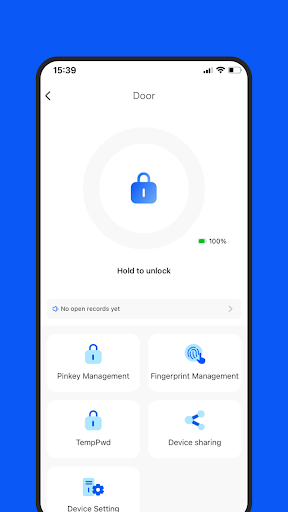
In modern society, the development of smart technology has permeated every aspect of our daily lives. Among them, the smart door lock, as the wise guardian of home security, is gradually gaining favor among people. Integrating various advanced technologies such as cameras, fingerprint recognition, and password functionality, the smart door lock provides comprehensive security for households.
Firstly, the smart door lock is equipped with a high-definition camera, capable of real-time monitoring of the doorstep. Regardless of your location, simply use a smartphone application to view the live feed of the door, allowing you to promptly grasp the security status of your home. This remote monitoring feature provides convenience, enabling you to keep an eye on your home anytime, anywhere.
Secondly, the smart door lock utilizes advanced fingerprint recognition technology. By pre-registering fingerprints, the smart door lock can quickly and accurately identify family members and control the opening of the door. This keyless entry method is not only convenient but also more secure and reliable, effectively preventing the risk of key loss or duplication.
Additionally, the smart door lock is equipped with password functionality, offering another unlocking option for family members and visitors. Family members or guests simply need to enter a preset password to easily unlock the door. Moreover, you can change the password at any time to ensure home security without worrying about the risk of password leakage.
In summary, the smart door lock, with its camera monitoring, fingerprint recognition, and password functionality, provides comprehensive security for households. It not only enhances home security but also offers convenient access control for family members. Let us embrace smart technology together and create a safer and more comfortable home environment.
Показать больше

1. Скачать инсталлятор MEmu и завершайте установку

2. Запускайте MEmu, затем откройте Google Play на главной странице

3. Ищите Blackview Security в Google Play
Install
4. Скачайте и установите Blackview Security
5. При завершении установки, нажмите на значок для старта

6. Наслаждайтесь Blackview Security на своем компьютере с помощью MEmu.
MEmu Play — лучший бесплатный эмулятор Android, превосходный опыт работы с которым оценили 50 миллионов пользователей. Технология виртуализации MEmu позволяет без проблем запускать тысячи Android-приложений на вашем компьютере, даже самые требовательные.
Большой экран с лучшей графикой; Большая продолжительность, без ограничения батареи или мобильных данных.
Полная поддержка установки клавиш для точного управления клавиатурой и мышью или геймпадом.
Несколько игровых учетных записей или задач на одном компьютере одновременно с менеджером нескольких экземпляров.
Use Blackview Security on PC by following steps: