CASIO WATCHES
Обновлено
Текущая версия
3.18.0
Продавец

Перестаньте беспокоиться о быстром разряде батареи при использовании CASIO WATCHES на вашем телефоне. Освободитесь от крошечного экрана и наслаждайтесь приложением на гораздо большем экране. Теперь вы можете работать с приложением в полноэкранном режиме с удобством клавиатуры и мыши. MEmu предлагает вам все ожидаемые удивительные функции: быструю установку и простую настройку, интуитивно понятное управление и больше никаких забот о времени автономной работы, мобильном трафике или неожиданных звонках. Совершенно новый MEmu 9 — идеальный выбор для использования CASIO WATCHES на вашем компьютере. С помощью менеджера нескольких экземпляров MEmu вы можете одновременно использовать два или более аккаунтов. И самое главное, наш эксклюзивный движок эмуляции раскрывает весь потенциал вашего ПК, обеспечивая плавную и приятную работу.
Показать больше
Скачайте CASIO WATCHES на ПК с помощью Андроид эмулятора MEmu. Наслаждайтесь на большом экране. [Important Notice].
[Important Notice]
When the CASIO WATCHES latest version is installed on Android 12 or higher devices, Automatic Time Synchronization between the app and watches may fail.
[Solution]
Please follow the steps below:
1. Select "OS Settings" -> "Applications" -> "CASIO WATCHES" -> "App permissions" and turn on the "Nearby devices permission".
2. Restart the app.
---------------
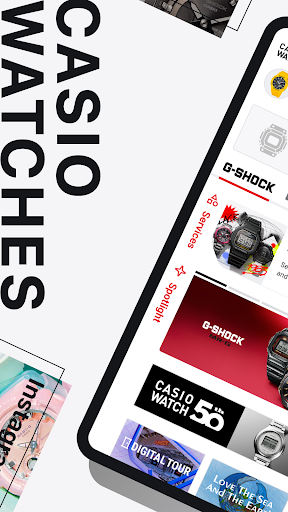
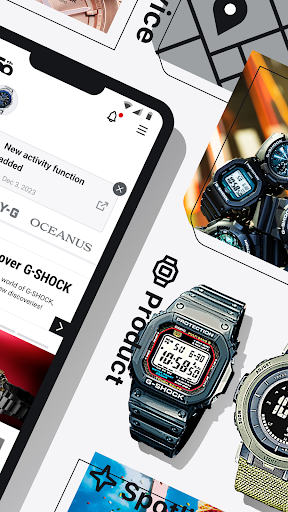
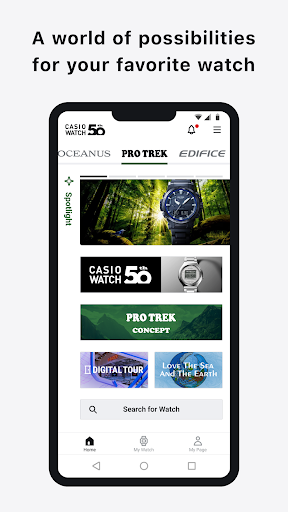
CASIO WATCHES is an integrated app designed to expand your enjoyment of CASIO watches.
By connecting your CASIO watch to the app via Bluetooth®, you can take advantage of functionality including automatic time calibration and world time settings, as well as check the latest information on each CASIO brand.
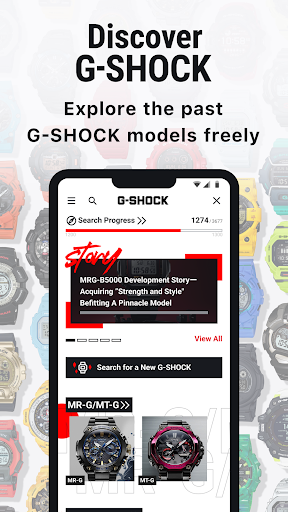
The app also contains the “Discover G-SHOCK” feature, containing historical and technical information on over 3,500 models of G-SHOCK, both past and present.
This official CASIO app is a must-have for any G-SHOCK or other CASIO watch fan.
■ The CASIO official app “CASIO WATCHES” is recommended for:
・Users who wish to link their CASIO watch (G-SHOCK, CASIO, OCEANUS, EDIFICE, BABY-G) to the app
・Fans of CASIO G-SHOCK
・Those interested in receiving the latest information from CASIO
・Those who want to know about the history of CASIO brands
・Fans of CASIO watches
・Those with an interest in CASIO watches
・Long-term users of CASIO products
・Users of other CASIO apps
・Users who wish to improve their CASIO watch experience
・Those who wish to be informed about exclusive CASIO content
■ Functions
[Latest watch information]
・Keep up with the latest CASIO watch information and exclusive CASIO content.
[Services to expand your enjoyment]
・Discover G-SHOCK: Search the world of past and present G-SHOCK brands and models, and discover new and exciting features!
*You may not be able to access Discover G-SHOCK in certain regions, or if your CASIO ID is registered in certain regions.
[Watch registration]
・Register your CASIO watch to access its user manual instantly and at any time.
*Some models cannot be registered with the app.
・Pair your watch with the app to automatically calibrate its time display.
・You can also easily access alarm and world time setting features.
・You can check smartphone notifications (incoming calls, incoming e-mails, eic) on your watch.
*This function is avaliable on some models.
Visit the website below for details.
https://www.casio.com/intl/watches/casio/app/
■ Compatible OS
- Android 8.0 or later
■ Notes
・This app requires a CASIO ID.
・This app is not guaranteed to work on every device.
・Even devices with a compatible OS may fail to operate or display the app depending on the device’s software version and display specifications.
・Bluetooth functionality can be used with devices compatible with Bluetooth 4.0.
Показать больше

1. Скачать инсталлятор MEmu и завершайте установку

2. Запускайте MEmu, затем откройте Google Play на главной странице

3. Ищите CASIO WATCHES в Google Play
Install
4. Скачайте и установите CASIO WATCHES
5. При завершении установки, нажмите на значок для старта

6. Наслаждайтесь CASIO WATCHES на своем компьютере с помощью MEmu.
MEmu Play — лучший бесплатный эмулятор Android, превосходный опыт работы с которым оценили 50 миллионов пользователей. Технология виртуализации MEmu позволяет без проблем запускать тысячи Android-приложений на вашем компьютере, даже самые требовательные.
Большой экран с лучшей графикой; Большая продолжительность, без ограничения батареи или мобильных данных.
Полная поддержка установки клавиш для точного управления клавиатурой и мышью или геймпадом.
Несколько игровых учетных записей или задач на одном компьютере одновременно с менеджером нескольких экземпляров.
Use CASIO WATCHES on PC by following steps: