BitTorrent®- Torrent Downloads
Обновлено
Текущая версия
8.2.22
Продавец

Перестаньте беспокоиться о быстром разряде батареи при использовании BitTorrent®- Torrent Downloads на вашем телефоне. Освободитесь от крошечного экрана и наслаждайтесь приложением на гораздо большем экране. Теперь вы можете работать с приложением в полноэкранном режиме с удобством клавиатуры и мыши. MEmu предлагает вам все ожидаемые удивительные функции: быструю установку и простую настройку, интуитивно понятное управление и больше никаких забот о времени автономной работы, мобильном трафике или неожиданных звонках. Совершенно новый MEmu 9 — идеальный выбор для использования BitTorrent®- Torrent Downloads на вашем компьютере. С помощью менеджера нескольких экземпляров MEmu вы можете одновременно использовать два или более аккаунтов. И самое главное, наш эксклюзивный движок эмуляции раскрывает весь потенциал вашего ПК, обеспечивая плавную и приятную работу.
Показать больше
Скачайте BitTorrent®- Torrent Downloads на ПК с помощью Андроид эмулятора MEmu. Наслаждайтесь на большом экране. Find, download (torrent) & play torrents on your phone or tablet with the official BitTorrent® App for Android.
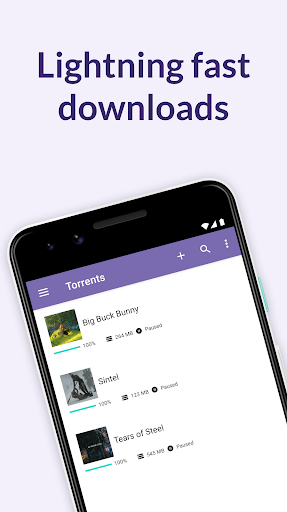
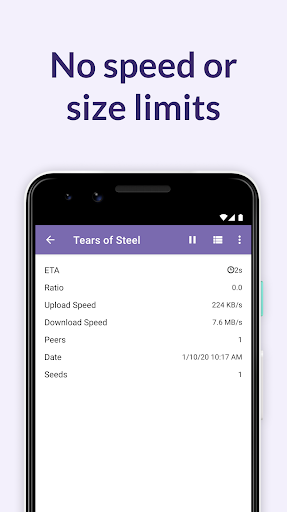
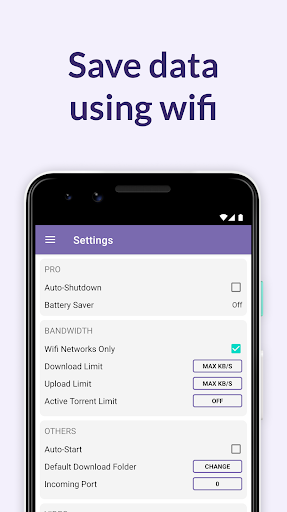
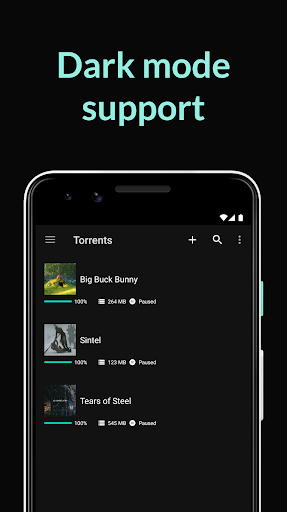
Find, download (torrent) & play torrents on your phone or tablet with the official BitTorrent® App for Android. Get the awesome torrent downloader with no download speed or download size limits. Now downloading torrents to your phone is easy.
The BitTorrent App for Android is a beautifully simple way to discover, download, and play videos/music, anywhere.
The BitTorrent App for Android has better performance, faster downloads and a more user centric mobile torrenting experience.
We listened to your feedback and updated this latest version with -
✔ Beautifully light, clean design
✔ Wifi-only mode to save on mobile data
✔ No speed limits and no size limits
✔ Easy access to your media with integrated music and video libraries
✔ Select files to download within a torrent to minimize your storage footprint
✔ Better music listening and video viewing experience with integrated music and video players
✔ Auto-shutdown (Pro feature)
More features:
✔ Choose your file download location when adding a torrent
✔ Download torrents and magnet links
✔ Choose between deleting torrents only, or torrents & files
✔ Translations in Pусский, Español, Italiano, Português do Brasil
✔ The very latest in core torrenting technology, continuously updated by dedicated torrent core engineers to maximize performance
✔ Download licensed, free music and video torrents from BitTorrent’s content partners such as Moby and Public Enemy-- from the get-go.
✔ Downloaded more than one music file in a torrent? Play them all at once as a playlist
✔ Improved download performance improvements and stability. This includes Canonical Peer Priority (reduces the hop length between you and peers in the torrent swarm), and faster handling of magnet link data
FAQs
Visit this page: http://help.bittorrent.com/
Help & Support
Visit the BitTorrent forum at https://forum.bittorrent.com/forum/5-bittorrent-client/
Like us on Facebook
http://www.facebook.com/bittorrent
Follow us on Twitter
http://twitter.com/bittorrent
Feedback
Your feedback is very important to us. Please email us directly at btandroid@bittorrent.com if you have any problems or requests.
--The BitTorrent Mobile Team.
“Committed to building a sustainable future for content.”
By downloading or using BitTorrent or uTorrent - torrent downloader client, you agree to the Terms of Use (http://www.bittorrent.com/legal/terms-of-use) and Privacy Policy (http://www.bittorrent.com/legal/privacy)
Показать больше

1. Скачать инсталлятор MEmu и завершайте установку

2. Запускайте MEmu, затем откройте Google Play на главной странице

3. Ищите BitTorrent®- Torrent Downloads в Google Play
Install
4. Скачайте и установите BitTorrent®- Torrent Downloads
5. При завершении установки, нажмите на значок для старта

6. Наслаждайтесь BitTorrent®- Torrent Downloads на своем компьютере с помощью MEmu.
MEmu Play — лучший бесплатный эмулятор Android, превосходный опыт работы с которым оценили 50 миллионов пользователей. Технология виртуализации MEmu позволяет без проблем запускать тысячи Android-приложений на вашем компьютере, даже самые требовательные.
Большой экран с лучшей графикой; Большая продолжительность, без ограничения батареи или мобильных данных.
Полная поддержка установки клавиш для точного управления клавиатурой и мышью или геймпадом.
Несколько игровых учетных записей или задач на одном компьютере одновременно с менеджером нескольких экземпляров.
Use BitTorrent®- Torrent Downloads on PC by following steps: