Comelit
Обновлено
Текущая версия
7.4.0-4
Продавец

Перестаньте беспокоиться о быстром разряде батареи при использовании Comelit на вашем телефоне. Освободитесь от крошечного экрана и наслаждайтесь приложением на гораздо большем экране. Теперь вы можете работать с приложением в полноэкранном режиме с удобством клавиатуры и мыши. MEmu предлагает вам все ожидаемые удивительные функции: быструю установку и простую настройку, интуитивно понятное управление и больше никаких забот о времени автономной работы, мобильном трафике или неожиданных звонках. Совершенно новый MEmu 9 — идеальный выбор для использования Comelit на вашем компьютере. С помощью менеджера нескольких экземпляров MEmu вы можете одновременно использовать два или более аккаунтов. И самое главное, наш эксклюзивный движок эмуляции раскрывает весь потенциал вашего ПК, обеспечивая плавную и приятную работу.
Показать больше
Наслаждайтесь превосходным опытом использования Comelit на ПК с MEmu Play. Это мощный бесплатный эмулятор Android, который предлагает тысячи приложений для настольных компьютеров. Наслаждайтесь общением с друзьями и совершенствуйте свою работу ещё эффективнее! Free and compatible with all the most modern devices, Comelit APP allows you to remotely manage your video door entry and burglar alarm systems with VEDO10, VEDO34 and VEDO68 control panels.
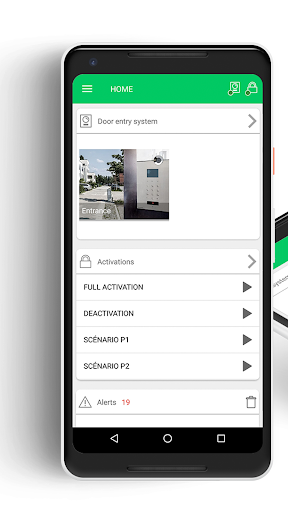
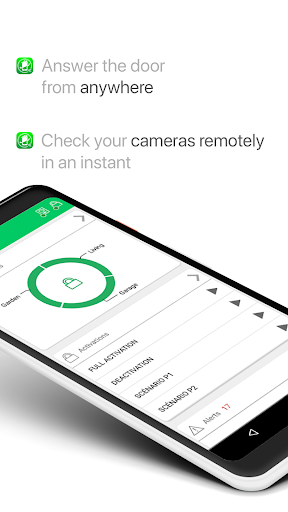
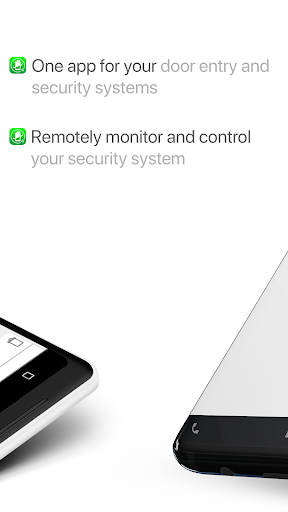
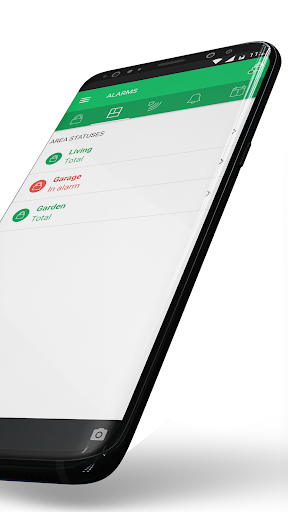
Free and compatible with all the most modern devices, Comelit APP allows you to remotely manage your video door entry and burglar alarm systems with VEDO10, VEDO34 and VEDO68 control panels.
You'll be able to customize the app's home page by choosing from the available widgets so that you can quickly access the information and commands that interest you the most.
Main functions for video door entry systems:
- Receive calls from the entrance panels wherever you are
- Review the recordings of the cameras connected to your system (including that of the panel)
- Review the video messages recorded by visitors in case of missed calls
- Call the internal devices connected to your system (intercoms and video intercoms)
- Open gates, doors and turn on lights
The APP works thanks to PUSH notifications, this means that it will be activated only on call or event with significant energy and data savings.
Main functions for VEDO10, VEDO34 and VEDO68 burglar alarm systems, also accessible remotely:
- System management: arming, disarming, arming programs
- Display of the status of zones and areas, zone bypass
- Sending of commands such as the sirens stop or reset of the alarm memory.
- Activation of medical, fire and other alarms.
- Live view of IP and analogue cameras connected to the VEDO system
- Alarm video-verification: it is possible to receive a short video of the event that caused an alarm, in order to check its real cause remotely.
- Recording movies, snapshots, browsing and sharing saved multimedia content.
- Turning on and off the control panel outputs
- Receive push notifications of events
- Consultation of event and alarm memory
- RFID key lock
VEDO 10, VEDO34 and VEDO68 control panels must be updated to version 2.7.2 or higher.
Main functions for CCTV systems:
- Live view and playback of video recordings of cameras connected to NVR and DVR of Comelit 100-series
- Identification and playback of special recordings linked to alarm events
- PTZ management
(Function not available on tablet)
Install a Comelit system and experience all the advantages of managing your burglar alarm, CCTV and video door entry systems from a single app!
Показать больше

1. Скачать инсталлятор MEmu и завершайте установку

2. Запускайте MEmu, затем откройте Google Play на главной странице

3. Ищите Comelit в Google Play
Install
4. Скачайте и установите Comelit
5. При завершении установки, нажмите на значок для старта

6. Наслаждайтесь Comelit на своем компьютере с помощью MEmu.
MEmu Play — лучший бесплатный эмулятор Android, превосходный опыт работы с которым оценили 50 миллионов пользователей. Технология виртуализации MEmu позволяет без проблем запускать тысячи Android-приложений на вашем компьютере, даже самые требовательные.
Большой экран с лучшей графикой; Большая продолжительность, без ограничения батареи или мобильных данных.
Полная поддержка установки клавиш для точного управления клавиатурой и мышью или геймпадом.
Несколько игровых учетных записей или задач на одном компьютере одновременно с менеджером нескольких экземпляров.
Use Comelit on PC by following steps: