Goofish - Selling & Buying
Обновлено
Текущая версия
1.6.6
Продавец

Перестаньте беспокоиться о быстром разряде батареи при использовании Goofish - Selling & Buying на вашем телефоне. Освободитесь от крошечного экрана и наслаждайтесь приложением на гораздо большем экране. Теперь вы можете работать с приложением в полноэкранном режиме с удобством клавиатуры и мыши. MEmu предлагает вам все ожидаемые удивительные функции: быструю установку и простую настройку, интуитивно понятное управление и больше никаких забот о времени автономной работы, мобильном трафике или неожиданных звонках. Совершенно новый MEmu 9 — идеальный выбор для использования Goofish - Selling & Buying на вашем компьютере. С помощью менеджера нескольких экземпляров MEmu вы можете одновременно использовать два или более аккаунтов. И самое главное, наш эксклюзивный движок эмуляции раскрывает весь потенциал вашего ПК, обеспечивая плавную и приятную работу.
Показать больше
Скачайте Goofish - Selling & Buying на ПК с помощью Андроид эмулятора MEmu. Наслаждайтесь на большом экране. Сентябрь приносит в Гонконг начало учебного года и сезон переездов.
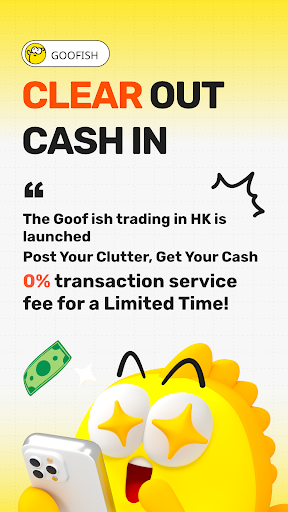
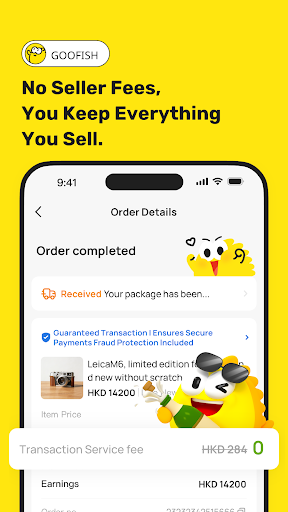
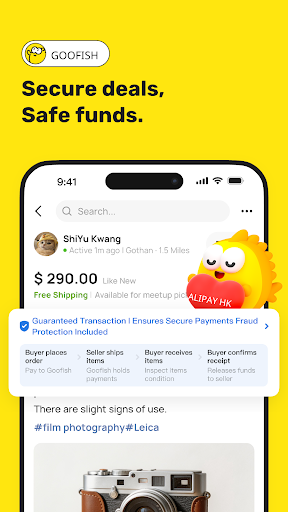
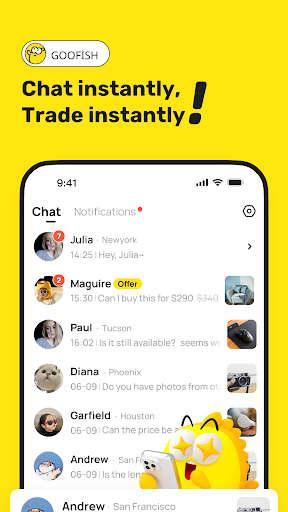
Сентябрь приносит в Гонконг начало учебного года и сезон переездов. Старые телефоны, комиксы, скопившаяся после уборки мебель? Готовитесь к отъезду и освобождаете полки? Не выбрасывайте — принесите это на goofish, международную версию xianyu. Как официальная площадка для продажи подержанных вещей в рамках семейства xianyu, goofish создана для пользователей Гонконга, сочетая онлайн-шопинг с атмосферой сообщества. Разместите объявление онлайн или встретьтесь с соседями лично — в любом случае, ваши ненужные вещи могут попасть к тем, кто в них действительно нуждается.
Продажа ненужных вещей — это мягкое прощание. Сделайте фото, и ИИ напишет описание и предложит цену, так что ваше объявление о продаже появится в считанные минуты — удобно для уборки после переезда, быстрой продажи или расхламления перед семестром. Четкая информация помогает покупателям быстрее понять состояние вещей, обеспечивая бесперебойные продажи. Каждая проданная или перепроданная вами вещь превращает ненужные вещи в доход, и этот дух комиссионного магазина распространяется по всему сообществу.
Присоединяйтесь к своему «рыбному пруду» и общайтесь напрямую с соседями и одноклассниками. Некоторые покупают практичные вещи для новой съемной квартиры, другие неспешно просматривают карусель объявлений, ища предметы поп-культуры — от поп-альбомов до винтажных фотоаппаратов. Каждая покупка строится на взаимопонимании, поэтому рынок напоминает дружелюбный уличный рынок, а не холодный магазин подержанных вещей.
Благодаря AlipayHK и местным способам оплаты, официальная защита удерживает платеж до подтверждения получения покупателем, снижая риск для обеих сторон. Если вы любите искать выгодные предложения на Shopee, просматривать hktvmall в поисках товаров первой необходимости или получать бонусы на Shopback, вы почувствуете себя здесь как дома — goofish добавляет настоящую человеческую связь в процесс покупок, обеспечивая обслуживание на каждом этапе ваших продаж и покупок.
Продолжая циклическую философию xianyu, goofish помогает развивать устойчивый рынок подержанных вещей в Гонконге. Если вы хотите продавать ненужные вещи, перепродавать сокровища или просто наслаждаться покупками с соседями, goofish — это ваша торговая площадка. Скачайте прямо сейчас и начните цикличный процесс покупок, где каждая продажа основана на доверии и заботе.
Показать больше

1. Скачать инсталлятор MEmu и завершайте установку

2. Запускайте MEmu, затем откройте Google Play на главной странице

3. Ищите Goofish - Selling & Buying в Google Play
Install
4. Скачайте и установите Goofish - Selling & Buying
5. При завершении установки, нажмите на значок для старта

6. Наслаждайтесь Goofish - Selling & Buying на своем компьютере с помощью MEmu.
MEmu Play — лучший бесплатный эмулятор Android, превосходный опыт работы с которым оценили 50 миллионов пользователей. Технология виртуализации MEmu позволяет без проблем запускать тысячи Android-приложений на вашем компьютере, даже самые требовательные.
Большой экран с лучшей графикой; Большая продолжительность, без ограничения батареи или мобильных данных.
Полная поддержка установки клавиш для точного управления клавиатурой и мышью или геймпадом.
Несколько игровых учетных записей или задач на одном компьютере одновременно с менеджером нескольких экземпляров.
Use Goofish - Selling & Buying on PC by following steps: