
Home Dot:Design-Build-Maintain
Обновлено
Текущая версия
1.2.5
Продавец

Перестаньте беспокоиться о быстром разряде батареи при использовании Home Dot:Design-Build-Maintain на вашем телефоне. Освободитесь от крошечного экрана и наслаждайтесь приложением на гораздо большем экране. Теперь вы можете работать с приложением в полноэкранном режиме с удобством клавиатуры и мыши. MEmu предлагает вам все ожидаемые удивительные функции: быструю установку и простую настройку, интуитивно понятное управление и больше никаких забот о времени автономной работы, мобильном трафике или неожиданных звонках. Совершенно новый MEmu 9 — идеальный выбор для использования Home Dot:Design-Build-Maintain на вашем компьютере. С помощью менеджера нескольких экземпляров MEmu вы можете одновременно использовать два или более аккаунтов. И самое главное, наш эксклюзивный движок эмуляции раскрывает весь потенциал вашего ПК, обеспечивая плавную и приятную работу.
Показать больше
Скачайте Home Dot:Design-Build-Maintain на ПК с помощью Андроид эмулятора MEmu. Наслаждайтесь на большом экране. HomeDot App is a one-stop shop for all aspects of home construction and renovation.
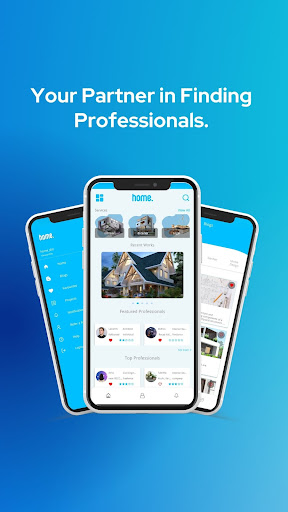
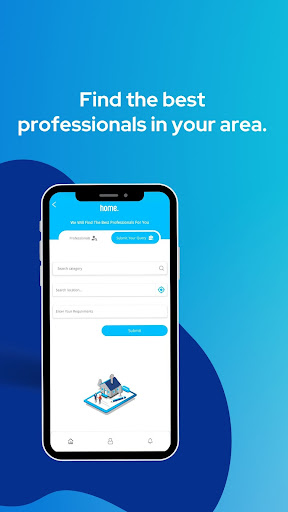
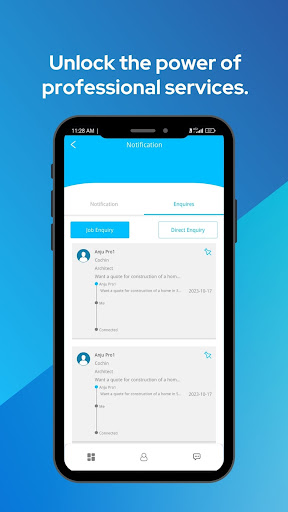
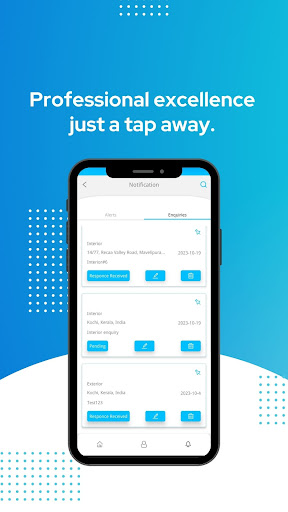
HomeDot App is a one-stop shop for all aspects of home construction and renovation.
New Key features:
Professional directory: The app includes a directory of home construction professionals, such as architects, engineers, contractors, and interior designers. Users can search for professionals by location, specialty, and experience. The app also includes profiles of professionals, with information about their work, qualifications, and reviews from past clients.
Household services directory: The app also includes a directory of household services providers, such as plumbers, electricians, and carpenters. Users can search for providers by location, specialty, and availability. The app also includes profiles of providers, with information about their services, experience, and reviews from past customers.
The app can be used by homeowners, homebuyers, real estate agents, builders, and contractors. It can be used for a variety of tasks,
The app is designed to be user-friendly and comprehensive. It offers a wide range of features and resources that can help users to make their home construction or renovation projects a success.
Here are some additional thoughts on how to implement the features of the app:
Professional directory: The professional directory can be populated by partnering with professional organizations and associations. The app can also allow users to submit their own profiles.
Household services directory: The household services directory can be populated by partnering with local businesses and individuals. The app can also allow users to submit their own profiles.
On HomeDot, you can find and Contact local home construction professionals including:
Professionals: Architects & Building Designers, Interior Designers & Decorators, General Contractors, Design-Build Contractors, Kitchen & Bathroom Consultants, Lighting Consultants, Home Builders, Kitchen & Bathroom Remodellers, Tile, Stone & Countertop Contractors & Installers, Masons, Painters, Electrical consultants, Plumbing consultants, Building Material consultants, Civil Engineers & Contractors, Landscape Architects & Contractors, Photographers, Specialty Contractors
Repairs: Electricians, Plumbers, Carpenters, AC repair, TV Repair, Washing Machine Repair, Refrigerator Repair, RO or Water Purifier Repair, Microwave Repair, Geyser Repair, Chimney and Hob Repair
Cleaning and Pest Control: Home Deep Cleaning, Pest Control, Bathroom Cleaning, Sofa Cleaning, Kitchen Cleaning, Carpet Cleaning, Car Cleaning, Disinfection services etc..
Показать больше

1. Скачать инсталлятор MEmu и завершайте установку

2. Запускайте MEmu, затем откройте Google Play на главной странице

3. Ищите Home Dot:Design-Build-Maintain в Google Play
Install
4. Скачайте и установите Home Dot:Design-Build-Maintain
5. При завершении установки, нажмите на значок для старта

6. Наслаждайтесь Home Dot:Design-Build-Maintain на своем компьютере с помощью MEmu.
MEmu Play — лучший бесплатный эмулятор Android, превосходный опыт работы с которым оценили 50 миллионов пользователей. Технология виртуализации MEmu позволяет без проблем запускать тысячи Android-приложений на вашем компьютере, даже самые требовательные.
Большой экран с лучшей графикой; Большая продолжительность, без ограничения батареи или мобильных данных.
Полная поддержка установки клавиш для точного управления клавиатурой и мышью или геймпадом.
Несколько игровых учетных записей или задач на одном компьютере одновременно с менеджером нескольких экземпляров.
Use Home Dot:Design-Build-Maintain on PC by following steps: