iCenter iOS 16: X - Status Bar
Обновлено
Текущая версия
3.8
Продавец

Перестаньте беспокоиться о быстром разряде батареи при использовании iCenter iOS 16: X - Status Bar на вашем телефоне. Освободитесь от крошечного экрана и наслаждайтесь приложением на гораздо большем экране. Теперь вы можете работать с приложением в полноэкранном режиме с удобством клавиатуры и мыши. MEmu предлагает вам все ожидаемые удивительные функции: быструю установку и простую настройку, интуитивно понятное управление и больше никаких забот о времени автономной работы, мобильном трафике или неожиданных звонках. Совершенно новый MEmu 9 — идеальный выбор для использования iCenter iOS 16: X - Status Bar на вашем компьютере. С помощью менеджера нескольких экземпляров MEmu вы можете одновременно использовать два или более аккаунтов. И самое главное, наш эксклюзивный движок эмуляции раскрывает весь потенциал вашего ПК, обеспечивая плавную и приятную работу.
Показать больше
Скачайте iCenter iOS 16: X - Status Bar на ПК с помощью Андроид эмулятора MEmu. Наслаждайтесь на большом экране. ***About Accessibility Services:.
***About Accessibility Services:
- iCenter iOS 16: X - Status Bar uses Accessibility services are used to start several actions: show Power long press menu, take Screenshot, action to Home, action to Back, show Recents Screen. User can do it by touch, swipe or long press on custom status bar. These actions can help people that need to use their phone with only one hand to start actions that are not easy to do with only one hand. Without Accessibility services, this app can't do it!
Please check out the demo video here:
https://www.youtube.com/watch?v=36NX39-BJK8
- It uses Accessibility Services to display the custom status bar to be functioned as a shortcut for user selected tasks. No data is collected by this service
- This application update to target Android SDK 33
- This application does not change user settings without their permission.
- This application does not for remote call audio recording.
- This application does not work around Android built-in privacy controls and notifications.
- This application does not change or leverage the user interface in a way that is deceptive.
- This application does not collect or store any data.
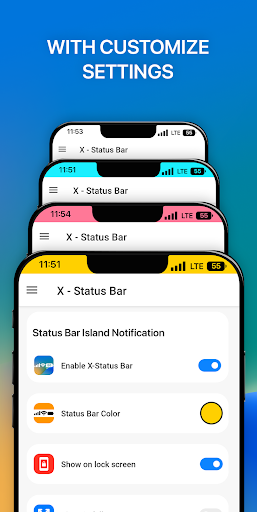
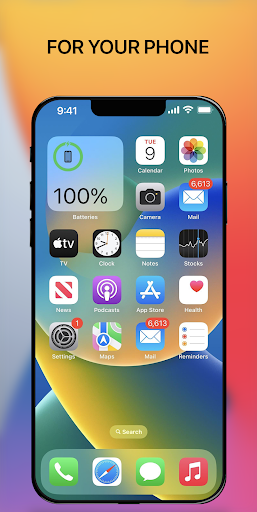
Customize status bar and notch styles iOS 16 with iCenter iOS 16: X - Status Bar. Make your phone unique with just you with status bar and notch view iOS 16 style. Change your phone status bar & notch view with X Status Bar. Personalize your phone to stand out from the crowd, customize your status bar (notification bar), your notch with iOS style. Make your notch like iOS phone simple and very easy! Change your android smartphone status bar style to look like iOS 16 with X Status Bar.
FEATURE:
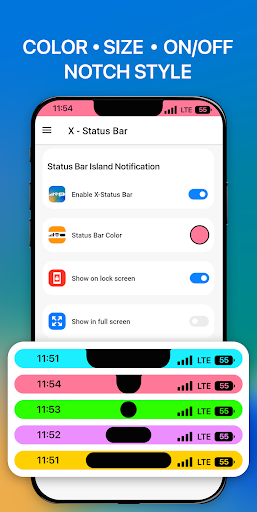
* Custom your status bar and notch look like iOS 16 style in few step, no root needed, simple and easy to use, turn it on or off, make you phone look like iOS Style
* Show time, battery, connection status in your X Status Bar
* Change the color of status bar according to your preferences or the app you are using
* If your phone has a Notch, those are wonderful your Notch Options with iOS styles.
* Hate your Notch? Simply Remove or Hide Notch with this app.
PERMISSION REQUIREMENT:
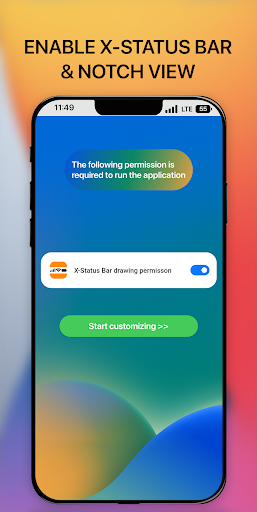
- ACCESSIBILITY PERMISSION : Set up and display the custom Status bar and notch, display and show more information time, battery, connection status. The application commits not to collect or share any user information about this accessibility right. Please open application and grant permission to enable iCenter iOS 16 X Status Bar.
Thank you!
Показать больше

1. Скачать инсталлятор MEmu и завершайте установку

2. Запускайте MEmu, затем откройте Google Play на главной странице

3. Ищите iCenter iOS 16: X - Status Bar в Google Play
Install
4. Скачайте и установите iCenter iOS 16: X - Status Bar
5. При завершении установки, нажмите на значок для старта

6. Наслаждайтесь iCenter iOS 16: X - Status Bar на своем компьютере с помощью MEmu.
MEmu Play — лучший бесплатный эмулятор Android, превосходный опыт работы с которым оценили 50 миллионов пользователей. Технология виртуализации MEmu позволяет без проблем запускать тысячи Android-приложений на вашем компьютере, даже самые требовательные.
Большой экран с лучшей графикой; Большая продолжительность, без ограничения батареи или мобильных данных.
Полная поддержка установки клавиш для точного управления клавиатурой и мышью или геймпадом.
Несколько игровых учетных записей или задач на одном компьютере одновременно с менеджером нескольких экземпляров.
Use iCenter iOS 16: X - Status Bar on PC by following steps: