
Instapaper
Обновлено
Текущая версия
1733839383
Продавец

Перестаньте беспокоиться о быстром разряде батареи при использовании Instapaper на вашем телефоне. Освободитесь от крошечного экрана и наслаждайтесь приложением на гораздо большем экране. Теперь вы можете работать с приложением в полноэкранном режиме с удобством клавиатуры и мыши. MEmu предлагает вам все ожидаемые удивительные функции: быструю установку и простую настройку, интуитивно понятное управление и больше никаких забот о времени автономной работы, мобильном трафике или неожиданных звонках. Совершенно новый MEmu 9 — идеальный выбор для использования Instapaper на вашем компьютере. С помощью менеджера нескольких экземпляров MEmu вы можете одновременно использовать два или более аккаунтов. И самое главное, наш эксклюзивный движок эмуляции раскрывает весь потенциал вашего ПК, обеспечивая плавную и приятную работу.
Показать больше
Скачайте Instapaper на ПК с помощью Андроид эмулятора MEmu. Наслаждайтесь на большом экране. Instapaper is the simplest way to save and store articles for reading: offline, on-the-go, anytime, anywhere, perfectly formatted.
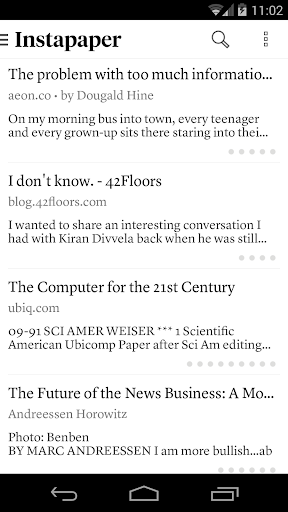

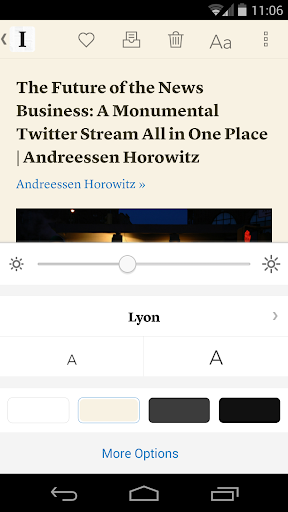
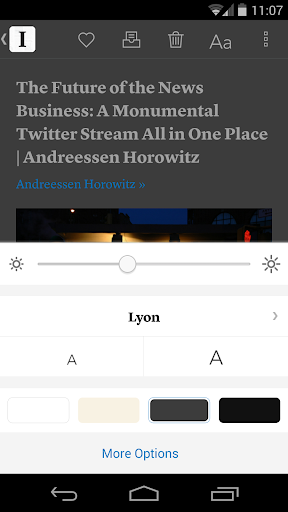
Instapaper is the simplest way to save and store articles for reading: offline, on-the-go, anytime, anywhere, perfectly formatted.
Instapaper for Android provides a mobile and tablet-optimized Text view that makes reading Internet content a clean and uncluttered experience. Read offline, even on airplanes, subways, on elevators, or on Wi-Fi-only devices away from Internet connections.
CORE FEATURES:
- Saves most web pages as text only, stripping away the full-sized layout to optimize for tablet and phone screens
- Distraction-free reading environment gets out of your way so you can focus on the content
- Everything you download is then available **OFFLINE**, so you can read whenever you want, even on airplanes, subways, or Wi-Fi-only devices away from internet connections
PLUS:
- Optimized tablet interface
- Adjustable fonts, text sizes, line spacing, and margins
- Dark mode and brightness control for night reading
- Sort your list of unread items by popularity, date, article length, and shuffle
- Folders for organization
- Share via web browser and any app that supports sharing
- Rotation lock
- Download up to 500 articles on your phone or tablet, and store unlimited articles on the Instapaper website
- Folders for organization
- Dictionary and Wikipedia lookups
- Tilt scrolling, page-flipping
- Preview links in the built-in browser without leaving the app
- Search, via in-app purchase
Показать больше

1. Скачать инсталлятор MEmu и завершайте установку

2. Запускайте MEmu, затем откройте Google Play на главной странице

3. Ищите Instapaper в Google Play
Install
4. Скачайте и установите Instapaper
5. При завершении установки, нажмите на значок для старта

6. Наслаждайтесь Instapaper на своем компьютере с помощью MEmu.
MEmu Play — лучший бесплатный эмулятор Android, превосходный опыт работы с которым оценили 50 миллионов пользователей. Технология виртуализации MEmu позволяет без проблем запускать тысячи Android-приложений на вашем компьютере, даже самые требовательные.
Большой экран с лучшей графикой; Большая продолжительность, без ограничения батареи или мобильных данных.
Полная поддержка установки клавиш для точного управления клавиатурой и мышью или геймпадом.
Несколько игровых учетных записей или задач на одном компьютере одновременно с менеджером нескольких экземпляров.
Use Instapaper on PC by following steps: