Lowrance: app for anglers
Обновлено
Текущая версия
2.4.1
Продавец

Перестаньте беспокоиться о быстром разряде батареи при использовании Lowrance: app for anglers на вашем телефоне. Освободитесь от крошечного экрана и наслаждайтесь приложением на гораздо большем экране. Теперь вы можете работать с приложением в полноэкранном режиме с удобством клавиатуры и мыши. MEmu предлагает вам все ожидаемые удивительные функции: быструю установку и простую настройку, интуитивно понятное управление и больше никаких забот о времени автономной работы, мобильном трафике или неожиданных звонках. Совершенно новый MEmu 9 — идеальный выбор для использования Lowrance: app for anglers на вашем компьютере. С помощью менеджера нескольких экземпляров MEmu вы можете одновременно использовать два или более аккаунтов. И самое главное, наш эксклюзивный движок эмуляции раскрывает весь потенциал вашего ПК, обеспечивая плавную и приятную работу.
Показать больше
Скачайте Lowrance: app for anglers на ПК с помощью Андроид эмулятора MEmu. Наслаждайтесь на большом экране. THE PERFECT FISHING COMPANION.
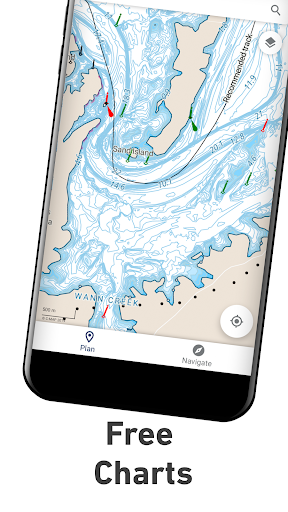
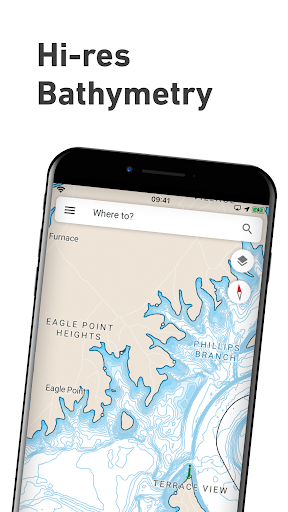
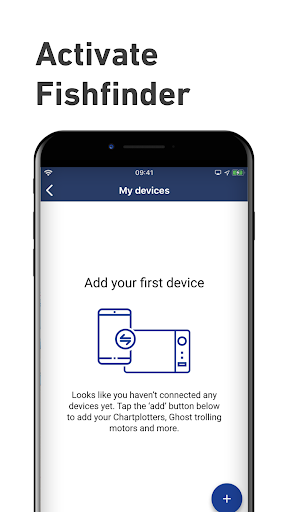
THE PERFECT FISHING COMPANION
With all the latest and most detailed maps from C-MAP®, the Lowrance App gives you the most accurate charting direct to your mobile device. Now you can manage your favorite waypoints, discover new fishing spots, and plan your next trip with ease. Simply step on-board, sync your data with your Lowrance devices, and spend more time doing what you love – catching fish and logging your favorite spots for future trips.
MANAGE YOUR WAYPOINTS
- Create, store, edit and share your waypoints and fishing spots anytime, anywhere
- Explore new waters and plan great fishing trips in advance
- Offline maps - download your charts and view data, even without mobile coverage or WiFi
DISCOVER NEW FISHING SPOTS AND LAKES
- Latest C-MAP maps - high-resolution bathymetry, custom shading and thousands of Points of Interest, including ramps and fuel
- Autorouting™ - set the best routes to your favorite fishing waypoints automatically
SYNC EASILY WITH YOUR DEVICE
- Save your waypoints, fishing spots, and data with your Lowrance devices when you step on-board, giving you more time to concentrate on catching fish!
- Set Anchor Alerts and notifications for moving outside set locations
REVIEW YOUR DATA
- Sync your App and Lowrance device anytime, on- or off-the-water, so you can always take your latest fishing trip data with you.
The Lowrance App Includes:
- Activation and Registration of your Lowrance Chartplotter
- FREE C-MAP Chart Viewer
- Autorouting™ – find the best route to your favourite places
- Personal Waypoints
- Track Recording
- Thousands of pre-loaded Points of Interest, including relevant information about marinas, harbours, beaches, shops and much more
- Marine Weather Forecast
- Weather Along the Route
- Weather Overlay
- Chart Personalisation
- Import & Export GPX Files – share your Routes, Tracks or Waypoints with friends
- Measure Distance Tool
Upgrade to Premium to unlock additional features, including:
- Full GPS Functionality
- Offline Map Downloads
- REVEAL Shaded Relief
- High-Resolution Bathymetry
- Custom Depth Shading
- AIS & C-MAP Traffic
Try before you buy… Experience the Lowrance App Premium for yourself, with a free 14-day trial.
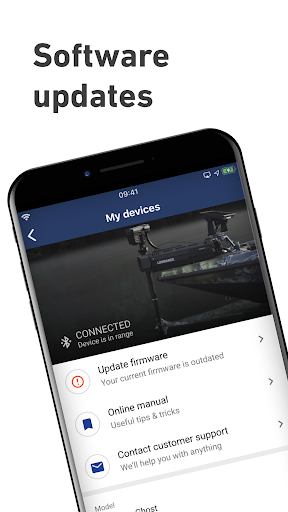
Functionality involving direct integration with devices requires NOS software versions of 20.0 and above. Please check for compatibility with your device model:
Elite ti2
Elite FS
HDS Carbon
HDS Live
HDS Pro
The Lowrance App updates on a continuous basis to make sure you get a great experience and enjoy the most up-to-date fishing maps and functionalities. Be sure to check for updates regularly.
Privacy policy
https://appchart.lowrance.com/privacy.html
Terms of service
https://appchart.lowrance.com/tos.html
Показать больше

1. Скачать инсталлятор MEmu и завершайте установку

2. Запускайте MEmu, затем откройте Google Play на главной странице

3. Ищите Lowrance: app for anglers в Google Play
Install
4. Скачайте и установите Lowrance: app for anglers
5. При завершении установки, нажмите на значок для старта

6. Наслаждайтесь Lowrance: app for anglers на своем компьютере с помощью MEmu.
MEmu Play — лучший бесплатный эмулятор Android, превосходный опыт работы с которым оценили 50 миллионов пользователей. Технология виртуализации MEmu позволяет без проблем запускать тысячи Android-приложений на вашем компьютере, даже самые требовательные.
Большой экран с лучшей графикой; Большая продолжительность, без ограничения батареи или мобильных данных.
Полная поддержка установки клавиш для точного управления клавиатурой и мышью или геймпадом.
Несколько игровых учетных записей или задач на одном компьютере одновременно с менеджером нескольких экземпляров.
Use Lowrance: app for anglers on PC by following steps: