LuX IconPack
Обновлено
Текущая версия
2.8.1
Продавец

Перестаньте беспокоиться о быстром разряде батареи при использовании LuX IconPack на вашем телефоне. Освободитесь от крошечного экрана и наслаждайтесь приложением на гораздо большем экране. Теперь вы можете работать с приложением в полноэкранном режиме с удобством клавиатуры и мыши. MEmu предлагает вам все ожидаемые удивительные функции: быструю установку и простую настройку, интуитивно понятное управление и больше никаких забот о времени автономной работы, мобильном трафике или неожиданных звонках. Совершенно новый MEmu 9 — идеальный выбор для использования LuX IconPack на вашем компьютере. С помощью менеджера нескольких экземпляров MEmu вы можете одновременно использовать два или более аккаунтов. И самое главное, наш эксклюзивный движок эмуляции раскрывает весь потенциал вашего ПК, обеспечивая плавную и приятную работу.
Показать больше
Скачайте LuX IconPack на ПК с помощью Андроид эмулятора MEmu. Наслаждайтесь на большом экране. This is the Free Version of LuX IconPack.
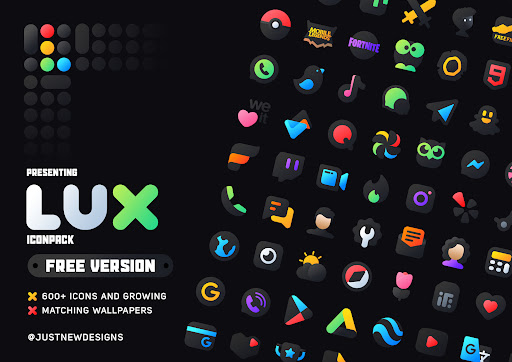
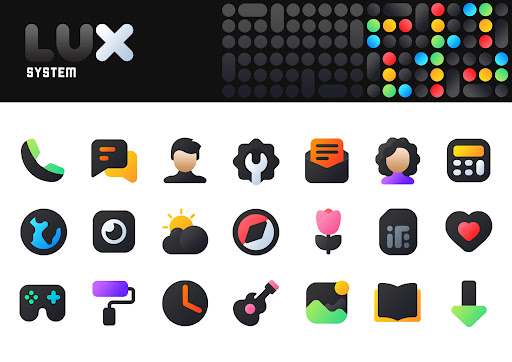
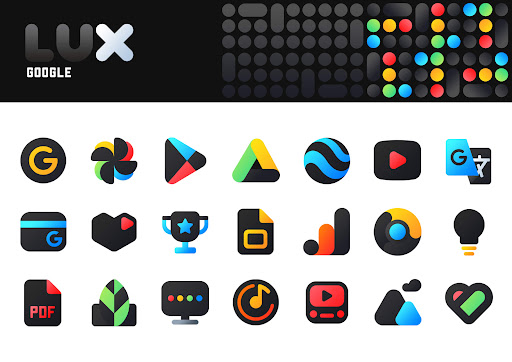
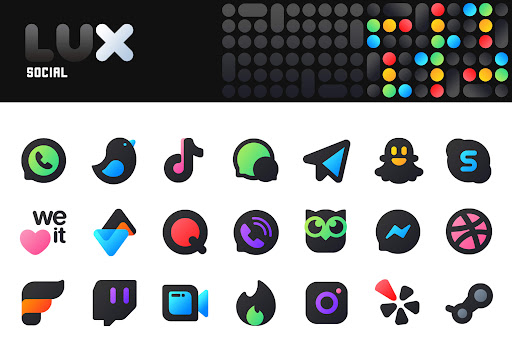
This is the Free Version of LuX IconPack
LuX is an icon pack that delivers darker icons in combine with Saturated Colors Depending on the original app icon. and best thing is its goes with both Dark and Light setups.
Icon Pack has a unique shape and color style from up-close, the icons look like they're really unique and out of the box , which makes for a stunningly-different look in the digital age. There are over 600+ icons as well as a multitude of high-quality wallpapers to complement the look with stunning icons. It's one of the freshest and Mindblowing icon packs you could think of.
Complement your mobile screen with exclusive Lux IconPack. Each icon is a real masterpiece and designed in order to create a perfect and pure Unique Experience. Every icons have been designed with a Perfect blend of creativity and love to enhance your mobile experience.
And do you know?
An average user checks their device more than a 50 times in a day. make each time a real pleasure with this Lux Icon pack. Get the Lux Icon Pack Now!
There's always something new:
Free Version of Lux Icon pack is still new with 600+ Icons . and I can assure you to add lot more icons in every update. you can use Paid version to get 3000+ Icons
Why Choose Lux Icon Pack over other Packs?
• 600+ ICONS WITH TOP NOTCH QUALITY.
• Matching Wallpapers
• Frequent Updates
• Lots of alternative icon
• Amazing Wall collection
Personal Recommended Settings and Launcher
• Use Nova Launcher
• Set Icon Normalization Off From the Nova Launcher Settings
• Set Icon Size to 100% - 120%
Other Features
• Icon preview &search.
• Dynamic Calendar
• Material Dashboard.
• Custom folder icons
• Category-based Icons
• Custom app drawer icons.
• Easy Icon Request
Still Confuse?
Undoubtedly, Lux Icon Pack is best in Dark style icon packs and Amoled Screen lovers. and we do offer a 100% refund in case you didn't like it. So Nothing to worry about. Don't like it? Contact me via email.
Support
If you have any issue with using Icon pack. Just email me at justnewdesigns@gmail.com
How to use this Icon pack?
Step 1 : Install supported theme Launcher
Step 2 : Open Lux Icon Pack and Go to Apply section and Select Launcher to apply.
If your launcher is not in a list make sure you apply it from your launcher settings
DISCLAIMER
• A supported launcher is required to use this icon pack!
• FAQ section inside the app which answers a lot of questions you may have. Please read it before you emailing your question.
Icon Pack Supported Launchers
Action Launcher • ADW Launcher • Apex Launcher •Atom Launcher • Aviate Launcher • CM Theme Engine • GO Launcher • Holo Launcher • Holo Launcher HD • LG Home • Lucid Launcher • M Launcher • Mini Launcher • Next Launcher • Nougat Launcher •Nova Launcher(recommended) • Smart Launcher •Solo Launcher •V Launcher • ZenUI Launcher •Zero Launcher • ABC Launcher •Evie Launcher • L Launcher • Lawnchair
Icon Pack Supported Launchers not Included in Apply Section
Arrow Launcher • ASAP Launcher •Cobo Launcher •Line Launcher •Mesh Launcher •Peek Launcher • Z Launcher • Launch by Quixey Launcher • iTop Launcher • KK Launcher • MN Launcher • New Launcher • S Launcher • Open Launcher • Flick Launcher • Poco Launcher
This icon pack has been tested, and it works with these launchers. However, it may also work with others too.In case you do not found an apply section in dashboard. You can apply icon pack from a theme setting.
Extra Notes
• Icon pack needs a launcher in order to work. Some devices can apply iconpack without any launcher like OnePlus,Poco Etc.
• Missing an Icon? feel free to send me an icon request and I will try to update this pack with your requests.
Contact Me
Web : https://justnewdesigns.bio.link/
Twitter : https://twitter.com/justnewdesigns
Instagram : https://instagram.com/justnewdesigns
CREDITS
• Jahir Fiquitiva for providing such a great dashboard.
• Twitter.com/Arrowwalls for helping with some wallpapers.
Показать больше

1. Скачать инсталлятор MEmu и завершайте установку

2. Запускайте MEmu, затем откройте Google Play на главной странице

3. Ищите LuX IconPack в Google Play
Install
4. Скачайте и установите LuX IconPack
5. При завершении установки, нажмите на значок для старта

6. Наслаждайтесь LuX IconPack на своем компьютере с помощью MEmu.
MEmu Play — лучший бесплатный эмулятор Android, превосходный опыт работы с которым оценили 50 миллионов пользователей. Технология виртуализации MEmu позволяет без проблем запускать тысячи Android-приложений на вашем компьютере, даже самые требовательные.
Большой экран с лучшей графикой; Большая продолжительность, без ограничения батареи или мобильных данных.
Полная поддержка установки клавиш для точного управления клавиатурой и мышью или геймпадом.
Несколько игровых учетных записей или задач на одном компьютере одновременно с менеджером нескольких экземпляров.
Use LuX IconPack on PC by following steps: