NissanConnect Services
Обновлено
Текущая версия
3.4.0-prod-release
Продавец

Перестаньте беспокоиться о быстром разряде батареи при использовании NissanConnect Services на вашем телефоне. Освободитесь от крошечного экрана и наслаждайтесь приложением на гораздо большем экране. Теперь вы можете работать с приложением в полноэкранном режиме с удобством клавиатуры и мыши. MEmu предлагает вам все ожидаемые удивительные функции: быструю установку и простую настройку, интуитивно понятное управление и больше никаких забот о времени автономной работы, мобильном трафике или неожиданных звонках. Совершенно новый MEmu 9 — идеальный выбор для использования NissanConnect Services на вашем компьютере. С помощью менеджера нескольких экземпляров MEmu вы можете одновременно использовать два или более аккаунтов. И самое главное, наш эксклюзивный движок эмуляции раскрывает весь потенциал вашего ПК, обеспечивая плавную и приятную работу.
Показать больше
Скачайте NissanConnect Services на ПК с помощью Андроид эмулятора MEmu. Наслаждайтесь на большом экране. The NissanConnect Services app redefines your relationship with your Nissan by allowing you to connect & control your car with your smartphone.
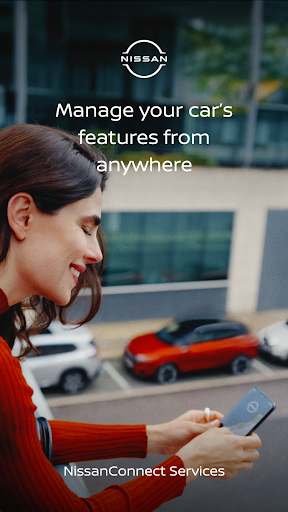
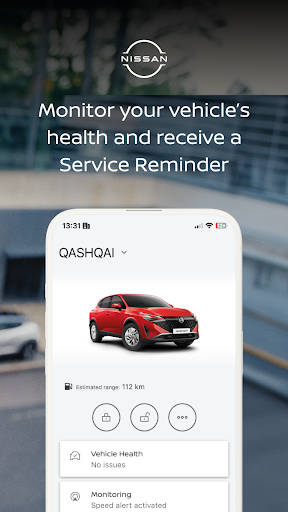
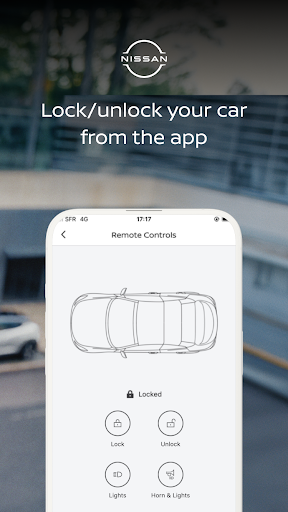
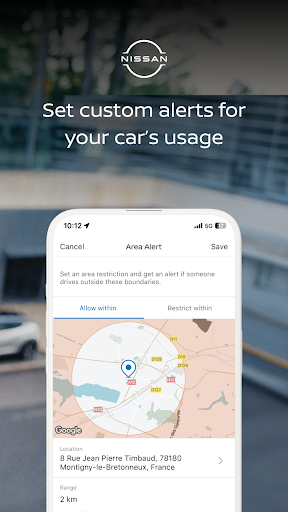
The NissanConnect Services app redefines your relationship with your Nissan by allowing you to connect & control your car with your smartphone.
LIST OF COMPATIBLE MODELS BY PRODUCTION:
-Nissan X-Trail from September 2022
-Nissan ARIYA from July 2022
-Nissan Qashqai from July 2021
-Nissan LEAF from May 2019
-Nissan Navara from July 2019
-Nissan Juke from November 2019
-Nissan Townstar EV from September 2022
-Nissan Townstar from November 2022
-Nissan Primastar from November 2023
Find your production month and year in your registration documents.
Create an account and connect directly from the app to discover all the features.
Activation of services is made a lot easier and directly through the app allowing you to add and activate all services & features.
With the NissanConnect Services app, you can*:
Bring your world to the one of your car:
- Connect laptops, tablets or smartphones to the In-Car WiFi hotspot
- Get information and control your car using your voice.
Drive quickly and easily to your destination:
- Get daily, monthly or yearly reports on your driving
- Plan your trip from your smartphone by sending an address to your car before your journey starts
- After you have parked, the app can locate your position and guide you through the last mile walking
Experience more comfort and convenience:
- Remotely control your horn & lights to always find where you parked
- Easily access Nissan Customer Support & Assistance
Get to your destination more safely and securely:
- Reach for assistance in case of any breakdown directly from your car
- Monitor the usage of your car by parametering alerts of its speed, area or time of driving
Manage the charge and battery level of your Nissan LEAF,ARIYA:
- Set the temperature of your car before starting your journey
- Access & check the battery level
- Start vehicle charging remotely
* The availability of features varies between models and/or grades. For more information, please contact your Nissan dealer or please visit our website ......
Показать больше

1. Скачать инсталлятор MEmu и завершайте установку

2. Запускайте MEmu, затем откройте Google Play на главной странице

3. Ищите NissanConnect Services в Google Play
Install
4. Скачайте и установите NissanConnect Services
5. При завершении установки, нажмите на значок для старта

6. Наслаждайтесь NissanConnect Services на своем компьютере с помощью MEmu.
MEmu Play — лучший бесплатный эмулятор Android, превосходный опыт работы с которым оценили 50 миллионов пользователей. Технология виртуализации MEmu позволяет без проблем запускать тысячи Android-приложений на вашем компьютере, даже самые требовательные.
Большой экран с лучшей графикой; Большая продолжительность, без ограничения батареи или мобильных данных.
Полная поддержка установки клавиш для точного управления клавиатурой и мышью или геймпадом.
Несколько игровых учетных записей или задач на одном компьютере одновременно с менеджером нескольких экземпляров.
Use NissanConnect Services on PC by following steps: