PDF Converter: Editor & Reader
Обновлено
Текущая версия
1.0.0
Продавец

Перестаньте беспокоиться о быстром разряде батареи при использовании PDF Converter: Editor & Reader на вашем телефоне. Освободитесь от крошечного экрана и наслаждайтесь приложением на гораздо большем экране. Теперь вы можете работать с приложением в полноэкранном режиме с удобством клавиатуры и мыши. MEmu предлагает вам все ожидаемые удивительные функции: быструю установку и простую настройку, интуитивно понятное управление и больше никаких забот о времени автономной работы, мобильном трафике или неожиданных звонках. Совершенно новый MEmu 9 — идеальный выбор для использования PDF Converter: Editor & Reader на вашем компьютере. С помощью менеджера нескольких экземпляров MEmu вы можете одновременно использовать два или более аккаунтов. И самое главное, наш эксклюзивный движок эмуляции раскрывает весь потенциал вашего ПК, обеспечивая плавную и приятную работу.
Показать больше
Наслаждайтесь превосходным опытом использования PDF Converter: Editor & Reader на ПК с MEmu Play. Это мощный бесплатный эмулятор Android, который предлагает тысячи приложений для настольных компьютеров. Наслаждайтесь общением с друзьями и совершенствуйте свою работу ещё эффективнее! Working with PDF files doesn’t have to feel complicated.
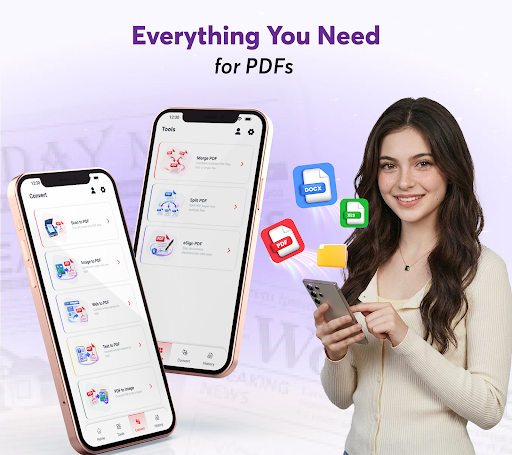
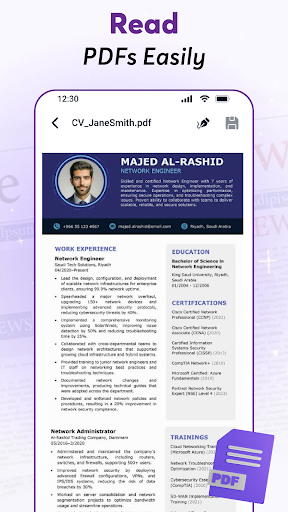
Working with PDF files doesn’t have to feel complicated. PDF Converter: Editor & Reader brings everyday PDF tools together in one simple and convenient app. Use the pdf reader and pdf viewer to open documents, the pdf editor to make adjustments, or the pdf converter to work with supported file formats.
From school documents and work files to forms, notes, and everyday paperwork, manage your PDFs whenever you need them.
Read PDFs with Ease
Open and view PDF files directly on your device with a clean and comfortable reading experience. Use the pdf reader to browse through pages, find the documents you need, and keep your PDF files easy to access.
Convert & Export PDF Files
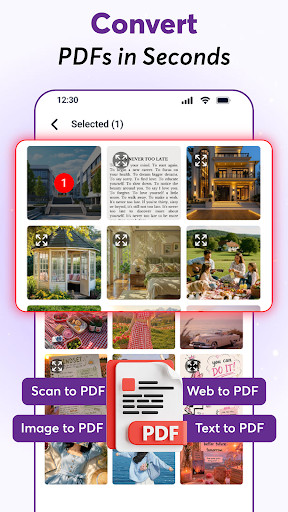
Convert different types of content into PDFs or export PDF pages as images with a simple file converter.
• Web to PDF – Save web content as a PDF for convenient access.
• Text to PDF – Turn text into an easy-to-manage PDF file.
• Image to PDF – Use the image to pdf converter to convert photo to pdf from supported image formats, including JPG and other images.
• PDF to Image – Export pdf to jpg or convert pdf to pictures when you need individual pages as images.
Choose the format you need and convert to pdf or export your files in just a few steps.
Edit Your PDFs
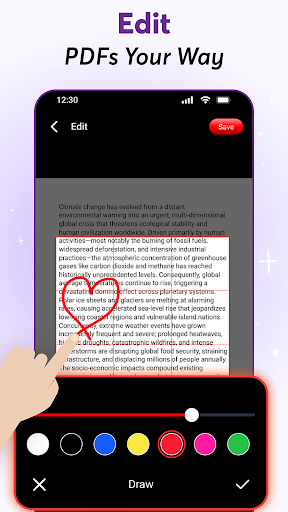
Need to edit pdf pages? Make quick adjustments with easy-to-use pdf editor tools. Crop, rotate, apply filters, draw, or adjust the page frame to get your document looking the way you want before saving or sharing.
Scan Documents to PDF
Turn paper documents into digital files using scan to pdf. Scan notes, forms, receipts, study materials, and other paperwork with your phone, then save them as PDFs for easier access and organization.
Use the built-in pdf maker to create convenient PDF files from supported content whenever you need them.
eSign PDFs on the Go
Need to sign pdf documents? Add your signature directly to supported PDF files. Place your signature where you need it and save the updated document, making everyday paperwork more convenient.
Merge & Split PDFs
Use pdf merge to combine multiple PDFs into one, or split larger documents into smaller files. Keep the pages you need and organize your PDFs in the way that works for you.
PDF Tools Made Simple
PDF Converter: Editor & Reader is designed to make everyday document tasks straightforward. Instead of jumping between different tools, you can read, edit, convert, scan, sign, merge, split, and export PDFs from one convenient place.
Whether you’re reviewing a document, converting images or web content, organizing files for work, preparing study materials, or handling everyday paperwork, the PDF tools you need are always within reach.
Read, edit, convert, scan, sign, and organize your PDFs — all in one place.
Показать больше

1. Скачать инсталлятор MEmu и завершайте установку

2. Запускайте MEmu, затем откройте Google Play на главной странице

3. Ищите PDF Converter: Editor & Reader в Google Play
Install
4. Скачайте и установите PDF Converter: Editor & Reader
5. При завершении установки, нажмите на значок для старта

6. Наслаждайтесь PDF Converter: Editor & Reader на своем компьютере с помощью MEmu.
MEmu Play — лучший бесплатный эмулятор Android, превосходный опыт работы с которым оценили 50 миллионов пользователей. Технология виртуализации MEmu позволяет без проблем запускать тысячи Android-приложений на вашем компьютере, даже самые требовательные.
Большой экран с лучшей графикой; Большая продолжительность, без ограничения батареи или мобильных данных.
Полная поддержка установки клавиш для точного управления клавиатурой и мышью или геймпадом.
Несколько игровых учетных записей или задач на одном компьютере одновременно с менеджером нескольких экземпляров.
Use PDF Converter: Editor & Reader on PC by following steps: