Projector Remote Control
Обновлено
Текущая версия
2.2
Продавец

Перестаньте беспокоиться о быстром разряде батареи при использовании Projector Remote Control на вашем телефоне. Освободитесь от крошечного экрана и наслаждайтесь приложением на гораздо большем экране. Теперь вы можете работать с приложением в полноэкранном режиме с удобством клавиатуры и мыши. MEmu предлагает вам все ожидаемые удивительные функции: быструю установку и простую настройку, интуитивно понятное управление и больше никаких забот о времени автономной работы, мобильном трафике или неожиданных звонках. Совершенно новый MEmu 9 — идеальный выбор для использования Projector Remote Control на вашем компьютере. С помощью менеджера нескольких экземпляров MEmu вы можете одновременно использовать два или более аккаунтов. И самое главное, наш эксклюзивный движок эмуляции раскрывает весь потенциал вашего ПК, обеспечивая плавную и приятную работу.
Показать больше
Скачайте Projector Remote Control на ПК с помощью Андроид эмулятора MEmu. Наслаждайтесь на большом экране. Universal Projector Remote Control app!
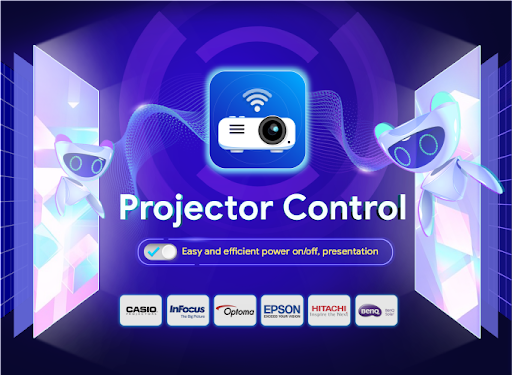
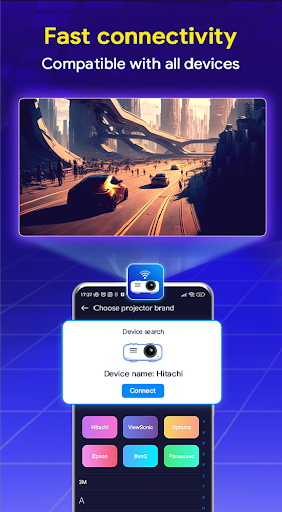
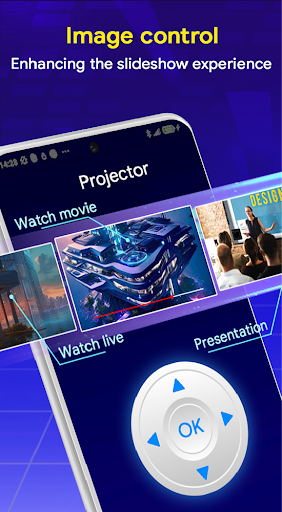
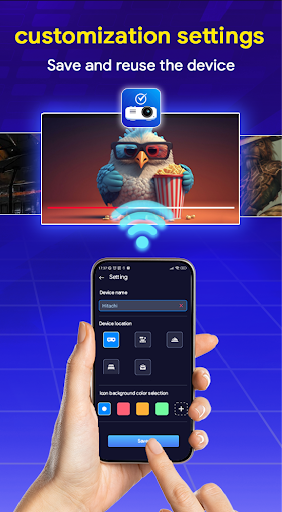
Universal Projector Remote Control app!
Using Infrared or Wireless LAN (Wi-Fi) to connect with the projector, you can operate the projector and check the projector status from your smartphone.
Projector Remote Control contains all the functionality of a normal remote
- Turn on the projector, turn off the projector
- Select the input channel
- Volume up and down
- Adjust the screen size
Your phone must have an infrared blaster to work with the projector
Compatible with a wide range of the latest projectors
- Toshiba Projector Remote Control
- Panasonic Projector Remote Control
- Samsung Projector Remote Control
- LG Projector Remote Control
- Epson Projector Remote Control
- Sony Projector Remote Control
- Dell Projector Remote Control
- JVC Projector Remote Control
- Hitachi Projector Remote Control
- Sharp Projector Remote Control
- RCA Projector Remote Control
- Pyle Projector Remote Control
- Sanyo Projector Remote Control
- Lenovo Projector Remote Control
- Optama Projector Remote Control
- Pioneer Elite Projector Remote Control
- AAXA Technology Projector Remote Control
- Viewsonic Projector Remote Control
- Vivitek Projector Remote Control
- Canon Projector Remote Control
- Christie Projector Remote Control
- Acer Projector Remote Control
- NEC Projector Remote Control
- Mitsubishi Projector Remote Control
- Infocus Projector Remote Control
- Eiki Projector Remote Control
- Barco Projector Remote Control
- Digital Projection Projector Remote Control
- Benq Projector Remote Control
- 3M Projector Remote Control
- Casio Projector Remote Control
- Runco Projector Remote Control
- Liesegang Projector Remote Control
- Phillips Projector Remote Control
- Planar Projector Remote Control
- Plus U5 Projector Remote Control
- Projection Design Projector Remote Control
- Rollei Projector Remote Control
- Anthem Projector Remote Control
- Mcintish Projector Remote Control
- Favi Entertainment Projector Remote Control
- Geha Projector Remote Control
- V7 Projector Remote Control
- Anker Projector Remote Control
- Dreamvision Projector Remote Control
- Dwin Projector Remote Control
- Knoll Projector Remote Control
Disclaimer:
This Projector Remote Control application is not afflicted with any brand. We just developed this app as an in-hand solution for the remote control of any projector in emergency situation and for temporary use
Показать больше

1. Скачать инсталлятор MEmu и завершайте установку

2. Запускайте MEmu, затем откройте Google Play на главной странице

3. Ищите Projector Remote Control в Google Play
Install
4. Скачайте и установите Projector Remote Control
5. При завершении установки, нажмите на значок для старта

6. Наслаждайтесь Projector Remote Control на своем компьютере с помощью MEmu.
MEmu Play — лучший бесплатный эмулятор Android, превосходный опыт работы с которым оценили 50 миллионов пользователей. Технология виртуализации MEmu позволяет без проблем запускать тысячи Android-приложений на вашем компьютере, даже самые требовательные.
Большой экран с лучшей графикой; Большая продолжительность, без ограничения батареи или мобильных данных.
Полная поддержка установки клавиш для точного управления клавиатурой и мышью или геймпадом.
Несколько игровых учетных записей или задач на одном компьютере одновременно с менеджером нескольких экземпляров.
Use Projector Remote Control on PC by following steps: