Sibelius
Обновлено
Текущая версия
2024.10
Продавец

Перестаньте беспокоиться о быстром разряде батареи при использовании Sibelius на вашем телефоне. Освободитесь от крошечного экрана и наслаждайтесь приложением на гораздо большем экране. Теперь вы можете работать с приложением в полноэкранном режиме с удобством клавиатуры и мыши. MEmu предлагает вам все ожидаемые удивительные функции: быструю установку и простую настройку, интуитивно понятное управление и больше никаких забот о времени автономной работы, мобильном трафике или неожиданных звонках. Совершенно новый MEmu 9 — идеальный выбор для использования Sibelius на вашем компьютере. С помощью менеджера нескольких экземпляров MEmu вы можете одновременно использовать два или более аккаунтов. И самое главное, наш эксклюзивный движок эмуляции раскрывает весь потенциал вашего ПК, обеспечивая плавную и приятную работу.
Показать больше
Скачайте Sibelius на ПК с помощью Андроид эмулятора MEmu. Наслаждайтесь на большом экране. Sibelius brings professional music notation to Android phones and tablets, putting the workflows used by countless composers, orchestrators, and arrangers at your fingertips.
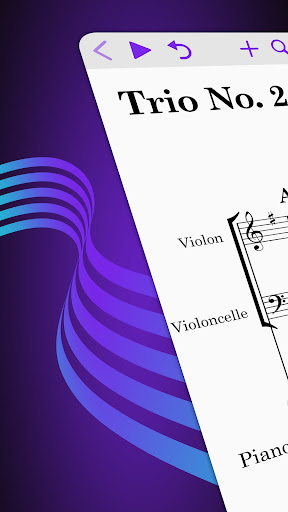
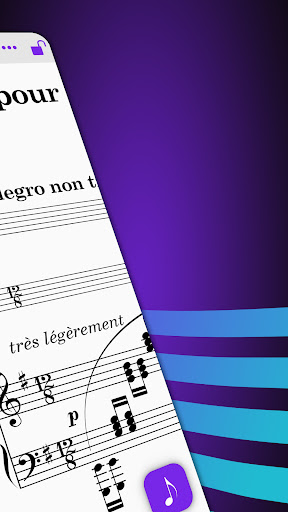
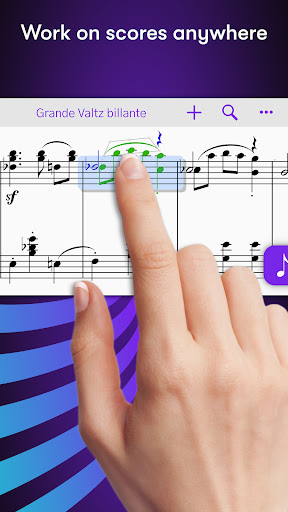
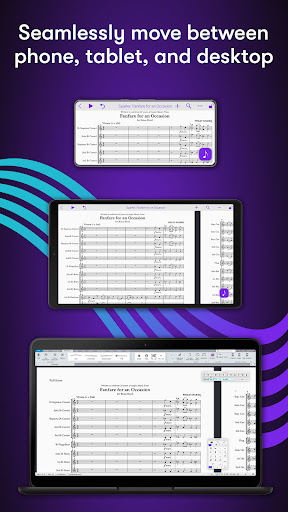
Sibelius brings professional music notation to Android phones and tablets, putting the workflows used by countless composers, orchestrators, and arrangers at your fingertips. Seamlessly move between phone, tablet and desktop, and from studio to coffeeshop to scoring stage, and write anywhere inspiration strikes.
# Work on scores anywhere
Sibelius for mobile puts the #1 selling music notation program at your fingertips—literally. Work with the same tools and features used by countless composers and production houses every day on your phone and tablet. Whether writing down ideas, creating full-blown compositions, or reviewing scores, you have the freedom to create wherever you’re comfortable.
#Take your portfolio to go
Forget having to bring and break out your laptop when meeting with clients and collaborators. Instead, you can conveniently take the world’s most powerful notation toolset and your entire music portfolio with you wherever you go—ideal for those unexpected opportunities. And for tandemly working through last-minute revisions.
# Hear your music in stunning detail
Sibelius includes a high-quality sample library filled with a variety of musical instrumentation, so you can hear what your music will sound like when performed by real musicians. The Espressivo advanced notation interpretation even lets you adjust rhythm and swing to create a more humanistic feel.
# Speed your workflow
Sibelius for mobile is designed to take full advantage of stylus touch capabilities. Its elegant, streamlined interface provides the most intuitive and efficient workflows possible while supporting the same keyboard shortcuts you know and love from working on the desktop version, so you’ll feel right at home.
# Get innovative note entry
Experience the pen and paper workflow reimagined. Enter notes with the onscreen Keypad or a keyboard, and Sibelius takes care of all note layout. Touch a note and drag up or down to change its value, or drag left or right to add a flat or sharp. With a stylus, tap and lean into your screen to quickly start entering notes with a tap.
# Have everything you need
In addition to the Keypad, Sibelius for mobile features a Create menu that’s optimized for mobile, making it easy to add clefs, key signatures, time signatures, barlines, symbols, text styles, and more to your score from searchable galleries. You can also quickly search through all Sibelius commands using the Command Search, putting the entire app at your fingertips.
# Move tiers to meet needs
Sibelius is designed to grow with you to support your creative aspirations and project needs. From the introductory (and free) Sibelius First to the industry-standard Sibelius Ultimate, you can add more notation capabilities and instrument parts to take on more creative opportunities by simply upgrading your subscription tier.
# Have everything on one creative platform
Seamlessly move from desktop to tablet and back without ever having to import or export files. That’s because whether on mobile or desktop, you’re always in Sibelius. With files saved to iCloud, Dropbox, Google Drive, or other Android-supported cloud service, you have easy anywhere access to all your ideas and scores.
# Enable a hybrid workflow
While Sibelius for mobile is fully featured, providing many of the same tools as its desktop counterpart, there are some notation and layout features only available in the desktop version, making it an integral part of a complete workflow (compare versions). Plus, the mobile version comes free with the desktop version, enabling you to work where and how you want.
Показать больше

1. Скачать инсталлятор MEmu и завершайте установку

2. Запускайте MEmu, затем откройте Google Play на главной странице

3. Ищите Sibelius в Google Play
Install
4. Скачайте и установите Sibelius
5. При завершении установки, нажмите на значок для старта

6. Наслаждайтесь Sibelius на своем компьютере с помощью MEmu.
MEmu Play — лучший бесплатный эмулятор Android, превосходный опыт работы с которым оценили 50 миллионов пользователей. Технология виртуализации MEmu позволяет без проблем запускать тысячи Android-приложений на вашем компьютере, даже самые требовательные.
Большой экран с лучшей графикой; Большая продолжительность, без ограничения батареи или мобильных данных.
Полная поддержка установки клавиш для точного управления клавиатурой и мышью или геймпадом.
Несколько игровых учетных записей или задач на одном компьютере одновременно с менеджером нескольких экземпляров.
Use Sibelius on PC by following steps: