SpinDraw - Magic Animation Art
Обновлено
Текущая версия
Продавец

Перестаньте беспокоиться о быстром разряде батареи при использовании SpinDraw - Magic Animation Art на вашем телефоне. Освободитесь от крошечного экрана и наслаждайтесь приложением на гораздо большем экране. Теперь вы можете работать с приложением в полноэкранном режиме с удобством клавиатуры и мыши. MEmu предлагает вам все ожидаемые удивительные функции: быструю установку и простую настройку, интуитивно понятное управление и больше никаких забот о времени автономной работы, мобильном трафике или неожиданных звонках. Совершенно новый MEmu 9 — идеальный выбор для использования SpinDraw - Magic Animation Art на вашем компьютере. С помощью менеджера нескольких экземпляров MEmu вы можете одновременно использовать два или более аккаунтов. И самое главное, наш эксклюзивный движок эмуляции раскрывает весь потенциал вашего ПК, обеспечивая плавную и приятную работу.
Показать больше
Наслаждайтесь превосходным опытом использования SpinDraw - Magic Animation Art на ПК с MEmu Play. Это мощный бесплатный эмулятор Android, который предлагает тысячи приложений для настольных компьютеров. Наслаждайтесь общением с друзьями и совершенствуйте свою работу ещё эффективнее! SpinDraw - Magic Animation Art & Magic Wheel Loop Creator .
SpinDraw - Magic Animation Art & Magic Wheel Loop Creator
Your Gateway to Magic and Motion Art
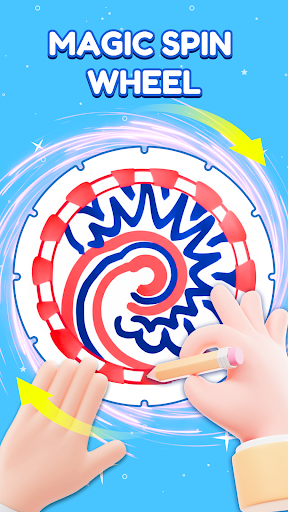
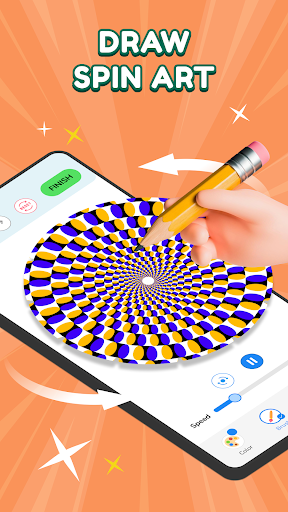
Phenakistoscope magic begins here! Welcome to your creative retreat where you can relax, kill time, and explore art that comes alive in a beautiful optical spin.
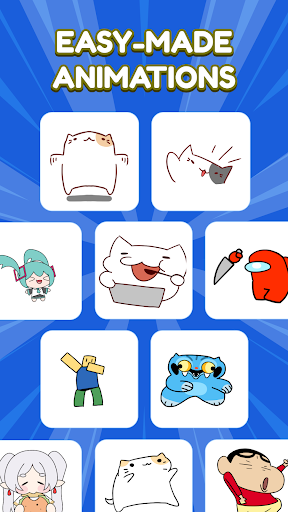
Wheel into a mesmerizing process that transforms simple radial drawings into hypnotic, looping GIF animations with an exciting glow spin.
Focus on Spinning & Drawing
Wheel Art lets you design complex symmetrical patterns, offering total control over colors, brush shapes, and the final animated spin.
Phenakistoscope artists can proudly display and revisit their motion masterpieces in the dedicated Artwork gallery, each project reflecting your journey into the glow spin.
Wheel Art's Artwork section provides instant access to your saved motion art, including: List project animation glow.
Phenakistoscope creation is simplified with an intuitive interface, allowing anyone to jump in and master the illusionary visual wheel.
Mastery in Your Hands
1. Precision Radial Drawing
Phenakistoscope requires precision! Adjust the number of segments (frames) on your radial disc for perfect animation timing and watch the magic spin.
Wheel Art gives you a full suite of drawing tools: customizable brush size, vibrant colors, and a Preview mode for perfecting view your pattern before the magical glow spin.
2. Animation Controls & Export
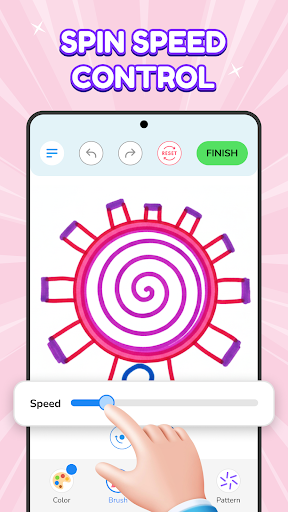
Phenakistoscope speed control allows you to fine-tune the playback velocity of your loop, ensuring a smooth and captivating optical spin.
Wheel features a basic Onion Skinning tool (light ghosting of the previous frame) to help you smoothly choreograph the movement across the visual wheel.
3. Templates & Inspiration
Phenakistoscope creativity starts fast! Access our Step-by-step templates and inspirational Ideas to start creating mesmerizing animations instantly and master the hypnotic glow spin.
Draw. Spin. Share. Your Final Call to Action
Phenakistoscope mastery awaits. Download Draw Wheel - Magic Spin NOW and start sharing your incredible motion art that truly defies reality with a satisfying spin! Join the ultimate creative visual wheel.
If you have any questions or contributions to the app, do not hesitate to contact us via email: feedback.outlaw@bralyvn.com. We value your contributions and will do our best to meet all requirements and improve product quality.
Terms of Use: https://bralyvn.com/term-and-condition.php
Privacy Policy: https://bralyvn.com/privacy-policy.php
Показать больше

1. Скачать инсталлятор MEmu и завершайте установку

2. Запускайте MEmu, затем откройте Google Play на главной странице

3. Ищите SpinDraw - Magic Animation Art в Google Play
Install
4. Скачайте и установите SpinDraw - Magic Animation Art
5. При завершении установки, нажмите на значок для старта

6. Наслаждайтесь SpinDraw - Magic Animation Art на своем компьютере с помощью MEmu.
MEmu Play — лучший бесплатный эмулятор Android, превосходный опыт работы с которым оценили 50 миллионов пользователей. Технология виртуализации MEmu позволяет без проблем запускать тысячи Android-приложений на вашем компьютере, даже самые требовательные.
Большой экран с лучшей графикой; Большая продолжительность, без ограничения батареи или мобильных данных.
Полная поддержка установки клавиш для точного управления клавиатурой и мышью или геймпадом.
Несколько игровых учетных записей или задач на одном компьютере одновременно с менеджером нескольких экземпляров.
Use SpinDraw - Magic Animation Art on PC by following steps: