TIDAL Music: HiFi sound
Обновлено
Текущая версия
1732519939
Продавец

Перестаньте беспокоиться о быстром разряде батареи при использовании TIDAL Music: HiFi sound на вашем телефоне. Освободитесь от крошечного экрана и наслаждайтесь приложением на гораздо большем экране. Теперь вы можете работать с приложением в полноэкранном режиме с удобством клавиатуры и мыши. MEmu предлагает вам все ожидаемые удивительные функции: быструю установку и простую настройку, интуитивно понятное управление и больше никаких забот о времени автономной работы, мобильном трафике или неожиданных звонках. Совершенно новый MEmu 9 — идеальный выбор для использования TIDAL Music: HiFi sound на вашем компьютере. С помощью менеджера нескольких экземпляров MEmu вы можете одновременно использовать два или более аккаунтов. И самое главное, наш эксклюзивный движок эмуляции раскрывает весь потенциал вашего ПК, обеспечивая плавную и приятную работу.
Показать больше
Скачайте TIDAL Music: HiFi sound на ПК с помощью Андроид эмулятора MEmu. Наслаждайтесь на большом экране. With the TIDAL app's extensive library of music, offline music features, and personalized recommendations, TIDAL is a must-have app for anyone who loves music.
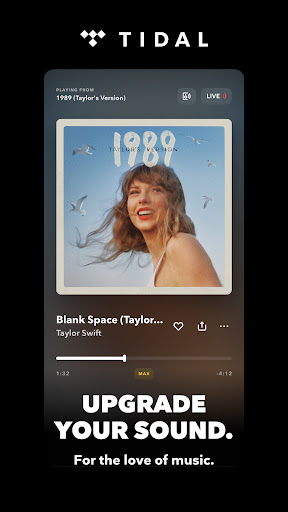
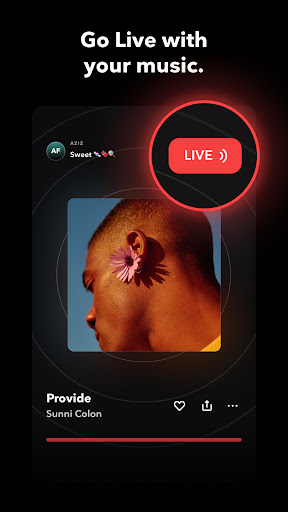
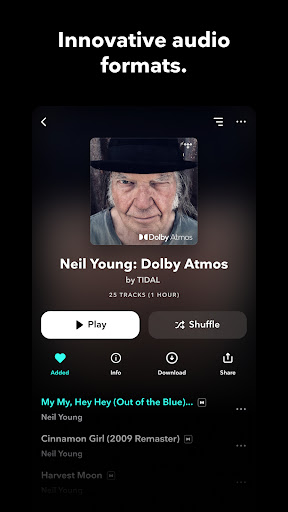
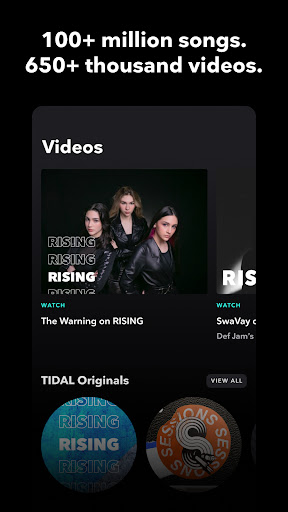
With the TIDAL app's extensive library of music, offline music features, and personalized recommendations, TIDAL is a must-have app for anyone who loves music. Whether you're on the go or just relaxing at home, TIDAL has everything you need to enjoy your favorite tracks and discover new music.
Why download the TIDAL music app?
Try TIDAL for FREE: with a 30-day trial, you can experience the difference for yourself
High-quality audio streaming: TIDAL offers high-fidelity audio streaming, providing you with an immersive and rich listening experience.
Huge selection of music genres: The TIDAL music app offers an extensive library of millions of songs and albums across multiple genres, making it easy to discover new music and listen to favorite tracks.
Offline music feature: TIDAL allows you to download tracks and albums for listening offline, without an internet connection (no wifi), providing a seamless offline listening experience that is both convenient and enjoyable.
Discovery and personalized recommendations: TIDAL offers curated playlists, and personalized recommendations based on your listening habits and individual music preferences.
Subscription options: TIDAL offers multiple plan options - with a month FREE trial, making it easy to download, try and enjoy the app.
TIDAL has a range of plans suited to fit your needs. Besides our Individual payment plan, we offer a great value Family plan (you plus 5 family members) and a discounted Student plan.
When you download and try the TIDAL app for the first time, you get access to 30 days of FREE music!
All plans include:
- Millions of songs in HiRes lossless sound quality up to up to 24-bit, 192 kHz and Dolby Atmos
- Ad-free listening, unlimited skips
- Personalized mixes based on your preferences
- Editorially curated playlists
- Offline mode
- Track and share your streaming activity
- TIDAL Connect, to listen in lossless quality on supported devices
Subscription automatically renews on a monthly basis. Cancel anytime.
Terms and Conditions of Use: http://tidal.com/terms
Privacy Notice: https://tidal.com/privacy
Can I try the TIDAL app free of charge?
You can sign up for a free trial of TIDAL for an ad-free, fully interactive listening experience.
Can I import my playlists from other streaming services I use?
We know the effort you put into curating the perfect playlist. Move your favorite playlists, tracks, albums, and artists from another music streaming service with tidal.com/transfer-music.
Can I download and listen to my music offline?
Yes! To download music for offline listening, you simply need to find the song, album, or playlist you want and select the download button. Once downloaded, the audio files are stored on your device, allowing you to access and play your music without a wifi or internet connection. With offline music, TIDAL provides a seamless listening experience that is both convenient and enjoyable.
Показать больше

1. Скачать инсталлятор MEmu и завершайте установку

2. Запускайте MEmu, затем откройте Google Play на главной странице

3. Ищите TIDAL Music: HiFi sound в Google Play
Install
4. Скачайте и установите TIDAL Music: HiFi sound
5. При завершении установки, нажмите на значок для старта

6. Наслаждайтесь TIDAL Music: HiFi sound на своем компьютере с помощью MEmu.
MEmu Play — лучший бесплатный эмулятор Android, превосходный опыт работы с которым оценили 50 миллионов пользователей. Технология виртуализации MEmu позволяет без проблем запускать тысячи Android-приложений на вашем компьютере, даже самые требовательные.
Большой экран с лучшей графикой; Большая продолжительность, без ограничения батареи или мобильных данных.
Полная поддержка установки клавиш для точного управления клавиатурой и мышью или геймпадом.
Несколько игровых учетных записей или задач на одном компьютере одновременно с менеджером нескольких экземпляров.
Use TIDAL Music: HiFi sound on PC by following steps: