
V2ray VPN
Обновлено
Текущая версия
6.3.5
Продавец

Перестаньте беспокоиться о быстром разряде батареи при использовании V2ray VPN на вашем телефоне. Освободитесь от крошечного экрана и наслаждайтесь приложением на гораздо большем экране. Теперь вы можете работать с приложением в полноэкранном режиме с удобством клавиатуры и мыши. MEmu предлагает вам все ожидаемые удивительные функции: быструю установку и простую настройку, интуитивно понятное управление и больше никаких забот о времени автономной работы, мобильном трафике или неожиданных звонках. Совершенно новый MEmu 9 — идеальный выбор для использования V2ray VPN на вашем компьютере. С помощью менеджера нескольких экземпляров MEmu вы можете одновременно использовать два или более аккаунтов. И самое главное, наш эксклюзивный движок эмуляции раскрывает весь потенциал вашего ПК, обеспечивая плавную и приятную работу.
Показать больше
Скачайте V2ray VPN на ПК с помощью Андроид эмулятора MEmu. Наслаждайтесь на большом экране. V2ray VPN for Android, compatible with V2ray/vmess/vless/shadowsocks protocols.
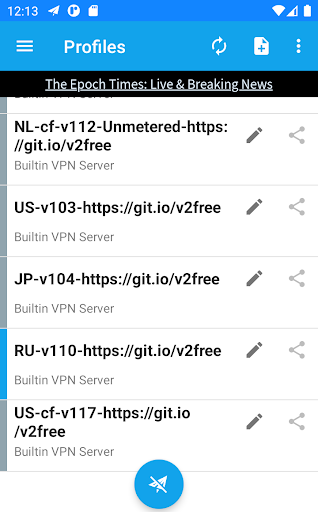
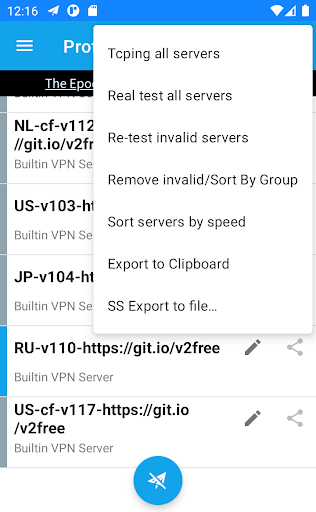
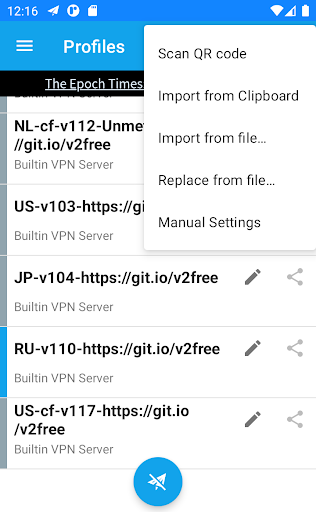
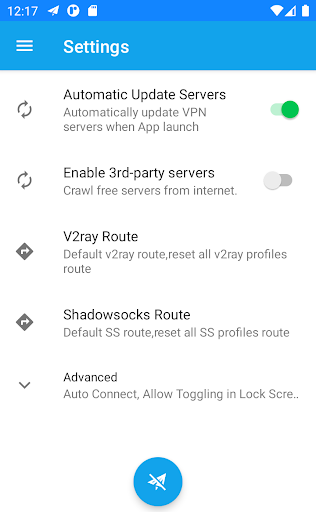
V2ray VPN for Android, compatible with V2ray/vmess/vless/shadowsocks protocols. The APP automatically fetch a few self-built VPN servers and lots of internet free v2ray servers that are include some invalid servers.
Before start vpn, please click the three dots button at the upper right corner and execute 'Real test all servers', and then 'Remove invalid/Sort by group' and 'Sort servers by speed', then click to select a server, after the selection, the left border color of the server will be different from the others, finally click the round button(airplane button) at the bottom to start VPN connection.
Attention: internet free servers come from internet sharing and are provided for the convenience, we do not guarantee their reliability and security.
If you do not want to use the free internet servers, you can continue to use our self-built servers after disabling the 3rd-party servers in app setting. You also can add or import any V2ray/vmess/shadowsocks servers to use.
Neither our self-built VPN servers nor APP record access logs.
If you are looking for SSR Android client or VPN, please try SpeedUp VPN APP:
https://play.google.com/store/apps/details?id=free.ssr.proxy.SpeedUp.VPN
FAQ
1. What is the UDP Fallback at the plugin section in the SS server config?
forward UDP traffic to specified server
2. How to modify server(profile) in batches?
Except for Apps VPN mode and UDP Fallback , batch modification is not provided. But there are some tips:
When manually adding a new profile, most of the content will be copied from the currently selected profile. The newly added profiles from the subscription only copy the Feature Settings. suggest to config the selected profile before adding in bulk.
3. Why can't I use this APP on my mobile phone? ROM compatibility issues, including some applications can not be connected , no traffic, etc., please see the upstream FAQ:
https://github.com/shadowsocks/shadowsocks-android/blob/master/.github/faq.md#why-is-my-rom-not-supported
4. China apps are slow
Please use Apps VPN mode set China apps to bypass the proxy (in profile configuration , which can be set in batches).
5. Compared with the original Shadowsocks app, what has been modified
.Add a few self-built V2ray servers and automatically grab a large number of free V2ray/vmess/shadowsocks servers from Internet
. Added V2ray support
.Added batch test verification server function
.Built-in SS obfs plugin
.Add LAN sharing function
.Added HTTP proxy, can be used in proxy-only mode and LAN sharing
This is a VPN proxy, it can speed up internet traffic, secure WiFi hotspot, hide ip address, protect privacy and unblock sites.
Bypass the firewalls as school VPN proxy for school wifi and school computer.
Protect your network traffic under WiFi hotspot, browse anonymously and securely without being tracked. enjoy private browsing.
Works with WiFi, LTE, 3G,4G,5G and all mobile data carriers.
Share this light android VPN APP now.
Показать больше

1. Скачать инсталлятор MEmu и завершайте установку

2. Запускайте MEmu, затем откройте Google Play на главной странице

3. Ищите V2ray VPN в Google Play
Install
4. Скачайте и установите V2ray VPN
5. При завершении установки, нажмите на значок для старта

6. Наслаждайтесь V2ray VPN на своем компьютере с помощью MEmu.
MEmu Play — лучший бесплатный эмулятор Android, превосходный опыт работы с которым оценили 50 миллионов пользователей. Технология виртуализации MEmu позволяет без проблем запускать тысячи Android-приложений на вашем компьютере, даже самые требовательные.
Большой экран с лучшей графикой; Большая продолжительность, без ограничения батареи или мобильных данных.
Полная поддержка установки клавиш для точного управления клавиатурой и мышью или геймпадом.
Несколько игровых учетных записей или задач на одном компьютере одновременно с менеджером нескольких экземпляров.
Use V2ray VPN on PC by following steps: