Avey - Empowering Health
Güncellendi
Mevcut Sürüm
8.1.1
Sunan

Cep telefonunda Avey - Empowering Health kullanırken fazla şarjlardan endişelenme, kendini küçük ekrandan kurtar ve uygulamayı çok daha büyük bir ekranda kullanmanın tadını çıkar. Şu andan itibaren, klavye ve fare ile uygulamayı tam ekran da kullanmayı dene. MEmu, beklediğin tüm şaşırtıcı özellikleri sunar: hızlı ve kolay kurulum, sezgisel kontroller, bunun dışında pil sınırı, mobil veri ve rahatsız edici aramalar artık yok. Yepyeni MEmu 9, bilgisayarında Avey - Empowering Health kullanmanın en iyi seçimidir. Emilimimizle kodlanan çok örnekli yönetici, aynı anda 2 veya daha fazla hesap açmayı mümkün kılar. Ve en önemlisi, özel emülasyon motorumuz PC'nin tüm potansiyelini serbest bırakabilir, her şeyi pürüzsüz ve eğlenceli hale getirebilir.
Daha fazla göster
Avey - Empowering Health’i MEmu Android Emülatör ile PC’ye indirin. Büyük ekranda oynamanın keyfini çıkarın. How Does Avey Work?

How Does Avey Work?
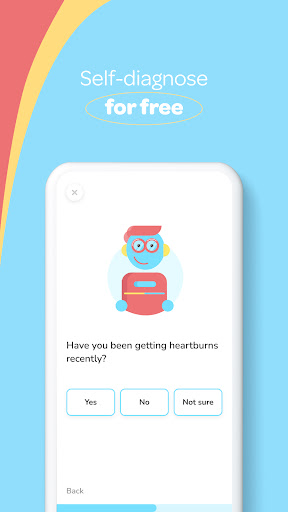
Avey is an Artificial Intelligence app and symptom checker. It will ask you simple questions, assess your answers against its enormous database of medical conditions and symptoms such as fever, allergy, & asthma, and provide you with a personalized medical report that shows the possible causes of your symptoms and how serious they are. Avey is the way to protect yourself against incorrect medical diagnoses.
What Can You Ask Avey?
You can ask Avey about anything! Here are some of the most common searches:
Symptoms:
Fever
Headache
Abdominal Pain
Back Pain
Nausea
Vomiting
Constipation
Diarrhea
Dizziness
Fatigue
Abdominal Bloating
Sore Throat
Weight Loss
Chest Pain
Medical Conditions:
Common Cold
Coronavirus Disease 2019
Influenza
Asthma
Pneumonia
Diabetes Mellitus
Rheumatoid Arthritis
Polycystic Ovary Syndrome
Hypertension disease
Migraine
Anemia
Irritable Bowel Syndrome
Lactose Intolerance
Food Poisoning
Why Should You Use Avey?
With a novel AI algorithm designed and developed by elite doctors and scientists in the technology and medical domains and a knowledge repository spanning thousands of medical concepts, Avey can assess your symptoms on the go and provide you with an accurate and immediate medical report. You can trust Avey. Think of it as an accurate free consultation!
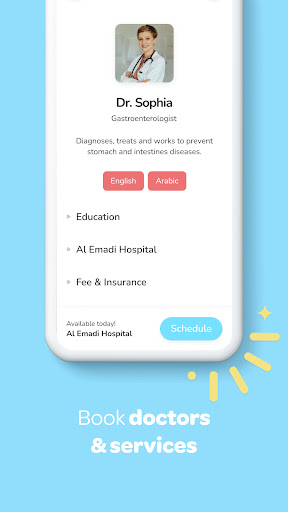
Good thing it doesn’t end there! If you also wish to book an appointment with a human doctor, Avey can recommend the best doctors just for your case and connect you with them, either physically or virtually.
It even goes above and beyond that! Avey provides you with a welcoming, safe and friendly environment to engage with communities on any health, wellness, and lifestyle topic at any time and from anywhere. From depression, anxiety, stress, bipolar, migraine, autism, ADHD, addictions, sexual problems, diabetes, yoga, pregnancy, breastfeeding, child development, speech delay, adoption, divorce, family activities, intermittent fasting, keto diet, gluten free, vegan & vegetarian recipes, skincare, plastic surgery, obesity, to cancer, you can discuss anonymously and safely on the Avey hub.
What Can You Expect from Avey?
- A welcoming, safe and friendly social space to engage with communities from all over the world on all kinds of health, wellness, and lifestyle topics.
- An accurate AI-based and personalized symptom checker that can help you 24/7, no matter where you are and for free.
- A booking system that saves your time and conveniently connects you with the right doctors, either physically or virtually.
- Highly robust data protection, security, and privacy.
Feedback
Your feedback is highly appreciated and can tremendously contribute in improving Avey for you and all people. Please feel free to provide us with your feedback at: avey-support@avey.ai
Legal Notice
- A symptom check through Avey is not a medical diagnosis. It is only for information purposes and should not be considered as a prescription on how you are to treat any medical issue you may have.
- Do not use Avey in emergencies. In case of an emergency, you should contact the emergency services immediately. Always consult with your doctor or other qualified healthcare providers if you have any questions regarding your health or medical issues.
- Your data privacy and security are protected. The information you provide to Avey is private and not shared with anyone.
- Read more in our Terms of Use (https://avey.ai/terms-of-use) and Privacy Policy (https://avey.ai/privacy-policy).
Daha fazla göster

1. MEmu yükleyicisini indirin ve kurulumu tamamlayın

2. MEmu'yu başlatın ve ana sayfada Google Play'i açın

3. Google Play'de Avey - Empowering Health arayın
Install
4. Avey - Empowering Health indirin ve yükleyin
5. Kurulum tamamlandığında başlamak için simgeye tıklayın

6. Avey - Empowering Health'i PC'de için MEmu'yu kullanın
MEmu Play, 50 milyon kullanıcısıyla en iyi ücretsiz Android emülatörüdür ve en üst düzey Android uygulama deneyiminin keyfini çıkarır. MEmu'nun sanallaştırma teknolojisi, en zorlu uygulamalar da dahil olmak üzere binlerce uygulamayı bilgisayarınızda sorunsuz bir şekilde çalıştırmanızı sağlar.
Daha büyük ekranla daha iyi grafiklere sahip; Pil veya mobil veri sınırlaması olmaksızın uzun süre.
Keymapping klavye ve fare veya gamepad'in hassas kontrolü için destek verir.
Multi-Instance yöneticisi ile tek bir bilgisayarda aynı anda birden fazla oyun hesabı veya görev gerçekleşilebilir.
Use Avey - Empowering Health on PC by following steps: