WTMP — Who touched my phone?
Güncellendi
Mevcut Sürüm
6.5.2
Sunan

Cep telefonunda WTMP — Who touched my phone? kullanırken fazla şarjlardan endişelenme, kendini küçük ekrandan kurtar ve uygulamayı çok daha büyük bir ekranda kullanmanın tadını çıkar. Şu andan itibaren, klavye ve fare ile uygulamayı tam ekran da kullanmayı dene. MEmu, beklediğin tüm şaşırtıcı özellikleri sunar: hızlı ve kolay kurulum, sezgisel kontroller, bunun dışında pil sınırı, mobil veri ve rahatsız edici aramalar artık yok. Yepyeni MEmu 9, bilgisayarında WTMP — Who touched my phone? kullanmanın en iyi seçimidir. Emilimimizle kodlanan çok örnekli yönetici, aynı anda 2 veya daha fazla hesap açmayı mümkün kılar. Ve en önemlisi, özel emülasyon motorumuz PC'nin tüm potansiyelini serbest bırakabilir, her şeyi pürüzsüz ve eğlenceli hale getirebilir.
Daha fazla göster
WTMP — Who touched my phone?’i MEmu Android Emülatör ile PC’ye indirin. Büyük ekranda oynamanın keyfini çıkarın. WTMP - Telefonuma kim dokundu?
WTMP - Telefonuma kim dokundu?
Uygulama, ön kamerayı kullanarak telefonunuzu kullanacakları arka plan modunda, kullanıcı için görünmez şekilde kaydedecektir. En sevdiğiniz cihaz sizin ilginiz altında değilken kimin, ne zaman ve ne yaptığını göreceksiniz.
O nasıl çalışır?
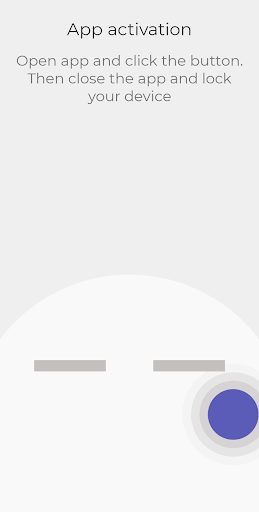
1) Uygulamayı açın ve düğmesine tıklayın. Ardından uygulamayı kapatın ve cihazınızı kilitleyin;
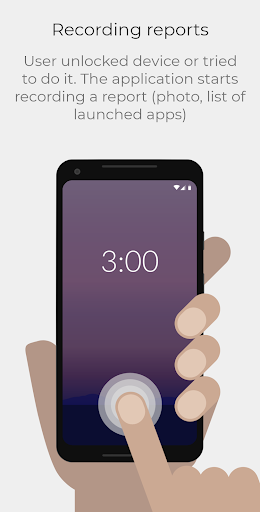
2) Kullanıcı, cihazın kilidini açtı veya bunu yapmaya çalıştı. Uygulama bir rapor kaydetmeye başlar (fotoğraf, başlatılan uygulamaların listesi);
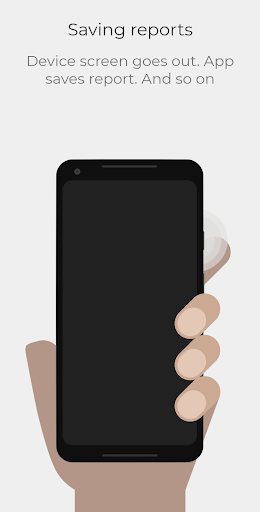
3) Cihaz ekranı söner. Uygulama raporu kaydeder. Ve benzeri;
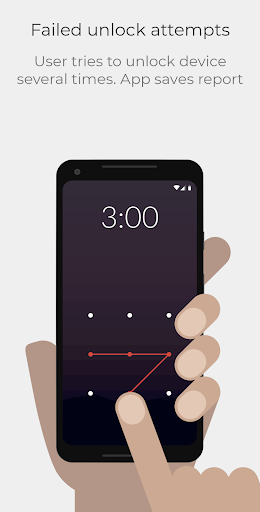
4) Kullanıcı, cihazın kilidini birkaç kez açmaya çalışır. Uygulama raporu kaydeder;
5) Raporlarınıza uygulamada göz atın. Bulutla senkronizasyonu ayarlayın.
Bu uygulama, Cihaz Yöneticisi iznini kullanır. Uygulamanın, hatalı kilit açma girişimlerine dikkat etmesi için cihaz yöneticisi haklarına ihtiyacı var. Android, yalnızca en az 4 basamak/karakter veya desen noktası varsa bir parolayı veya kalıbı yanlış olarak algılar.
Uygulamanın kaldırılmasından önce Cihaz Yöneticisinin devre dışı bırakılması gerekir.
Sorularınız için:
mdeveloperspost@gmail.com
Daha fazla göster

1. MEmu yükleyicisini indirin ve kurulumu tamamlayın

2. MEmu'yu başlatın ve ana sayfada Google Play'i açın

3. Google Play'de WTMP — Who touched my phone? arayın
Install
4. WTMP — Who touched my phone? indirin ve yükleyin
5. Kurulum tamamlandığında başlamak için simgeye tıklayın

6. WTMP — Who touched my phone?'i PC'de için MEmu'yu kullanın
MEmu Play, 50 milyon kullanıcısıyla en iyi ücretsiz Android emülatörüdür ve en üst düzey Android uygulama deneyiminin keyfini çıkarır. MEmu'nun sanallaştırma teknolojisi, en zorlu uygulamalar da dahil olmak üzere binlerce uygulamayı bilgisayarınızda sorunsuz bir şekilde çalıştırmanızı sağlar.
Daha büyük ekranla daha iyi grafiklere sahip; Pil veya mobil veri sınırlaması olmaksızın uzun süre.
Keymapping klavye ve fare veya gamepad'in hassas kontrolü için destek verir.
Multi-Instance yöneticisi ile tek bir bilgisayarda aynı anda birden fazla oyun hesabı veya görev gerçekleşilebilir.
Use WTMP — Who touched my phone? on PC by following steps: