Hawa - Group Voice Chat Rooms
Güncellendi
Mevcut Sürüm
1.38.0
Sunan

Cep telefonunda Hawa - Group Voice Chat Rooms kullanırken fazla şarjlardan endişelenme, kendini küçük ekrandan kurtar ve uygulamayı çok daha büyük bir ekranda kullanmanın tadını çıkar. Şu andan itibaren, klavye ve fare ile uygulamayı tam ekran da kullanmayı dene. MEmu, beklediğin tüm şaşırtıcı özellikleri sunar: hızlı ve kolay kurulum, sezgisel kontroller, bunun dışında pil sınırı, mobil veri ve rahatsız edici aramalar artık yok. Yepyeni MEmu 9, bilgisayarında Hawa - Group Voice Chat Rooms kullanmanın en iyi seçimidir. Emilimimizle kodlanan çok örnekli yönetici, aynı anda 2 veya daha fazla hesap açmayı mümkün kılar. Ve en önemlisi, özel emülasyon motorumuz PC'nin tüm potansiyelini serbest bırakabilir, her şeyi pürüzsüz ve eğlenceli hale getirebilir.
Daha fazla göster
Hawa - Group Voice Chat Rooms’i MEmu Android Emülatör ile PC’ye indirin. Büyük ekranda oynamanın keyfini çıkarın. Hawa offers a social space that focuses on sound, where you can not only get rid of the social pressure in reality, but also quickly meet new friends from various regions in the Middle East.


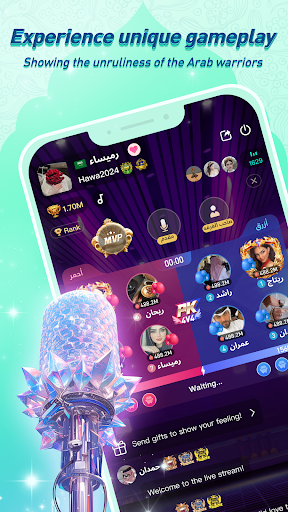
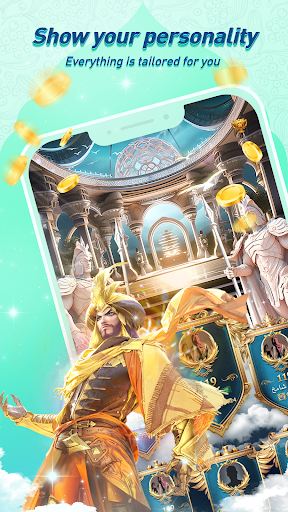
Hawa offers a social space that focuses on sound, where you can not only get rid of the social pressure in reality, but also quickly meet new friends from various regions in the Middle East. Without social labels, use voice and thought to collide with strange souls to obtain purer friendship or love.
In Hawa, explore new worlds, explore love.
【Make new friend】
Come to hawa to explore different themed voice rooms, use your voice to show your talent and personality, and meet people who understand you anytime, anywhere!
No need to show your face without social pressure, express yourself as much as you want and talk about topics you are interested in, such as food, sports events, fashion trends, etc. A variety of themes to meet all your preferences!
【Fun Game】
Host an online party with new friends from all over the Middle East, and a large number of trendy room games will help you quickly break the ice and become the most popular party king!
【special gift】
Hawa, you can get customized gifts, luxury cars and gorgeous headwear. Come and light up your unique gift catalogue!
【Ranking】
Exclusive medals and privileges to show your status and position.
Music
Listen to your favorite keep up with the world music trends. Share your song list, show your voice live!, this is your exclusive music party.
Follow US & Contact US
Facebook: @teamhawa
Website: www.hawatalk.com
Hawachat Room ID: 10000
Email:service@hawatalk.com
Daha fazla göster

1. MEmu yükleyicisini indirin ve kurulumu tamamlayın

2. MEmu'yu başlatın ve ana sayfada Google Play'i açın

3. Google Play'de Hawa - Group Voice Chat Rooms arayın
Install
4. Hawa - Group Voice Chat Rooms indirin ve yükleyin
5. Kurulum tamamlandığında başlamak için simgeye tıklayın

6. Hawa - Group Voice Chat Rooms'i PC'de için MEmu'yu kullanın
MEmu Play, 50 milyon kullanıcısıyla en iyi ücretsiz Android emülatörüdür ve en üst düzey Android uygulama deneyiminin keyfini çıkarır. MEmu'nun sanallaştırma teknolojisi, en zorlu uygulamalar da dahil olmak üzere binlerce uygulamayı bilgisayarınızda sorunsuz bir şekilde çalıştırmanızı sağlar.
Daha büyük ekranla daha iyi grafiklere sahip; Pil veya mobil veri sınırlaması olmaksızın uzun süre.
Keymapping klavye ve fare veya gamepad'in hassas kontrolü için destek verir.
Multi-Instance yöneticisi ile tek bir bilgisayarda aynı anda birden fazla oyun hesabı veya görev gerçekleşilebilir.
Use Hawa - Group Voice Chat Rooms on PC by following steps: