Mobex17
Güncellendi
Mevcut Sürüm
1.0.1
Sunan

Cep telefonunda Mobex17 kullanırken fazla şarjlardan endişelenme, kendini küçük ekrandan kurtar ve uygulamayı çok daha büyük bir ekranda kullanmanın tadını çıkar. Şu andan itibaren, klavye ve fare ile uygulamayı tam ekran da kullanmayı dene. MEmu, beklediğin tüm şaşırtıcı özellikleri sunar: hızlı ve kolay kurulum, sezgisel kontroller, bunun dışında pil sınırı, mobil veri ve rahatsız edici aramalar artık yok. Yepyeni MEmu 9, bilgisayarında Mobex17 kullanmanın en iyi seçimidir. Emilimimizle kodlanan çok örnekli yönetici, aynı anda 2 veya daha fazla hesap açmayı mümkün kılar. Ve en önemlisi, özel emülasyon motorumuz PC'nin tüm potansiyelini serbest bırakabilir, her şeyi pürüzsüz ve eğlenceli hale getirebilir.
Daha fazla göster
Mobex17’i MEmu Android Emülatör ile PC’ye indirin. Büyük ekranda oynamanın keyfini çıkarın. The Africa Mobile & ICT Expo is an assembly of captains, investors and enthusiasts of the ICT industry as well as all things and everything technology.
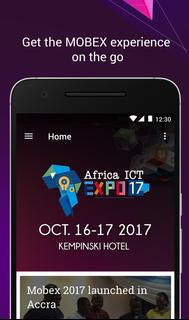
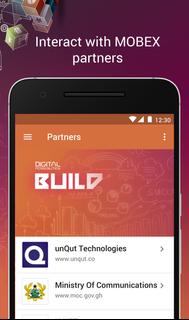
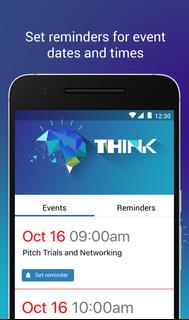
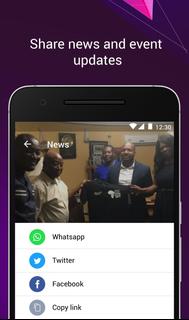
The Africa Mobile & ICT Expo is an assembly of captains, investors and enthusiasts of the ICT industry as well as all things and everything technology. Mobile technology lovers, students and professionals, device manufacturers, telcos, regulators and policy makers converge in Accra Ghana for 3 days of conferences, seminars, product and app launches, and discounted products exhibition by 100+ quality brands.This app is the official guide to the expo. With our app you can;- See latest news from the event- Get information on important issues related to the event- Explore the agenda and get more information about the speakers- Learn about expo exhibitors, sponsors and partners of the event- Build your own event reminders of your favorite talks and activities- See the conference map with points of interest- Vote for your favorite startups/companies in the Mobex Innovation Awards- Share your activities with your friends- Chat with other expo attendees and send feedback to the Mobex teamThe app is handcrafted by UNQUT Technologies (www.unqut.co)
Daha fazla göster

1. MEmu yükleyicisini indirin ve kurulumu tamamlayın

2. MEmu'yu başlatın ve ana sayfada Google Play'i açın

3. Google Play'de Mobex17 arayın
Install
4. Mobex17 indirin ve yükleyin
5. Kurulum tamamlandığında başlamak için simgeye tıklayın

6. Mobex17'i PC'de için MEmu'yu kullanın
MEmu Play, 50 milyon kullanıcısıyla en iyi ücretsiz Android emülatörüdür ve en üst düzey Android uygulama deneyiminin keyfini çıkarır. MEmu'nun sanallaştırma teknolojisi, en zorlu uygulamalar da dahil olmak üzere binlerce uygulamayı bilgisayarınızda sorunsuz bir şekilde çalıştırmanızı sağlar.
Daha büyük ekranla daha iyi grafiklere sahip; Pil veya mobil veri sınırlaması olmaksızın uzun süre.
Keymapping klavye ve fare veya gamepad'in hassas kontrolü için destek verir.
Multi-Instance yöneticisi ile tek bir bilgisayarda aynı anda birden fazla oyun hesabı veya görev gerçekleşilebilir.
Use Mobex17 on PC by following steps: