
Sanford Guide
Güncellendi
Mevcut Sürüm
6.5.7
Sunan

Cep telefonunda Sanford Guide kullanırken fazla şarjlardan endişelenme, kendini küçük ekrandan kurtar ve uygulamayı çok daha büyük bir ekranda kullanmanın tadını çıkar. Şu andan itibaren, klavye ve fare ile uygulamayı tam ekran da kullanmayı dene. MEmu, beklediğin tüm şaşırtıcı özellikleri sunar: hızlı ve kolay kurulum, sezgisel kontroller, bunun dışında pil sınırı, mobil veri ve rahatsız edici aramalar artık yok. Yepyeni MEmu 9, bilgisayarında Sanford Guide kullanmanın en iyi seçimidir. Emilimimizle kodlanan çok örnekli yönetici, aynı anda 2 veya daha fazla hesap açmayı mümkün kılar. Ve en önemlisi, özel emülasyon motorumuz PC'nin tüm potansiyelini serbest bırakabilir, her şeyi pürüzsüz ve eğlenceli hale getirebilir.
Daha fazla göster
Sanford Guide’i MEmu Android Emülatör ile PC’ye indirin. Büyük ekranda oynamanın keyfini çıkarın. Sanford Guide helps providers and pharmacists quickly make the best infectious diseases treatment decisions.
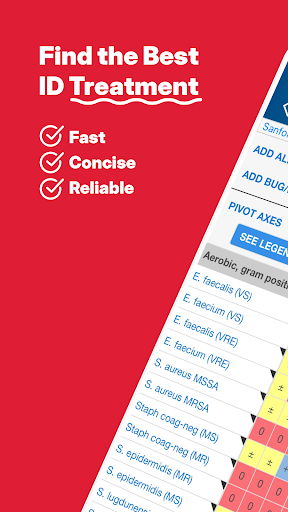
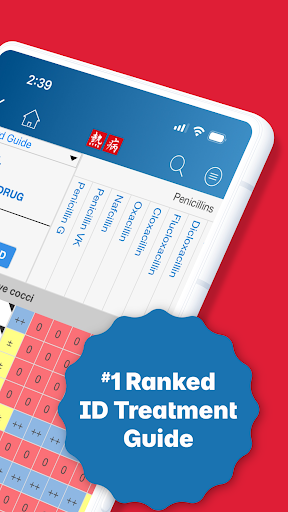
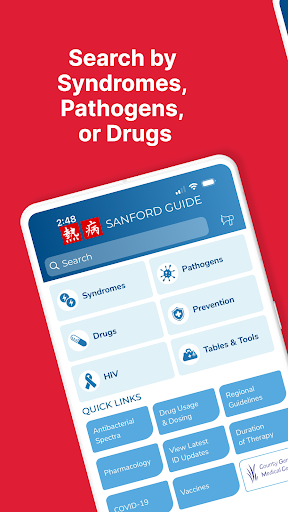
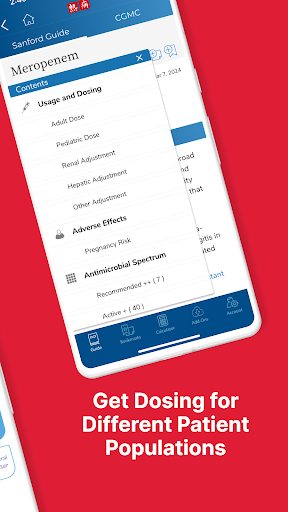
Sanford Guide helps providers and pharmacists quickly make the best infectious diseases treatment decisions.
Features
Clinically Actionable, Concise Answers
Get exactly what you need to make the best decision in a fast-paced setting.
Institutionally Diverse Editorial Team by Design
Not every organization has the same patient population, budget, or processes. We bring perspectives from many medical institutions.
Constant Updates
New recommendations are added quickly by our nine-member editorial team.
‘Why Didn’t I Think of That’ Tools
An interactive antibacterial spectra chart, drug-drug interactions, and trustworthy calculators to define accurate dosing.
Praise from Providers
“Indispensable—If you're going to prescribe you must have a way to remain current.”
“One of the most helpful tools in medicine!”
“I use this app every day I work”
Who Needs This App
Since 1969, Sanford Guide has been the leading clinical treatment guide for infectious diseases.
Popular with physicians, pharmacists, physician assistants, nurse practitioners, and other clinicians, Sanford Guide provides convenient, concise, and reliable medical information.
Coverage includes clinical syndromes (organized by anatomic system/site of infection), pathogens (bacterial, fungal, mycobacterial, parasitic and viral), anti-infective agents (dosing, adverse effects, activity, pharmacology, interactions), expanded HIV/AIDS and Hepatitis information, specialized dosing tables and tools, calculators, and preventative therapy, all evidence-based and extensively referenced.
Sanford Guide is currently written in the English language.
Auto-renewing subscriptions:
-An in-app subscription is $39.99 for one year. (Subscription price varies by country)
-Payment will be charged to your Google Play Account at confirmation of purchase.
-Subscriptions automatically renew unless auto-renew is turned off at least 24-hours before the end of the current subscription period.
-Your Google ID will be charged for renewal within 24-hours prior to the end of the current subscription period.
-Subscriptions may be managed by the user and auto-renewal may be turned off by going to the user’s Account Settings after purchase.
-No cancellation of a current subscription is allowed during the active subscription period.
-Subscriptions are subject to our Terms of Use, which are available at: https://www.sanfordguide.com/about/legal/terms-of-use/.
-Our privacy policy can be viewed at: https://www.sanfordguide.com/about/legal/privacy-policy/
Disclaimer:
The “Sanford Guide” app is intended for use by health care professionals and trainees only, and not by the general public. Every effort is made to ensure the accuracy of the content of this app. However, current full prescribing information available in the package insert for each drug should be consulted before prescribing any product. The editors and publisher are not responsible for errors or omissions or for any consequences from application of our print and digital content, and make no warranty, express or implied, with respect to the currency, accuracy, or completeness of the contents of this publication. The information in this app is not a substitute for professional medical advice, diagnosis, or treatment. Application of this information in a particular situation remains solely the professional responsibility of the health care provider.
Daha fazla göster

1. MEmu yükleyicisini indirin ve kurulumu tamamlayın

2. MEmu'yu başlatın ve ana sayfada Google Play'i açın

3. Google Play'de Sanford Guide arayın
Install
4. Sanford Guide indirin ve yükleyin
5. Kurulum tamamlandığında başlamak için simgeye tıklayın

6. Sanford Guide'i PC'de için MEmu'yu kullanın
MEmu Play, 50 milyon kullanıcısıyla en iyi ücretsiz Android emülatörüdür ve en üst düzey Android uygulama deneyiminin keyfini çıkarır. MEmu'nun sanallaştırma teknolojisi, en zorlu uygulamalar da dahil olmak üzere binlerce uygulamayı bilgisayarınızda sorunsuz bir şekilde çalıştırmanızı sağlar.
Daha büyük ekranla daha iyi grafiklere sahip; Pil veya mobil veri sınırlaması olmaksızın uzun süre.
Keymapping klavye ve fare veya gamepad'in hassas kontrolü için destek verir.
Multi-Instance yöneticisi ile tek bir bilgisayarda aynı anda birden fazla oyun hesabı veya görev gerçekleşilebilir.
Use Sanford Guide on PC by following steps: