
Star Cleaner & Booster
Güncellendi
Mevcut Sürüm
2.3.8
Sunan

Cep telefonunda Star Cleaner & Booster kullanırken fazla şarjlardan endişelenme, kendini küçük ekrandan kurtar ve uygulamayı çok daha büyük bir ekranda kullanmanın tadını çıkar. Şu andan itibaren, klavye ve fare ile uygulamayı tam ekran da kullanmayı dene. MEmu, beklediğin tüm şaşırtıcı özellikleri sunar: hızlı ve kolay kurulum, sezgisel kontroller, bunun dışında pil sınırı, mobil veri ve rahatsız edici aramalar artık yok. Yepyeni MEmu 9, bilgisayarında Star Cleaner & Booster kullanmanın en iyi seçimidir. Emilimimizle kodlanan çok örnekli yönetici, aynı anda 2 veya daha fazla hesap açmayı mümkün kılar. Ve en önemlisi, özel emülasyon motorumuz PC'nin tüm potansiyelini serbest bırakabilir, her şeyi pürüzsüz ve eğlenceli hale getirebilir.
Daha fazla göster
Star Cleaner & Booster’i MEmu Android Emülatör ile PC’ye indirin. Büyük ekranda oynamanın keyfini çıkarın. Have you noticed that your phone has started to perform significantly worse than before?


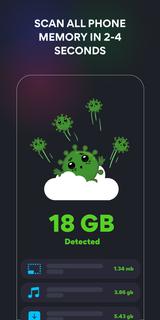

Have you noticed that your phone has started to perform significantly worse than before? Running out of memory? Are you getting annoying notifications? The problem is not with the phone itself, and we do know how to solve it! The fact is that a lot of unnecessary files have gathered on your device, slowing down its operation and creating unnecessary load on the processor. In order to clean up your smartphone of junk, such as unnecessary files retarding its operation, duplicate photos or files stored in the application cache, just download our Star Cleaner - Phone Booster & Junk Removal!We created this simple and easy-to-use application for you to clean up your device of all unnecessary data and return it to normal functioning condition! Just launch Star Cleaner and in a few minutes it will make your smartphone as clean and comfortable as it was right after you bought it.What Star Cleaner Does:✔ Optimizing processor performance.✔ Searching for and deleting large files.✔ Battery saving.✔ Cache cleaning.✔ Removing the apps, you are not using.✔ Cleaning messengers✔ Removing unwanted photos.Star Cleaner benefits:The application uses various cleaning mechanisms in combination, significantly improving the performance of the device.Why Choose Star Cleaner:Despite its small size, Star Cleaner is a powerful professional application to clean Android devices and increasing their performance. It can easily clean up unwanted files, speed up memory, optimize your smartphone's processor and save battery.Among other things, Star Cleaner also has the function of cleaning messengers from garbage, which quickly accumulates in those affecting the performance of the device.Star Cleaner Features:★ System processes OptimizationDoes it take you half an hour to complete a job that usually takes 5 minutes? Download Star Cleaner, install and run it, and the app will fix your phone in a few seconds. It is very comfortable!★ Battery power savingStar Cleaner has a power saving mode. The app analyzes battery usage and promotes battery life.★ Cleaning applicationsAfter a certain time of use, the smartphone resembles a room full of unnecessary staff. It contains a lot of information that is not so easy to organize. Star Cleaner instantly detects which apps can be uninstalled helping you to clean up.★ Removing bad photosIn most cases, we start deleting unsuccessful photos when we urgently need to take a new one, and there is no free space left in the smartphone's memory. And then you have to quickly revise the gallery to decide which images to sacrifice. Star Cleaner will find all unsuccessful photos for you and suggest removal options.★ Star Cleaner takes care of youInstall the Star Cleaner - Cache Cleaner, Booster, Optimizer on your phone and forget about it’s slowness forever.We've done our best to make the application easy and comfortable to use, but your feedback will help us to make Star Cleaner even more convenient and functional. If you like our application, please give us 5 stars ★★★★★ on the Google Play store.
Daha fazla göster

1. MEmu yükleyicisini indirin ve kurulumu tamamlayın

2. MEmu'yu başlatın ve ana sayfada Google Play'i açın

3. Google Play'de Star Cleaner & Booster arayın
Install
4. Star Cleaner & Booster indirin ve yükleyin
5. Kurulum tamamlandığında başlamak için simgeye tıklayın

6. Star Cleaner & Booster'i PC'de için MEmu'yu kullanın
MEmu Play, 50 milyon kullanıcısıyla en iyi ücretsiz Android emülatörüdür ve en üst düzey Android uygulama deneyiminin keyfini çıkarır. MEmu'nun sanallaştırma teknolojisi, en zorlu uygulamalar da dahil olmak üzere binlerce uygulamayı bilgisayarınızda sorunsuz bir şekilde çalıştırmanızı sağlar.
Daha büyük ekranla daha iyi grafiklere sahip; Pil veya mobil veri sınırlaması olmaksızın uzun süre.
Keymapping klavye ve fare veya gamepad'in hassas kontrolü için destek verir.
Multi-Instance yöneticisi ile tek bir bilgisayarda aynı anda birden fazla oyun hesabı veya görev gerçekleşilebilir.
Use Star Cleaner & Booster on PC by following steps: