The Rosetta Stone (ebook)
Güncellendi
Mevcut Sürüm
3.0.0
Sunan

Cep telefonunda The Rosetta Stone (ebook) kullanırken fazla şarjlardan endişelenme, kendini küçük ekrandan kurtar ve uygulamayı çok daha büyük bir ekranda kullanmanın tadını çıkar. Şu andan itibaren, klavye ve fare ile uygulamayı tam ekran da kullanmayı dene. MEmu, beklediğin tüm şaşırtıcı özellikleri sunar: hızlı ve kolay kurulum, sezgisel kontroller, bunun dışında pil sınırı, mobil veri ve rahatsız edici aramalar artık yok. Yepyeni MEmu 9, bilgisayarında The Rosetta Stone (ebook) kullanmanın en iyi seçimidir. Emilimimizle kodlanan çok örnekli yönetici, aynı anda 2 veya daha fazla hesap açmayı mümkün kılar. Ve en önemlisi, özel emülasyon motorumuz PC'nin tüm potansiyelini serbest bırakabilir, her şeyi pürüzsüz ve eğlenceli hale getirebilir.
Daha fazla göster
The Rosetta Stone (ebook)’i MEmu Android Emülatör ile PC’ye indirin. Büyük ekranda oynamanın keyfini çıkarın. This App contains the complete ebook with Illustrations of The Rosetta Stone by E.
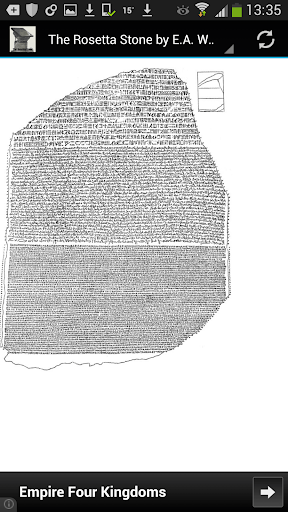
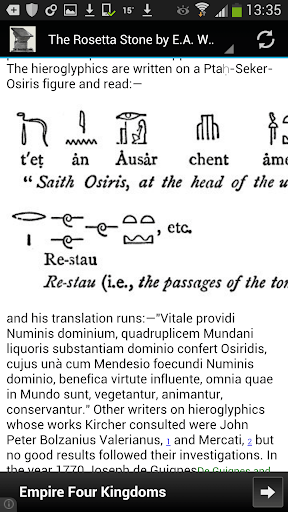
This App contains the complete ebook with Illustrations of The Rosetta Stone by E.A. Wallis Budge
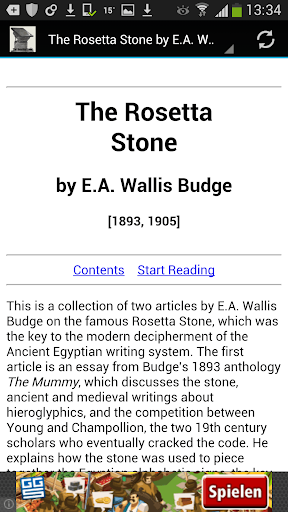
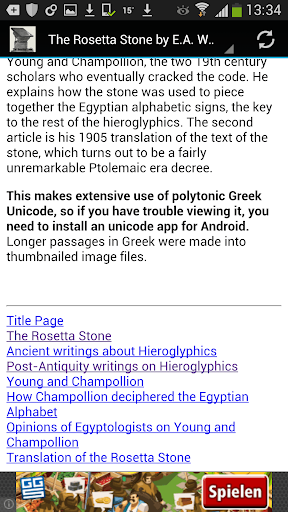
This is a collection of two articles by E.A. Wallis Budge on the famous Rosetta Stone, which was the key to the modern decipherment of the Ancient Egyptian writing system. He explains how the stone was used to piece together the Egyptian alphabetic signs, the key to the rest of the hieroglyphics.
Easy to use app!
The ebook in in HTML format and no additional book reader is required.
Books are optimized for all mobile devices.
English Language Only.
Disclaimer:
* This is a free ad-supported application.
* All works are in the Public Domain, meaning that they are not subject to copyright, since the text was published in [1905]
Daha fazla göster

1. MEmu yükleyicisini indirin ve kurulumu tamamlayın

2. MEmu'yu başlatın ve ana sayfada Google Play'i açın

3. Google Play'de The Rosetta Stone (ebook) arayın
Install
4. The Rosetta Stone (ebook) indirin ve yükleyin
5. Kurulum tamamlandığında başlamak için simgeye tıklayın

6. The Rosetta Stone (ebook)'i PC'de için MEmu'yu kullanın
MEmu Play, 50 milyon kullanıcısıyla en iyi ücretsiz Android emülatörüdür ve en üst düzey Android uygulama deneyiminin keyfini çıkarır. MEmu'nun sanallaştırma teknolojisi, en zorlu uygulamalar da dahil olmak üzere binlerce uygulamayı bilgisayarınızda sorunsuz bir şekilde çalıştırmanızı sağlar.
Daha büyük ekranla daha iyi grafiklere sahip; Pil veya mobil veri sınırlaması olmaksızın uzun süre.
Keymapping klavye ve fare veya gamepad'in hassas kontrolü için destek verir.
Multi-Instance yöneticisi ile tek bir bilgisayarda aynı anda birden fazla oyun hesabı veya görev gerçekleşilebilir.
Use The Rosetta Stone (ebook) on PC by following steps: