
Verity Mod: Mods for Minecraft
Güncellendi
Mevcut Sürüm
2.4.0
Sunan

Cep telefonunda Verity Mod: Mods for Minecraft kullanırken fazla şarjlardan endişelenme, kendini küçük ekrandan kurtar ve uygulamayı çok daha büyük bir ekranda kullanmanın tadını çıkar. Şu andan itibaren, klavye ve fare ile uygulamayı tam ekran da kullanmayı dene. MEmu, beklediğin tüm şaşırtıcı özellikleri sunar: hızlı ve kolay kurulum, sezgisel kontroller, bunun dışında pil sınırı, mobil veri ve rahatsız edici aramalar artık yok. Yepyeni MEmu 9, bilgisayarında Verity Mod: Mods for Minecraft kullanmanın en iyi seçimidir. Emilimimizle kodlanan çok örnekli yönetici, aynı anda 2 veya daha fazla hesap açmayı mümkün kılar. Ve en önemlisi, özel emülasyon motorumuz PC'nin tüm potansiyelini serbest bırakabilir, her şeyi pürüzsüz ve eğlenceli hale getirebilir.
Daha fazla göster
MEmu Play ile bilgisayarınızda Verity Mod: Mods for Minecraft kullanmanın mükemmel deneyimini yaşayın. Masaüstü sürümleri için binlerce Android uygulaması sunan güçlü ve ücretsiz bir Android emülatörüdür. Arkadaşlarınızla bağlantı kurmanın ve çalışmalarınızı daha verimli bir şekilde geliştirmenin keyfini çıkarın! Step into a darker Minecraft experience with Verity Mod: Mods for Minecraft, a collection of horror addons, creepy creatures, mysterious entities, and survival experiences for Minecraft Bedrock and MCPE players.
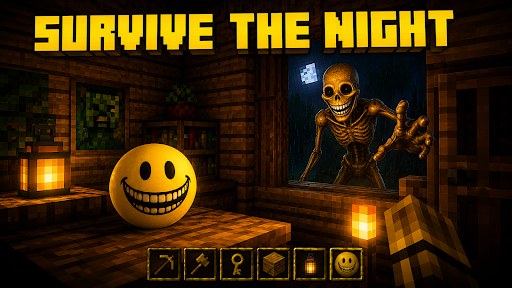
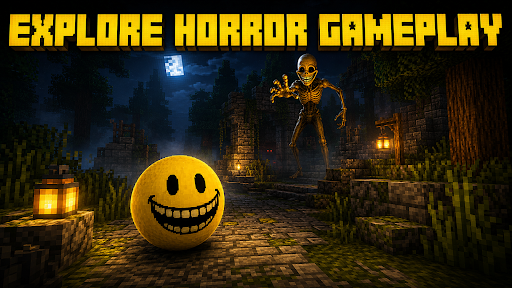
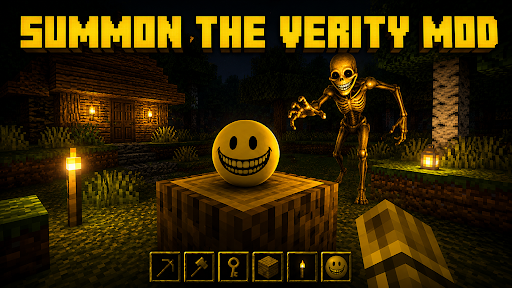

Step into a darker Minecraft experience with Verity Mod: Mods for Minecraft, a collection of horror addons, creepy creatures, mysterious entities, and survival experiences for Minecraft Bedrock and MCPE players.
At the center of the collection is Verity, the strange yellow smiling entity that may appear harmless at first.
But the smile hides something darker.
During your adventure, Verity can appear unexpectedly while you explore forests, caves, villages, swamps, and other locations. What begins as a mysterious encounter can turn into a tense horror experience as the entity reveals a much more disturbing form.
MEET VERITY
The yellow smiling creature is only the beginning.
Verity can transform into a tall and unsettling monster with long limbs, unnatural movement, and the same unforgettable grin. Its unexpected appearances can turn ordinary Minecraft exploration into a frightening survival adventure.
If you enjoy Minecraft horror mods, creepy addons, scary entities, strange creatures, and atmospheric gameplay, this collection gives you new ways to experience your worlds.
HORROR SURVIVAL
Explore familiar Minecraft environments with a darker atmosphere.
Discover mysterious creatures, unexpected encounters, eerie locations, and horror-inspired addons that make every night feel more dangerous.
MORE HORROR MODS
The app includes more than Verity. Discover additional community-created horror addons featuring stalkers, strange entities, creepy creatures, and mysterious encounters.
Mysterious Players
Encounter unusual entities that resemble normal players but may behave in strange and unexpected ways.
Night Stalkers
Discover creatures that may appear while exploring dark forests and other dangerous locations.
Survival Encounters
Turn normal gameplay into tense hide-and-seek or survival experiences with unpredictable horror entities.
Creepy Adventures
Explore horror-themed worlds filled with mystery, darkness, strange creatures, and atmospheric encounters.
FEATURES
Verity-themed Minecraft addons
Horror mods and creepy entities
Easy addon discovery
Simple installation process
Minecraft Bedrock and MCPE content
Horror survival experiences
Mysterious creatures and stalkers
Dark exploration adventures
Clear addon information
Simple and user-friendly interface
Growing collection of content
Whether you want to meet the mysterious smiling Verity entity, explore haunted environments, discover frightening creatures, or add a darker atmosphere to your Minecraft worlds, Verity Mod: Mods for Minecraft gives horror fans plenty to explore.
Enter the world. Follow the smile. And watch what follows you back.
Download Verity Mod: Mods for Minecraft and discover horror addons, creepy entities, and mysterious survival experiences.
DISCLAIMER
This is an unofficial Minecraft application and is not affiliated with, endorsed by, sponsored by, or approved by Mojang Studios or Microsoft Corporation.
Minecraft is a trademark of Microsoft Corporation. All related trademarks and intellectual property belong to their respective owners.
The name Verity is used only to identify compatible community-created content. All Verity-related characters, models, textures, artwork, names, and intellectual property remain the property of their respective creators and rights holders.
This application does not claim ownership of third-party intellectual property and serves as a utility to help users discover and access compatible community-created content.
Daha fazla göster

1. MEmu yükleyicisini indirin ve kurulumu tamamlayın

2. MEmu'yu başlatın ve ana sayfada Google Play'i açın

3. Google Play'de Verity Mod: Mods for Minecraft arayın
Install
4. Verity Mod: Mods for Minecraft indirin ve yükleyin
5. Kurulum tamamlandığında başlamak için simgeye tıklayın

6. Verity Mod: Mods for Minecraft'i PC'de için MEmu'yu kullanın
MEmu Play, 50 milyon kullanıcısıyla en iyi ücretsiz Android emülatörüdür ve en üst düzey Android uygulama deneyiminin keyfini çıkarır. MEmu'nun sanallaştırma teknolojisi, en zorlu uygulamalar da dahil olmak üzere binlerce uygulamayı bilgisayarınızda sorunsuz bir şekilde çalıştırmanızı sağlar.
Daha büyük ekranla daha iyi grafiklere sahip; Pil veya mobil veri sınırlaması olmaksızın uzun süre.
Keymapping klavye ve fare veya gamepad'in hassas kontrolü için destek verir.
Multi-Instance yöneticisi ile tek bir bilgisayarda aynı anda birden fazla oyun hesabı veya görev gerçekleşilebilir.
Use Verity Mod: Mods for Minecraft on PC by following steps: