XBPlay - Remote Play
Güncellendi
Mevcut Sürüm
4.41
Sunan

Cep telefonunda XBPlay - Remote Play kullanırken fazla şarjlardan endişelenme, kendini küçük ekrandan kurtar ve uygulamayı çok daha büyük bir ekranda kullanmanın tadını çıkar. Şu andan itibaren, klavye ve fare ile uygulamayı tam ekran da kullanmayı dene. MEmu, beklediğin tüm şaşırtıcı özellikleri sunar: hızlı ve kolay kurulum, sezgisel kontroller, bunun dışında pil sınırı, mobil veri ve rahatsız edici aramalar artık yok. Yepyeni MEmu 9, bilgisayarında XBPlay - Remote Play kullanmanın en iyi seçimidir. Emilimimizle kodlanan çok örnekli yönetici, aynı anda 2 veya daha fazla hesap açmayı mümkün kılar. Ve en önemlisi, özel emülasyon motorumuz PC'nin tüm potansiyelini serbest bırakabilir, her şeyi pürüzsüz ve eğlenceli hale getirebilir.
Daha fazla göster
XBPlay - Remote Play’i MEmu Android Emülatör ile PC’ye indirin. Büyük ekranda oynamanın keyfini çıkarın. *Supports streaming backwards comparable (360) games and streams in 1080p quality.
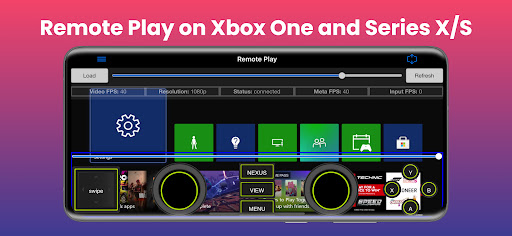
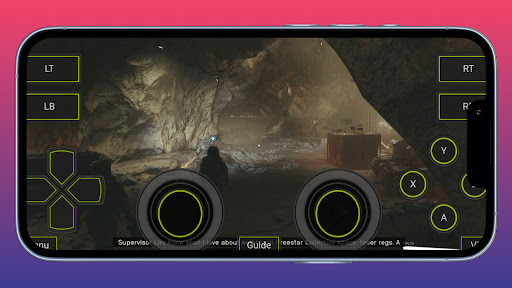
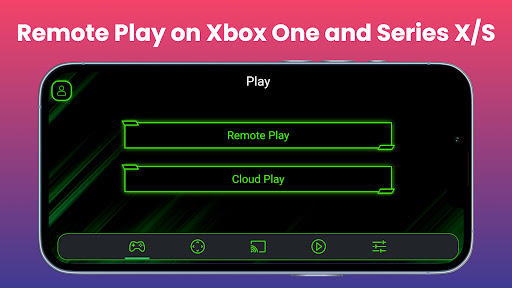
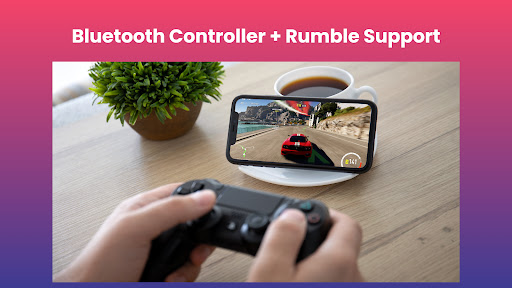
*Supports streaming backwards comparable (360) games and streams in 1080p quality.
This app allows you to stream, remote control, and cast to your X-Box One or Series X/S game console! It supports physical controllers connected to your phone or virtual on screen gamepad's. Additionally, this app can configure your X-Box to stream straight to your SmartTV eliminating the need to use an HDMI cable.
Features:
- Remote Play: Stream content to your phone and control it with a mini on screen gamepad. Even stream in 1080p resolution and X-Box One backwards compatible games (360 games)!
-Cloud: Remote play X-Box games without needing to be on the same WiFi network as your console with the xCloud feature.
-Mouse and Keyboard Support: Play with a mouse and keyboard either in simulation mode or true direct mode for games that officially support mouse and keyboard interaction.
- Clarity Boost: Select from a variety of clarity enhancement algorithms and tailor the strength to precisely match your specific requirements.
- Media Cast: Cast videos from your phone to your X-Box 360, X-Box One or Series X/S console.
-TV Cast: Cast your console's screen straight to a Smart TV (currently requires a high end Smart TV of 60fps and at 1080p).
- Controller Builder: Create and save your very own custom full screen or mini Gamepads for in-game play.
- Physical Controller: All streaming screens will work with a physical controller connected to your phone. We have even tested playing a X-Box game with a PS5 controller!
- Media Remote: Control your console with a simple media remote while playing video's or navigating your console's home-screen.
- Notification Remote: Quickly control your console without opening the app at all via a simple notification tray remote.
- MirrorCast: Create a local server on your WiFi network that allows any connected device to stream content from your console. Even stream straight to a not so smart TV, Mac, Linux device, or virtually any device with a modern web browser.
- Steam Deck: This is the companion app for the Steam Deck.
Daha fazla göster

1. MEmu yükleyicisini indirin ve kurulumu tamamlayın

2. MEmu'yu başlatın ve ana sayfada Google Play'i açın

3. Google Play'de XBPlay - Remote Play arayın
Install
4. XBPlay - Remote Play indirin ve yükleyin
5. Kurulum tamamlandığında başlamak için simgeye tıklayın

6. XBPlay - Remote Play'i PC'de için MEmu'yu kullanın
MEmu Play, 50 milyon kullanıcısıyla en iyi ücretsiz Android emülatörüdür ve en üst düzey Android uygulama deneyiminin keyfini çıkarır. MEmu'nun sanallaştırma teknolojisi, en zorlu uygulamalar da dahil olmak üzere binlerce uygulamayı bilgisayarınızda sorunsuz bir şekilde çalıştırmanızı sağlar.
Daha büyük ekranla daha iyi grafiklere sahip; Pil veya mobil veri sınırlaması olmaksızın uzun süre.
Keymapping klavye ve fare veya gamepad'in hassas kontrolü için destek verir.
Multi-Instance yöneticisi ile tek bir bilgisayarda aynı anda birden fazla oyun hesabı veya görev gerçekleşilebilir.
Use XBPlay - Remote Play on PC by following steps: