Yubii Home
Güncellendi
Mevcut Sürüm
2.2.0
Sunan

Cep telefonunda Yubii Home kullanırken fazla şarjlardan endişelenme, kendini küçük ekrandan kurtar ve uygulamayı çok daha büyük bir ekranda kullanmanın tadını çıkar. Şu andan itibaren, klavye ve fare ile uygulamayı tam ekran da kullanmayı dene. MEmu, beklediğin tüm şaşırtıcı özellikleri sunar: hızlı ve kolay kurulum, sezgisel kontroller, bunun dışında pil sınırı, mobil veri ve rahatsız edici aramalar artık yok. Yepyeni MEmu 9, bilgisayarında Yubii Home kullanmanın en iyi seçimidir. Emilimimizle kodlanan çok örnekli yönetici, aynı anda 2 veya daha fazla hesap açmayı mümkün kılar. Ve en önemlisi, özel emülasyon motorumuz PC'nin tüm potansiyelini serbest bırakabilir, her şeyi pürüzsüz ve eğlenceli hale getirebilir.
Daha fazla göster
Yubii Home’i MEmu Android Emülatör ile PC’ye indirin. Büyük ekranda oynamanın keyfini çıkarın. Introducing the new Yubii Home app, combining the latest home automation trends and state-of-the-art technology for seamless and efficient smart home management.
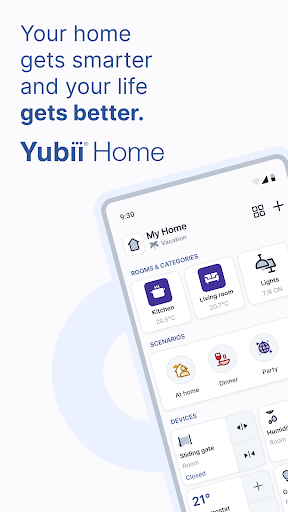
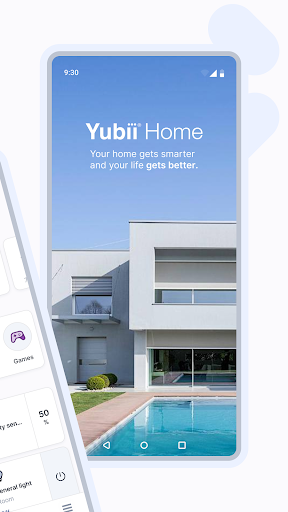
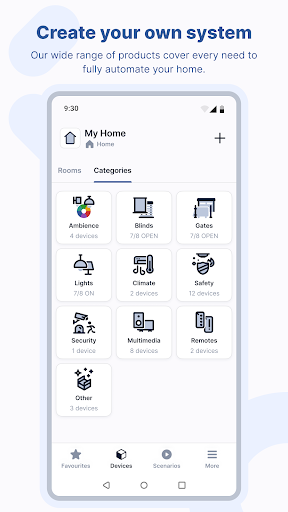
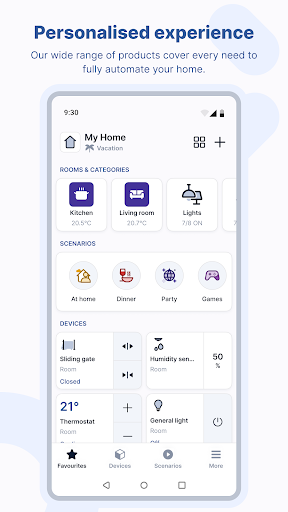
Introducing the new Yubii Home app, combining the latest home automation trends and state-of-the-art technology for seamless and efficient smart home management.
This cutting-edge app boasts an intuitive interface meticulously crafted to perfection. Easily navigate through the customizable dashboard that contains shortcuts to your rooms and device categories with their status information. It also includes favorite scenes and favorite devices sections to easily control automations within each space, ensuring your environment is always optimized to your liking. Customize the app in a way you like to use your smart home.
Yubii Home app has been designed to suit users and installers. Configure the system by adding devices using a simple setup wizard. Manage multiple users and define access to automations.
Yubii Home streamlines scenario management with an easy-to-use dedicated feature, allowing you to add, modify, and adjust automations with a few taps.
Customize your experience with two distinct color themes – Light and Dark – catering to your visual preferences. Use the light one during the day and the dark one in the evening to increase eye comfort or switch themes automatically.
The application works with the following hubs: Yubii Home Pro, Yubii Home, Home Center 3, Home Center 3 Lite.
Experience the future of home management and download the Yubii Home app now.
Daha fazla göster

1. MEmu yükleyicisini indirin ve kurulumu tamamlayın

2. MEmu'yu başlatın ve ana sayfada Google Play'i açın

3. Google Play'de Yubii Home arayın
Install
4. Yubii Home indirin ve yükleyin
5. Kurulum tamamlandığında başlamak için simgeye tıklayın

6. Yubii Home'i PC'de için MEmu'yu kullanın
MEmu Play, 50 milyon kullanıcısıyla en iyi ücretsiz Android emülatörüdür ve en üst düzey Android uygulama deneyiminin keyfini çıkarır. MEmu'nun sanallaştırma teknolojisi, en zorlu uygulamalar da dahil olmak üzere binlerce uygulamayı bilgisayarınızda sorunsuz bir şekilde çalıştırmanızı sağlar.
Daha büyük ekranla daha iyi grafiklere sahip; Pil veya mobil veri sınırlaması olmaksızın uzun süre.
Keymapping klavye ve fare veya gamepad'in hassas kontrolü için destek verir.
Multi-Instance yöneticisi ile tek bir bilgisayarda aynı anda birden fazla oyun hesabı veya görev gerçekleşilebilir.
Use Yubii Home on PC by following steps: