Canopy - Parental Control App
更新日期
目前版本
40.89
提供者

想體驗Canopy - Parental Control App,可是手機熒幕太小,一載軟體就變燙,怎麼辦?透過逍遙模擬器,在電腦的大熒幕上暢快體驗!用鍵鼠操作更精準流暢,逍遙模擬器滿足您的所有期待。在電腦上下載安裝Canopy - Parental Control App,不用擔心電池當掉,想體驗多久就多久,順暢跑一天~全新的逍遙模擬器9,絕對是您體驗Canopy - Parental Control App電腦版的最佳選擇。完美的按鍵映射系統讓Canopy - Parental Control App如PC軟體般順手;強大的多開功能可同時執行多個任務;獨家虛擬化技術更能徹底釋放電腦效能,保障長時間穩定運作。我們致力於不讓設備限制您的體驗,助您輕鬆高效,暢快無比!
更多
透過逍遙模擬器,在電腦上下載Canopy - Parental Control App,享受大熒幕的暢快體驗。 Canopy empowers you to parent in the digital world.
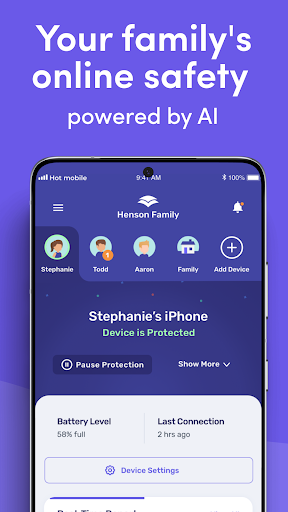
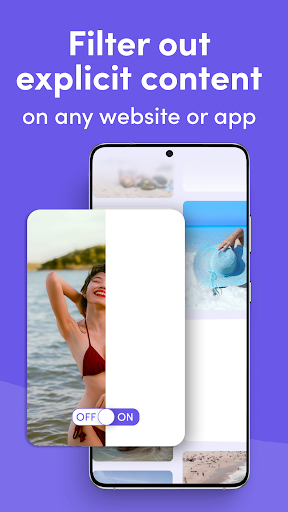
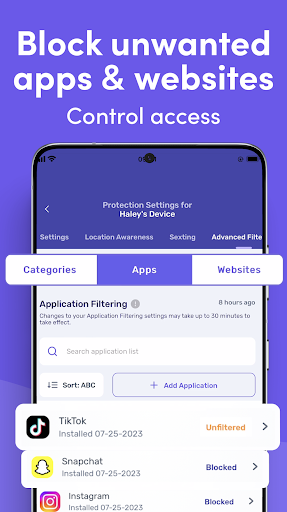
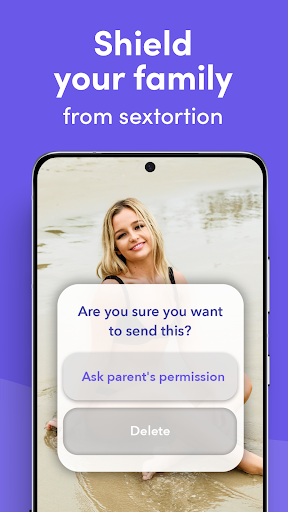
Canopy empowers you to parent in the digital world. Our cutting edge parental control features keep your family safe online. The Canopy system inspects images, videos and websites before they appear on your child’s device and blocks porn and unsafe content in real-time before your child is exposed. Canopy isn’t just for kids – it's designed to provide the entire family with a healthy and positive online experience.
Download Canopy to start your 7-day free trial today!
Take control of your family’s online safety with Canopy:
Real-Time Smart Filter & Porn Blocker
Harness the power of artificial intelligence to seamlessly remove pornographic content (and even partial nudity!) from websites and apps in milliseconds, ensuring a healthy, positive digital experience. Even better, our AI doesn’t block safe content – get the good without the bad!
Sexting Alerts
Monitors the camera on the protected device, preventing your child from sharing inappropriate photos, and notifies you immediately if a risky photo is detected.
Screen Time Management
Set DownTime and screentime limits for the protected device to limit internet use at specific times.
Removal Alerts
Get notified quickly if your child tries to remove or disable Canopy.
Website Management
Create a customized list of blocked or allowed websites to personalize your family's online experience.
Location Awareness
Keep up with your child no matter where life takes them using a detailed real-time GPS map.
App Management
Curate your child’s app collection. Block distracting and inappropriate apps and games.
Easy Monitoring
Receive convenient notifications when Canopy is doing its job of protecting your child online. We’ll notify you when we block inappropriate content or prevent inappropriate behavior from happening. You can adjust Canopy’s settings from your personal device using the Canopy for Parents app or Canopy web dashboard.
Free 7-day trial with every subscription! Subscribe monthly, or on an annual basis for best value.
*Important note: this app is the control app for the Canopy Shield app. You should download Canopy to your personal device. After you create your account, Canopy will lead you through the process for installing Canopy Shield on your child’s Android phone or Chromebook. For Canopy to work, you must install Canopy Shield on your child’s device.
If you are installing Canopy for yourself, you can download both apps on the same device.
Join over 100,000 families worldwide who trust Canopy to provide a safer online experience. Our app not only protects your kids - it also encourages responsible habits, transparency, and trust while creating opportunities for important conversations. Canopy empowers you to parent in the digital world, just like you do in the real one.
If you have any questions, our friendly customer support team is available every day from 12 p.m. to 8 p.m CT via phone or our help center site.
(888) 820-1918 / https://help.canopy.us/
Don't let the risks of the internet hold you back - download Canopy today and experience the digital world safely and positively.
Terms of Use - https://canopy.us/end-user-license-agreement
Privacy Policy - https://canopy.us/privacy
更多

1. 下載逍遙安裝器並完成設置

2. 啟動逍遙後打開位於桌面上的谷歌商店

3. 在谷歌商店中搜尋Canopy - Parental Control App
Install
4. 下載並安裝Canopy - Parental Control App
5. 下載完成後點擊圖標來啟動

6. 透過逍遙享受在電腦上體驗Canopy - Parental Control App
逍遙安卓是優秀的安卓模擬器,全球超過5000萬用戶的優先選擇。逍遙安卓以虛擬化技術為核心,為用户打造突破手機配備局限的應用平台!
大屏精細展示;無限待機,超越電池和流量限制
鍵鼠,手把操作全面支持,操作更精準
用逍遙多開同時運行多個遊戲、應用。
Use Canopy - Parental Control App on PC by following steps: