
invideo AI: Video Generator
更新日期
目前版本
3.1.1
提供者

想體驗invideo AI: Video Generator,可是手機熒幕太小,一載軟體就變燙,怎麼辦?透過逍遙模擬器,在電腦的大熒幕上暢快體驗!用鍵鼠操作更精準流暢,逍遙模擬器滿足您的所有期待。在電腦上下載安裝invideo AI: Video Generator,不用擔心電池當掉,想體驗多久就多久,順暢跑一天~全新的逍遙模擬器9,絕對是您體驗invideo AI: Video Generator電腦版的最佳選擇。完美的按鍵映射系統讓invideo AI: Video Generator如PC軟體般順手;強大的多開功能可同時執行多個任務;獨家虛擬化技術更能徹底釋放電腦效能,保障長時間穩定運作。我們致力於不讓設備限制您的體驗,助您輕鬆高效,暢快無比!
更多
透過逍遙模擬器,在電腦上下載invideo AI: Video Generator,享受大熒幕的暢快體驗。 invideo AI is the easiest app to create AI videos.
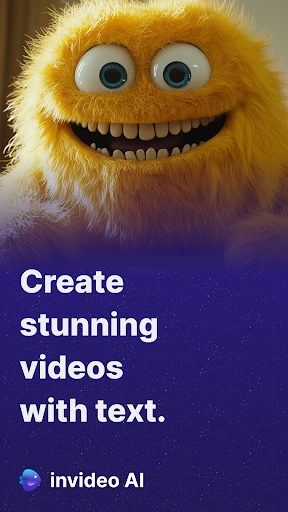
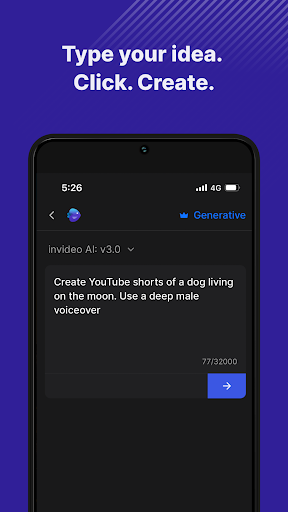
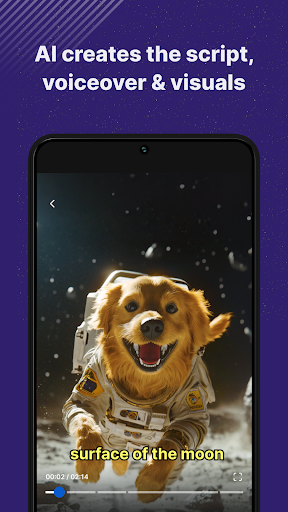
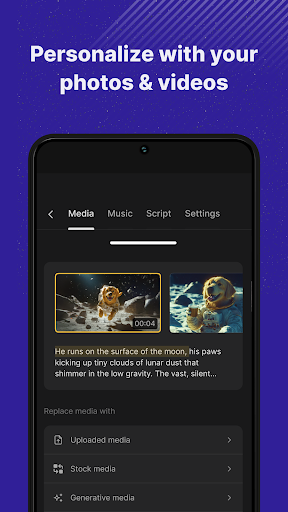
invideo AI is the easiest app to create AI videos. This easy AI video maker that turns your ideas into engaging videos with ease. Simply enter your idea, and let invideo’s advanced AI video generator craft a complete video including a script, voiceover, media, and text. Whether you're aiming to make AI videos for social media, education, or marketing, this app acts as your personal AI video editor, ready to fine-tune any element to meet your needs.
Main Features:
• Text to Video AI: Input a topic and our AI video creator will generate unique videos, automating the creation process to save you time.
• AI Movie Maker: Craft longer-form content or cinematic stories with our powerful storytelling tools.
• Detailed Customization: Leverage the versatile AI video editor to adjust the visuals, script or voiceover for your need.
• Extensive AI Media Library: Access over 16 million stock media options, searchable through AI, ensuring it perfectly aligns with your video's theme.
• Realistic AI Voiceovers: Choose from multiple natural-sounding voice options to enhance your videos.
• AI Voice Cloning: Your videos sound exactly like you with your cloned voice! Save hours of recording, personalize your videos and be consistent.
• Optimized Efficiency: As an AI video maker, this tool helps you save significant time and reduce production costs while increasing your content output.
Uses Cases of invideo AI:
• Social Media Content: Generate compelling AI story videos and motivational AI reels that resonate on platforms like Instagram and YouTube.
• Marketing Videos: Create AI videos and AI reels that captivate and inform, such as product highlights or content marketing videos.
• Educational and How-To Videos: Produce tutorials or explainer videos with ease, from cooking guides to DIY repairs, using our text to AI video capabilities.
Simple Text Command Editing:
• Creative Commands: Direct your video’s tone, from serious to humorous, or conclude with a dramatic finish.
• Audio and Text Adjustments: Customize voiceovers, alter background music, and edit subtitles to match your video’s mood.
• Visual and Pace Editing: Change scene visuals, adjust media pacing, or edit out entire segments to achieve your desired narrative flow.
Effortlessly Generate Videos: Start creating with invideo AI today and transform your creative ideas into professional-quality videos with just a few clicks. Whether you're a marketer, content creator, or business owner, invideo AI equips you with the tools to create impactful videos with minimal effort.
Terms of Use: https://invideo.io/terms-and-conditions/
Privacy Policy: https://invideo.io/privacy-policy/
更多

1. 下載逍遙安裝器並完成設置

2. 啟動逍遙後打開位於桌面上的谷歌商店

3. 在谷歌商店中搜尋invideo AI: Video Generator
Install
4. 下載並安裝invideo AI: Video Generator
5. 下載完成後點擊圖標來啟動

6. 透過逍遙享受在電腦上體驗invideo AI: Video Generator
逍遙安卓是優秀的安卓模擬器,全球超過5000萬用戶的優先選擇。逍遙安卓以虛擬化技術為核心,為用户打造突破手機配備局限的應用平台!
大屏精細展示;無限待機,超越電池和流量限制
鍵鼠,手把操作全面支持,操作更精準
用逍遙多開同時運行多個遊戲、應用。
Use invideo AI: Video Generator on PC by following steps: