
invideo AI: Video Generator
อัปเดตเมื่อ
เวอร์ชันปัจจุบัน
3.1.2
ให้บริการโดย

เมื่อใช้ invideo AI: Video Generator บนโทรศัพท์ของคุณไม่ต้องกังวลกับการชาร์จไฟมากเกินไปปลดปล่อยตัวคุณเองจากหน้าจอขนาดเล็กและสนุกกับการใช้แอพนี้บนหน้าจอขนาดใหญ่ จากนี้ไปรับประสบการณ์เต็มหน้าจอของแอปพลิเคชันของคุณด้วยคีย์บอร์ดและเมาส์ MEmu มีคุณสมบัติที่น่าแปลกใจที่คุณคาดหวัง: การติดตั้งที่รวดเร็วและการตั้งค่าที่ง่ายควบคุมได้ง่ายไม่ จำกัด แบตเตอรี่ข้อมูลมือถือและการโทรที่รบกวน MEmu 9 ใหม่ล่าสุดเป็นตัวเลือกที่ดีที่สุดสำหรับการใช้ Meitu – โปรแกรมแก้ไขภาพแนวธรรมชาติ บนคอมพิวเตอร์ของคุณ ด้วยรหัสการดูดซึมของเราผู้จัดการหลายอินสแตนซ์ทำให้สามารถเปิดบัญชี 2 บัญชีขึ้นไปในเวลาเดียวกันได้ และที่สำคัญที่สุดเอ็นจิ้นจำลองพิเศษของเราสามารถปลดปล่อยศักยภาพของPCของคุณและทำให้ทุกอย่างราบรื่นและสนุกสนาน
แสดงเพิ่มเติม
ดาวน์โหลด invideo AI: Video Generator บน PC ด้วย MEmu Android Emulator สนุกกับการเล่นบนหน้าจอขนาดใหญ่ invideo AI is the easiest app to create AI videos.
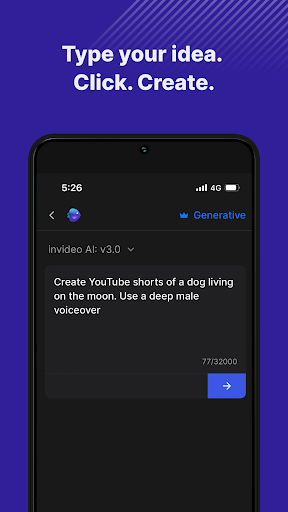
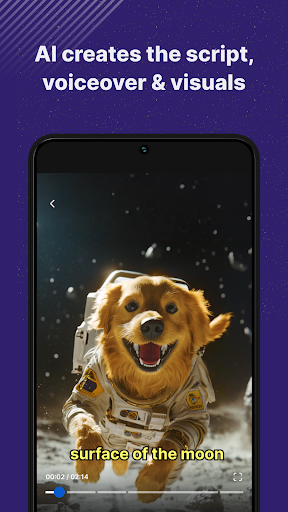
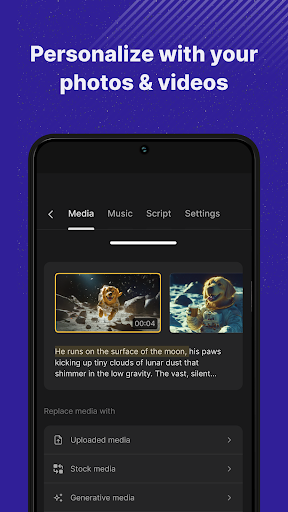
invideo AI is the easiest app to create AI videos. This easy AI video maker that turns your ideas into engaging videos with ease. Simply enter your idea, and let invideo’s advanced AI video generator craft a complete video including a script, voiceover, media, and text. Whether you're aiming to make AI videos for social media, education, or marketing, this app acts as your personal AI video editor, ready to fine-tune any element to meet your needs.
Main Features:
• Text to Video AI: Input a topic and our AI video creator will generate unique videos, automating the creation process to save you time.
• AI Movie Maker: Craft longer-form content or cinematic stories with our powerful storytelling tools.
• Detailed Customization: Leverage the versatile AI video editor to adjust the visuals, script or voiceover for your need.
• Extensive AI Media Library: Access over 16 million stock media options, searchable through AI, ensuring it perfectly aligns with your video's theme.
• Realistic AI Voiceovers: Choose from multiple natural-sounding voice options to enhance your videos.
• AI Voice Cloning: Your videos sound exactly like you with your cloned voice! Save hours of recording, personalize your videos and be consistent.
• Optimized Efficiency: As an AI video maker, this tool helps you save significant time and reduce production costs while increasing your content output.
Uses Cases of invideo AI:
• Social Media Content: Generate compelling AI story videos and motivational AI reels that resonate on platforms like Instagram and YouTube.
• Marketing Videos: Create AI videos and AI reels that captivate and inform, such as product highlights or content marketing videos.
• Educational and How-To Videos: Produce tutorials or explainer videos with ease, from cooking guides to DIY repairs, using our text to AI video capabilities.
Simple Text Command Editing:
• Creative Commands: Direct your video’s tone, from serious to humorous, or conclude with a dramatic finish.
• Audio and Text Adjustments: Customize voiceovers, alter background music, and edit subtitles to match your video’s mood.
• Visual and Pace Editing: Change scene visuals, adjust media pacing, or edit out entire segments to achieve your desired narrative flow.
Effortlessly Generate Videos: Start creating with invideo AI today and transform your creative ideas into professional-quality videos with just a few clicks. Whether you're a marketer, content creator, or business owner, invideo AI equips you with the tools to create impactful videos with minimal effort.
Terms of Use: https://invideo.io/terms-and-conditions/
Privacy Policy: https://invideo.io/privacy-policy/
แสดงเพิ่มเติม

1. ดาวน์โหลดตัวติดตั้ง MEmu และสิ้นสุดการติดตั้ง

2. เริ่ม MEmu จากนั้นเปิด Google Play บนหน้าแรก

3. ค้นหา invideo AI: Video Generator ใน Google Play
Install
4. ดาวน์โหลดและติดตั้ง invideo AI: Video Generator
5. เมื่อติดตั้งเสร็จให้คลิกที่ไอคอนเพื่อเริ่มใช้งาน

6. ใช้ MEmu เพื่อสัมผัสประสบการณ์ invideo AI: Video Generator บนคอมพิวเตอร์ของคุณ
MEmu Play คือโปรแกรมจำลอง Android ที่ดีที่สุด มีผู้ใช้มากกว่า 50 ล้านคน มอบประสบการณ์การใช้งานแอป Android ขั้นสุดยอดให้กับคุณ เทคโนโลยีจำลองเสมือนของ MEmu ช่วยให้คุณรันแอป Android หลายพันแอปบนคอมพิวเตอร์ได้อย่างราบรื่น แม้แอปที่กินทรัพยากรเครื่องสูงที่สุด
จอใหญ่และกราฟฟิกสวยกว่า; เล่นได้นาน, ไม่ต้องใช้แบตเตอรี่โทรศัพท์หรือเน็ตโทรศัพท์.
ระบบปรับแต่งปุ่มคีย์บอร์ดและเม้าส์ตามที่คุณเลือก
เล่นมากกว่าหนึ่งเกมบน PC ในเวลาเดียวกันด้วยระบบหลายจอหรือ Multi-Instance manager.
Use invideo AI: Video Generator on PC by following steps: